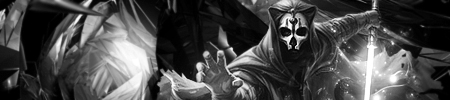
NSR ~ Snake

Digital art design, renderings, signatures and anything art related. Upload pictures of your newest work or ask for feedback. Post graphics requests or discuss art in general.
Post Reply
User avatar
Evil_Venom
Active Member
Posts: 745
Joined: Tue Jul 17, 2007 11:23 pm
Location: Artist Corner

NSR ~ Snake

Post by Evil_Venom »

Color
Image

BnW
Image

V3
Image

V4
Image
Cnc please!
Last edited by Evil_Venom on Fri Jul 11, 2008 11:14 pm, edited 2 times in total.
Image

User avatar
IceCrash
Forum Legend
Posts: 6816
Joined: Thu Nov 09, 2006 4:49 pm
Quick Reply: Yes
Location: Anything goes

Re: NSR ~ Snake

Post by IceCrash »

7/10, the render, somehow it doesnt seem like it fits in the background you know what i mean? It looks like it doesnt belong there, and the colours dont match too imo, but i like that background a lot.
Still good job
Image

User avatar
Verfo
Veteran Member
Posts: 3655
Joined: Thu May 01, 2008 12:21 am
Quick Reply: Yes
Location: evol efil

Re: NSR ~ Snake

Post by Verfo »

Render and background dont match, the render doesnt seem to blend in, also dont like that part beside his hand 7/10
<< banned for proof of botting. -cin >>

User avatar
Evil_Venom
Active Member
Posts: 745
Joined: Tue Jul 17, 2007 11:23 pm
Location: Artist Corner

Re: NSR ~ Snake

Post by Evil_Venom »

With V3 I tried to fix the blending in with the background I also took out the glow line.
Image

User avatar
IceCrash
Forum Legend
Posts: 6816
Joined: Thu Nov 09, 2006 4:49 pm
Quick Reply: Yes
Location: Anything goes

Re: NSR ~ Snake

Post by IceCrash »

8/10 now
i like it, i just think the text could/should be seen easier, it's kinda hard to see it.
otherwise, it woulda been 9/10 cause it's pretty good imo
Image

User avatar
nohunta
Loyal Member
Posts: 1561
Joined: Sun Jun 17, 2007 7:06 pm
Quick Reply: Yes
Location: Off Topic Lounge

Re: NSR ~ Snake

Post by nohunta »

2 and 3 look great
Image

Playing Jade Dynasty
2x Lupin Wdfmymoney

User avatar
nohunta
Loyal Member
Posts: 1561
Joined: Sun Jun 17, 2007 7:06 pm
Quick Reply: Yes
Location: Off Topic Lounge

Re: NSR ~ Snake

Post by nohunta »

nohunta wrote:2 and 3 look great

Bad text placement Edit: sorry ment to edit the first post lol
Image

Playing Jade Dynasty
2x Lupin Wdfmymoney

cin

Re: NSR ~ Snake

Post by cin »

imo

background too chaotic
lighting is coming from everywhere

try in photoshop:
first -> hide the layer(s) of the snake guy
make a new layer on top of the other layers
go image -> apply image
now go filter -> render -> lighting effects,
and make the lighting come from like top left.
then unhide the snake guy layer, put it on top,
go filter -> render -> lighting effects again,
and make the lighting on the snake guy like it
fits with the background layer.

idk how much a photoshop pro you are atm, but
the above tip just might bring some less chaos
to the sig >.<

User avatar
Evil_Venom
Active Member
Posts: 745
Joined: Tue Jul 17, 2007 11:23 pm
Location: Artist Corner

Re: NSR ~ Snake

Post by Evil_Venom »

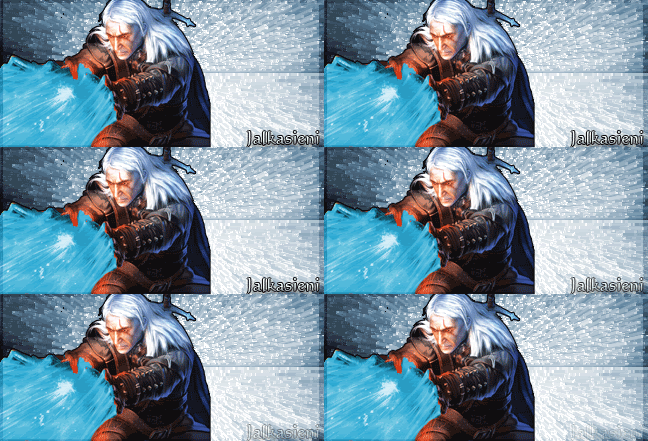
Like this?

Image
Image

User avatar
RogueKiller
Loyal Member
Posts: 1893
Joined: Sat Jan 19, 2008 11:28 pm
Quick Reply: Yes
Location: GuildWars2

Re: NSR ~ Snake

Post by RogueKiller »

Try basing the colors of the background to the colors of the render. The blueish grey colors.
Image

User avatar
Way
Hi, I'm New Here
Posts: 8
Joined: Thu Jul 10, 2008 12:39 pm
Quick Reply: Yes
Location: Venus

Re: NSR ~ Snake

Post by Way »

That last1 is best, but i dont like that render.
Image

Jalkasieni @ Venus

Post Reply

Return to “Artists Corner”