I don't know if this is the right area...

Digital art design, renderings, signatures and anything art related. Upload pictures of your newest work or ask for feedback. Post graphics requests or discuss art in general.
Post Reply
User avatar
Hime_Sama
Common Member
Posts: 151
Joined: Sat Dec 15, 2007 4:53 am
Quick Reply: Yes
Location: Hera

I don't know if this is the right area...

Post by Hime_Sama »

but i want to start designing a Guild & union image ingame.
my inspiration is Hotel Moscow from black lagoon(anime)
and well i am trying to think of what really represents the ideas
of a cold ruthless russian force (i myself am not russian)
but i don't want something very politically based like a picture of stalin
made into black & white , kinda cartoonised. and i was wondering if anyone could cook up any ideas as to a good representation.

Image

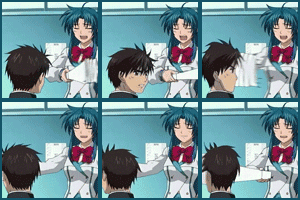
i really love this char, she's the head of Hotel Moscow.. would her eyes be good enough?
......Image ......Image ......Image......

cin

Re: I don't know if this is the right area...

Post by cin »

the eyes might work as a guild/union logo yes...

but i'm not sure how good it would look. i'd say try it out :]

User avatar
_Angels
Active Member
Posts: 707
Joined: Fri Nov 23, 2007 8:35 am
Quick Reply: Yes
Location: Artist corner

Re: I don't know if this is the right area...

Post by _Angels »

i think her head can be used as sig with some darken en lighten layers on top of it :)
btw i <3 ur avatar i have that one too :D
<< banned on request. -cin >>

User avatar
Hime_Sama
Common Member
Posts: 151
Joined: Sat Dec 15, 2007 4:53 am
Quick Reply: Yes
Location: Hera

Re: I don't know if this is the right area...

Post by Hime_Sama »

_Angels wrote:i think her head can be used as sig with some darken en lighten layers on top of it :)
btw i <3 ur avatar i have that one too :D


that'd be a steller Sig, i'll just have to work on my photoshop skills XD

and thanks, I'm looking for a new one, but i have another question,
how do you edit a .gif to be the right size without making it stop moving.


the eyes might work as a guild/union logo yes...

but i'm not sure how good it would look. i'd say try it out :]


Thanks Cin, I'll try they're are pictures of her eyes actually in the series...
but i wonder about it because it is alot of detail and the burning on the eyes might
just turn out like badly scribbled lines.
......Image ......Image ......Image......

User avatar
_Angels
Active Member
Posts: 707
Joined: Fri Nov 23, 2007 8:35 am
Quick Reply: Yes
Location: Artist corner

Re: I don't know if this is the right area...

Post by _Angels »

hmm dunno exactly what u mean but there are 2 ways
1. ALT+T and then resize dont forget to hold shift so it does stay straight.
2. or go to Image and then click on Image Size so u can resize the pic by percent or pixel.
3. or u wanna cut a piece of the picture out of it u use Canvas image or something its below the image resize button.
4. or jsut crop it :) thats on the left if u hold on every icon it show u what the tool is called.

hope that helped you =/
<< banned on request. -cin >>

User avatar
Hime_Sama
Common Member
Posts: 151
Joined: Sat Dec 15, 2007 4:53 am
Quick Reply: Yes
Location: Hera

Re: I don't know if this is the right area...

Post by Hime_Sama »

2. or go to Image and then click on Image Size so u can resize the pic by percent or pixel.


i did it that way with a .gif and for some very wierd reason.. the .gif didn't work anymore.
like it was just a normal picure
......Image ......Image ......Image......

User avatar
_Angels
Active Member
Posts: 707
Joined: Fri Nov 23, 2007 8:35 am
Quick Reply: Yes
Location: Artist corner

Re: I don't know if this is the right area...

Post by _Angels »

true gif doesnt work with just cutting something out.
it only works with pics but i tho u wanted to cut a piece out of that big picture u posted? :P
<< banned on request. -cin >>

cin

Re: I don't know if this is the right area...

Post by cin »

idk about transforming gif files...

but i do know you can open a gif file as a sequence in flash.
perhaps do that, then transform the image on each frame with a couple of %?

Post Reply

Return to “Artists Corner”