NSR . I updated please clicky clicky nowww

Digital art design, renderings, signatures and anything art related. Upload pictures of your newest work or ask for feedback. Post graphics requests or discuss art in general.
Post Reply
Vibrator
Active Member
Posts: 946
Joined: Mon Jun 04, 2007 9:04 pm

NSR . I updated please clicky clicky nowww

Post by Vibrator »

Ok i did what you guys said and i made my first sig. Tell me what ya think. Yes i did use Brushes this time and did not use distortion. ( exceptfor the light source.

Image

ANyone got any suggestions for a render for this would be cool thxs
Image
Last edited by Vibrator on Fri Dec 28, 2007 9:52 pm, edited 9 times in total.
<<banned from SRF for remaking a banned account. -SG>>

Aesthetic
Common Member
Posts: 191
Joined: Wed Dec 19, 2007 1:00 am
Quick Reply: Yes
Location: Hercules

Post by Aesthetic »

effect is really nice, colors are junk unless you're trying to make it look like Earth and the text is bad too. lol =p
<<banned from SRF for rules violations: rule #5. -SG>>

Vibrator
Active Member
Posts: 946
Joined: Mon Jun 04, 2007 9:04 pm

Post by Vibrator »

Image

Here did this one as a redo what you think now?
<<banned from SRF for remaking a banned account. -SG>>

User avatar
HOLLAstir
Loyal Member
Posts: 1637
Joined: Tue Aug 28, 2007 7:17 pm
Quick Reply: Yes
Location: 206
Contact:

Post by HOLLAstir »

Looks like all you did was filter > distort > twirl. Don't really know what to say about it.
Image

Image

Aesthetic
Common Member
Posts: 191
Joined: Wed Dec 19, 2007 1:00 am
Quick Reply: Yes
Location: Hercules

Post by Aesthetic »

if you erase the orange and red. shades of red and blue dont match in my opinion =/
<<banned from SRF for rules violations: rule #5. -SG>>

Vibrator
Active Member
Posts: 946
Joined: Mon Jun 04, 2007 9:04 pm

Post by Vibrator »

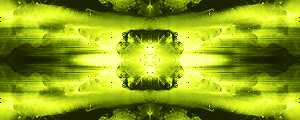
Ok ok i experimented with a picture of the sun and made itlook lik eyou were underwater and as you were rising you can see the sun effect.

Here is first picture i got from google
Image

Then i made it into an udnerwter effect
Image
And heres a very dark watter effect
Image

What u guys think? Any adfvice for a nooblet?
<<banned from SRF for remaking a banned account. -SG>>

Aesthetic
Common Member
Posts: 191
Joined: Wed Dec 19, 2007 1:00 am
Quick Reply: Yes
Location: Hercules

Post by Aesthetic »

lol you're doing simple things and giving them extravagant captions
<<banned from SRF for rules violations: rule #5. -SG>>

User avatar
christina
Frequent Member
Posts: 1017
Joined: Sun Oct 07, 2007 6:58 pm
Quick Reply: Yes
Location: Artist Corner

Post by christina »

Make a sig, dont use the disortions and stuff, actually make something of your own with brushes.
<<Left because of dumbshit people like stallowned>>

User avatar
0l3n
Elite Member
Posts: 5184
Joined: Fri Jun 16, 2006 1:45 pm
Quick Reply: Yes
Location: Artists Corner

Post by 0l3n »

Id say your trying to hypnotise us :P

The blue underwater effect look good IMO.
Image
Image

Vibrator
Active Member
Posts: 946
Joined: Mon Jun 04, 2007 9:04 pm

Post by Vibrator »

Hows this one just finished
Image
Last edited by Vibrator on Tue Dec 25, 2007 7:16 pm, edited 3 times in total.
<<banned from SRF for remaking a banned account. -SG>>

User avatar
YangKang
Active Member
Posts: 838
Joined: Wed Dec 13, 2006 4:26 pm
Quick Reply: Yes
Location: Uranus

Post by YangKang »

Doesnt look to bad, IMO. Would give it a 6-7/10 cant tell you what to fix xD
Image

User avatar
Faiien
Active Member
Posts: 889
Joined: Sun Oct 28, 2007 5:10 pm
Quick Reply: Yes
Location: Artist Corner

Post by Faiien »

rofl thats like 10x better than your previous sig
keep up the good work

things to work on
add layer effects
shrink the sig down!!!
fix the text text =/= edges

Vibrator
Active Member
Posts: 946
Joined: Mon Jun 04, 2007 9:04 pm

Post by Vibrator »

Faiien wrote:rofl thats like 10x better than your previous sig
keep up the good work

things to work on
add layer effects
shrink the sig down!!!
fix the text text =/= edges


what islayer effect?
<<banned from SRF for remaking a banned account. -SG>>

TwelveEleven
Veteran Member
Posts: 3806
Joined: Sat Mar 17, 2007 1:11 am
Quick Reply: Yes
Location: Heaven
Contact:

Post by TwelveEleven »

Like you lowered the opacity on the render layer
<<banned from SRF for proof of botting. -SG>>

Vibrator
Active Member
Posts: 946
Joined: Mon Jun 04, 2007 9:04 pm

Post by Vibrator »

Image


I been working on this for past hours trying to make the colros perfect but not just randomness any one got a good render for this? And any tips for this likelower colros raise etc?


Edit: Just learned about burn tool seems cool


Yay just finished a 2nd one. I tried to make it to blend in as much as possible so tell me what ya think.
Image

What you guys think i should do this one?
<<banned from SRF for remaking a banned account. -SG>>

Vibrator
Active Member
Posts: 946
Joined: Mon Jun 04, 2007 9:04 pm

Post by Vibrator »

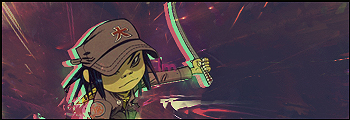
Ok followed some tutorials. I used NO render i just did everything by hand. Me frst time doing this so go easy.
Image
Or does this look better teh Suna s the Light Source.
Image
I was tyring to go for a galaxy shooting comet look.

Rate 1-10 and things i should fix please thank you.

Edit: Justnoticed the S rate without that S please =D.
<<banned from SRF for remaking a banned account. -SG>>

User avatar
Dashboard
Common Member
Posts: 106
Joined: Tue Dec 25, 2007 10:55 pm
Quick Reply: Yes
Location: Pluto

Post by Dashboard »

I like the first one better. It kinda looks odd in the second one how there is a black circle just chillin, or is that the sun?
Image
Image

cin

Post by cin »

hmmm...

so much to say, i'd rather advise you to read through some tuts in this section's
main sticky :]

the sigs are also a bit too big for my taste.

Vibrator
Active Member
Posts: 946
Joined: Mon Jun 04, 2007 9:04 pm

Post by Vibrator »

I dont know what you guys want me to do to this, I followed teh tutorials and i trued mne best what am i doing wrong =/?

Edit: I see i forgot borders... And is pelled sSilkroad forums ... Anything else?
<<banned from SRF for remaking a banned account. -SG>>

User avatar
Dashboard
Common Member
Posts: 106
Joined: Tue Dec 25, 2007 10:55 pm
Quick Reply: Yes
Location: Pluto

Post by Dashboard »

purple/blue sig. Don't get me wrong, sometimes those are good colors for sigs, however this time it's not the case. Your first sig would go better with browns/grays and darker colors. Also put the opacity on 100% for the render. Second one is kinda odd... dunno.
Image
Image

User avatar
YangKang
Active Member
Posts: 838
Joined: Wed Dec 13, 2006 4:26 pm
Quick Reply: Yes
Location: Uranus

Post by YangKang »

PFFFF using the brushes I gave you and saying you made it yourself pfff xD jk Its not my type but 5/10 anyways meh


at the guy above me you finally did hit the colors right ;D
Image

User avatar
BrokenSaint
Veteran Member
Posts: 3473
Joined: Sun Jan 01, 2006 8:49 pm
Quick Reply: Yes
Location: Stuntin'.
Contact:

Post by BrokenSaint »

Vibrator wrote:I dont know what you guys want me to do to this, I followed teh tutorials and i trued mne best what am i doing wrong =/?

Edit: I see i forgot borders... And is pelled sSilkroad forums ... Anything else?


Relax, just keep practicing.

User avatar
LM
Common Member
Posts: 123
Joined: Sun Aug 19, 2007 9:17 am
Quick Reply: Yes
Location: In your nightmares!
Contact:

Post by LM »

Your stuff remind me of my distant past. At least your better than what i used to do. Keep trying

User avatar
Dashboard
Common Member
Posts: 106
Joined: Tue Dec 25, 2007 10:55 pm
Quick Reply: Yes
Location: Pluto

Post by Dashboard »

thanks yangkang, all to the help of 0l3n, you, and some others for the comments :)
Image
Image

Vibrator
Active Member
Posts: 946
Joined: Mon Jun 04, 2007 9:04 pm

Post by Vibrator »

Image

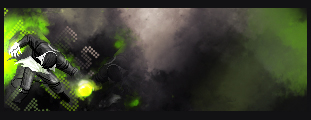
I actually followed a guide this time but form a diff site.
I made the blue pieces of crystal thingies as a light source so they shine blue .

Comments,rate, and tips please.
<<banned from SRF for remaking a banned account. -SG>>

cin

Post by cin »

10x better than your current two.

    good:
  • it has a certain "flow". people talk about flow a lot in here and its basically
    a way of leading the eyes through a sig. yours has a flow from the mid bottom
    towards the outer corners. with some small tricks, you can make the flow even
    more clear and therefor the sig more successful.
  • you used vector brushes. these brushes are a good trick to quickly make a
    sig look different from other sigs.

    bad:
  • color. the colors are too bright and too plain imo. also, the lightblue and dark
    blue dont really go well together. i do like the way the yellow-ish render is set
    on a blue background, but i would change the background to make it better.
  • background is plain. you started to work with the custom brushes. now its
    the trick to make the background into something suitable for your sig. in this
    case, one of the weakest points is the fact that you transformed the vector
    arrows, or drew arrows yourself which make em look funny. one more thing
    is that the background gets a little broing cause there is not much going on.
    also, i was talking about the flow of the sig, and with these vector brushes
    you will have more success going with the sigs flow than randomly pushing
    the brush button on the screen.
  • text. i dont like the text.. simply dont like it. the font is too plain and there
    is nothing going on really, except you brushed some lightblue over it. try to
    put your text layer on a different mode, like overlay/softlight/whatever, play
    around a little.
  • border. personal likings, i like sigs with border better, especially when that
    left arrow goes off the sig.
  • lightsource. the blue line in the top makes us believe there is some kind of
    lightsource, but there is a lot of work still to be done with it.

    ^ mind you, this is not a rant, just all the tips you need to take into consideration
    in your next sig. like i said, its already TONS better than your older ones,
    and you will see you will keep improving along the way!


<3

Vibrator
Active Member
Posts: 946
Joined: Mon Jun 04, 2007 9:04 pm

Post by Vibrator »

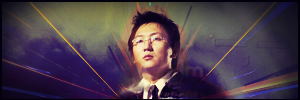
Ok Cin i took your advice and i fixed it up a little this is just the theme im trying to show ya.
Version 1.2
Image

This is what im doing Im trying to give it like the lightning and the blue Mana circle thing is surrounding him going around him.

This is the flow im trying to set
Image


Edit: If you have asuggestions in what is hould add do please say whatcolor i should make it on xD.

I dont think that the vector circles will work hre but thats just me. Anyone got any tips for me? I dont want to start a new sig i want to finish 1 for first time =D.
<<banned from SRF for remaking a banned account. -SG>>

User avatar
YangKang
Active Member
Posts: 838
Joined: Wed Dec 13, 2006 4:26 pm
Quick Reply: Yes
Location: Uranus

Post by YangKang »

Woah you improved ;D Your sig has actually now a point the sigs before were just put in as much you can IMO I agree with the most points with cin but things I would say you need to fix

lightsource : I liked it how you made the lightsource in your first try but you should have made it a line more like a point but seriously it looks better with

background : I dont like the background to much you tried to make some halfcircle flow I would say but lightings arent the right choose for that


thats it actually :p you should try to mix the first and second try and use the points everyone here writes out to improve but overall you sure did improve keep on like that
Image

WaX
Active Member
Posts: 659
Joined: Mon Sep 24, 2007 8:36 pm
Quick Reply: Yes
Location: Artist Corner

Post by WaX »

Decreasing your sig size, might help abit, as you've got a big template too fill atm. Comes down to personal preference tho.
<<banned from SRF for bot admission. -SG>>

Post Reply

Return to “Artists Corner”