First time in a long time.

Digital art design, renderings, signatures and anything art related. Upload pictures of your newest work or ask for feedback. Post graphics requests or discuss art in general.
Post Reply
User avatar
insaneAzN
Hi, I'm New Here
Posts: 8
Joined: Sat May 06, 2006 11:26 pm

First time in a long time.

Post by insaneAzN »

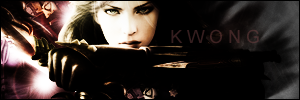
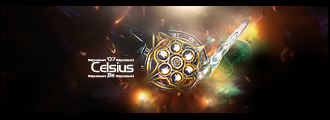
well i finally decided to open up Photoshop again after all those yeats not using it, well i made some new sigs as a test for what i still know about it and comments about em would be appreaciated. I havent added any Text yet though, and one more question, ive been searching everywhere for a tutorial on how to make a sig where the picture stick out if u know what i mean, like that spider sig on one of the other topics in here.

Image

Image

Image


Image

these have been very quickly made and also i would be glad if anyone had the answer to my question at the top. and aslo i havent added any borders yet so it migh look abit bad :S
Last edited by insaneAzN on Sat Jun 17, 2006 10:35 pm, edited 2 times in total.
Image

Naruto owns \o/

User avatar
Chosn1
Common Member
Posts: 147
Joined: Fri Apr 07, 2006 1:04 pm
Quick Reply: Yes
Location: Athens

Post by Chosn1 »

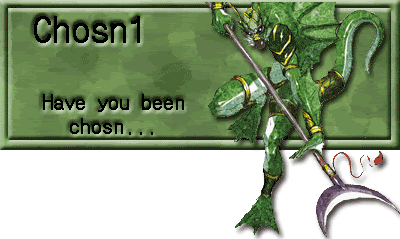
Stickin' out like this?
Image
Image
Image

thekwong
Valued Member
Posts: 411
Joined: Wed Mar 29, 2006 2:41 am
Quick Reply: Yes
Location: Rome

Post by thekwong »

its called a popout sig

you make the base on a clear canvas. you do a background to a point where there is still some canvas, then you do whatever you do with the renders, but put it in and make it stick out into the canvas. Then save it as a PNG for quality. bmp and jpeg dont preserve transparancy.

as for your current sigs, the technique looks similar and simple in all of them. brush + render + color balances/overlays and such or motion blur
Image

started playing again... yet again! omg! - on rome

User avatar
Chosn1
Common Member
Posts: 147
Joined: Fri Apr 07, 2006 1:04 pm
Quick Reply: Yes
Location: Athens

Post by Chosn1 »

wit photoshop you can save as gif, it will keep the transparent areas. Just have to use the save fer web option.
Image
Image

thekwong
Valued Member
Posts: 411
Joined: Wed Mar 29, 2006 2:41 am
Quick Reply: Yes
Location: Rome

Post by thekwong »

as i said above your post, png for quality
Image

started playing again... yet again! omg! - on rome

User avatar
Elysium
Regular Member
Posts: 294
Joined: Tue Apr 25, 2006 2:26 pm
Quick Reply: Yes
Location: Maya

Post by Elysium »

I used .png on my signature, didn't know that .gif also was transparated.

User avatar
insaneAzN
Hi, I'm New Here
Posts: 8
Joined: Sat May 06, 2006 11:26 pm

Post by insaneAzN »

so its called a poput sig? i c=D well thx for answers and yes most of them is brushing render and stuff like that XD but still i like it since its so long time since ive done anything with photoshop:P
Image

Naruto owns \o/

User avatar
insaneAzN
Hi, I'm New Here
Posts: 8
Joined: Sat May 06, 2006 11:26 pm

Post by insaneAzN »

i finally found out how to mmake popout sigs=D thx to the one telling me what it was called and here is my results. i would appreciate u told me which one u like dthe best.

Image

Image

i didnt save them in PNG though i forgott =D so u will see the background
:(
Image

Naruto owns \o/

User avatar
dom
Global Moderator
Global Moderator
Posts: 9962
Joined: Wed Mar 08, 2006 10:46 pm
Quick Reply: Yes
Location: västkustskt

Post by dom »

thekwong wrote:brush + render + color balances/overlays and such or motion blur


Sounds like 80% of the sigs here.
Image

User avatar
[SD]Kratos
Senior Member
Posts: 4785
Joined: Mon Apr 24, 2006 9:48 am
Quick Reply: Yes
Location: Venus

Post by [SD]Kratos »

nice sigs..really...good job :shock:
Image

User avatar
Rockshmo
Frequent Member
Posts: 1062
Joined: Mon May 29, 2006 5:00 pm
Quick Reply: Yes
Location: rehab
Contact:

Post by Rockshmo »

dom wrote:Sounds like 80% of the sigs here.


:P
Image
[Sparta][Pure STR][Lvl 5x]

Post Reply

Return to “Artists Corner”