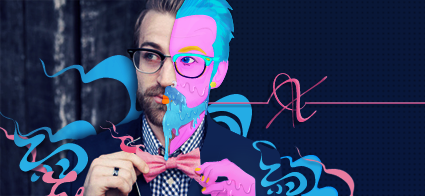
my first sigs

Digital art design, renderings, signatures and anything art related. Upload pictures of your newest work or ask for feedback. Post graphics requests or discuss art in general.
Post Reply

rate

1*
1
20%
2*
1
20%
3*
0
No votes
4*
2
40%
5*
1
20%
 
Total votes: 5

User avatar
hemagoku
Addicted Member
Posts: 2720
Joined: Sun Apr 29, 2007 11:42 pm
Quick Reply: Yes
Location: Artist Corner

my first sigs

Post by hemagoku »

i made one ,but i don't know how to add text ,i add text but its really toooooo small ,even if i made the size to highest so help
btw i am using photoshop CS2 btw also its the first time for me :D
Last edited by hemagoku on Tue Dec 04, 2007 2:57 pm, edited 3 times in total.

User avatar
XemnasXD
Chronicle Writer
Posts: 9841
Joined: Thu Jan 25, 2007 1:20 am
Quick Reply: Yes
Location: US - Illidan

Post by XemnasXD »

this belongs in the AC
Image Image
signatures by Hostage Co. <3
~PoP is DEAD! My sTyLe is Supa-Flat!!~

User avatar
hemagoku
Addicted Member
Posts: 2720
Joined: Sun Apr 29, 2007 11:42 pm
Quick Reply: Yes
Location: Artist Corner

Post by hemagoku »

sry, but can u help out

User avatar
Reise
Forum Legend
Posts: 6650
Joined: Tue May 16, 2006 12:35 am
Location: Off Topic
Contact:

Post by Reise »

I don't know jack about Photoshoop. I used to, but not anymore.
Image

User avatar
hemagoku
Addicted Member
Posts: 2720
Joined: Sun Apr 29, 2007 11:42 pm
Quick Reply: Yes
Location: Artist Corner

Post by hemagoku »

anyway i made it ,but with small font ,hope u like it ,i will add poll and the pic in min,but don't go mad on me cuz its my first

User avatar
hemagoku
Addicted Member
Posts: 2720
Joined: Sun Apr 29, 2007 11:42 pm
Quick Reply: Yes
Location: Artist Corner

Post by hemagoku »

Image

User avatar
dom
Global Moderator
Global Moderator
Posts: 9962
Joined: Wed Mar 08, 2006 10:46 pm
Quick Reply: Yes
Location: västkustskt

Post by dom »

What;s a photoshop?
Image

User avatar
TOloseGT
Forum Legend
Posts: 7129
Joined: Fri Sep 01, 2006 4:03 am
Quick Reply: Yes
Location: Venus
Contact:

Post by TOloseGT »

it's paint 2.0
ImageImage

User avatar
hemagoku
Addicted Member
Posts: 2720
Joined: Sun Apr 29, 2007 11:42 pm
Quick Reply: Yes
Location: Artist Corner

Post by hemagoku »

lol ,anyway can someone resize it for me ?

User avatar
HOLLAstir
Loyal Member
Posts: 1637
Joined: Tue Aug 28, 2007 7:17 pm
Quick Reply: Yes
Location: 206
Contact:

Post by HOLLAstir »

Oh boy so many things to criticize, but it's your first one so i'll just say "good job for your first one."
Image

Image

User avatar
hemagoku
Addicted Member
Posts: 2720
Joined: Sun Apr 29, 2007 11:42 pm
Quick Reply: Yes
Location: Artist Corner

Post by hemagoku »

HOLLAstir wrote:Oh boy so many things to criticize, but it's your first one so i'll just say "good job for your first one."
thnx ,but i want u to criticize it ,so i can make it better,but anyway i can't till i learn what u will say :D

User avatar
ranger4life
Addicted Member
Posts: 2526
Joined: Thu Mar 16, 2006 11:05 pm
Quick Reply: Yes
Location: Off Topic

Post by ranger4life »

you should've gotten a better pic of toushiro, try to get the ones with him flying with his bankai on.
those r the numbah 1 choice
Image

User avatar
hemagoku
Addicted Member
Posts: 2720
Joined: Sun Apr 29, 2007 11:42 pm
Quick Reply: Yes
Location: Artist Corner

Post by hemagoku »

well ,i need to resize this one first ,and i can't ,i did on photobucket ,but its still big here ,so help me out guys :banghead:

User avatar
Aiyas
Loyal Member
Posts: 1679
Joined: Thu Jul 12, 2007 5:31 pm
Quick Reply: Yes
Location: JENGAAAA!!!!

Post by Aiyas »

Ah, I see you did it already.

Image

This is what I got using IrfanView.

For the record, I am far from an expert on this stuff.

User avatar
hemagoku
Addicted Member
Posts: 2720
Joined: Sun Apr 29, 2007 11:42 pm
Quick Reply: Yes
Location: Artist Corner

Post by hemagoku »

am the only one who can see it big ? i resized it ,but i still see it big
any way this one is better or worse ?
Image

User avatar
fena
Ex-Staff
Posts: 4441
Joined: Sun May 06, 2007 5:15 am
Quick Reply: Yes
Location: Life

Post by fena »

TBH, I feel that it's not as good as your other one. This one, it just seems like you used a Spray Paint tool of some kind, and then lowered the opacity layer to get a foggy effect.
Your text also needs heavy work. It's almost touching the sides (oh-so-close), and that's always a big no-no.

The other one that you made looks decent for your first Sig. Again, your text needs work.
Try going through Rizla's Basics tutorial here: http://www.silkroadforums.com/viewtopic.php?t=45409

It helped explain a lot of the vital things that alot of the tutorials I follow asked me to do. Helps make a simple border, and talks about text placement as well. That would be the first tutorial I recommend you do.

After that, just follow some of the other tutorials at the Stickies: http://www.silkroadforums.com/viewtopic.php?t=45762
Experiment on your own, and you should be getting better in no time.


User avatar
hemagoku
Addicted Member
Posts: 2720
Joined: Sun Apr 29, 2007 11:42 pm
Quick Reply: Yes
Location: Artist Corner

Post by hemagoku »

ok ,will check them

User avatar
BrokenSaint
Veteran Member
Posts: 3473
Joined: Sun Jan 01, 2006 8:49 pm
Quick Reply: Yes
Location: Stuntin'.
Contact:

Post by BrokenSaint »

Ya, what fena said. :D

User avatar
hemagoku
Addicted Member
Posts: 2720
Joined: Sun Apr 29, 2007 11:42 pm
Quick Reply: Yes
Location: Artist Corner

Post by hemagoku »

made 4 more ,did i get better or worse ?
Image

Image

Image

Image

User avatar
hitokiri
Veteran Member
Posts: 3501
Joined: Fri Feb 17, 2006 5:27 pm
Location: here

Post by hitokiri »

The idea usually is to make it all flow, make it in a way where your picture of whoever you use, doesnt stand out so much.

I would check around for some basic tutorials, try looking up some brushes possibly to help you get a better background that might fit your render better. And you usually wanna use some colors similar or from the picture as well.

I'm not very good at photoshop though compared to almost anyone here, so hopefully one of them can give you some tutorials or some tips to help you out.

The biggest thing I have found about photoshop, you learn as you use it more. You'll find several ways to get to the same place you want, however one variation of it may give off the effect you're looking for. Just experiment and work off tutorials and people's advice, develop your own style.
Image
[Stealth] / [Ninjitsu] / [Relentless] / Image [Scoundrels]
Troy / Pacific / Venus / Fembria / Salvation / Theta / Origin Online - Genesis

Post Reply

Return to “Artists Corner”