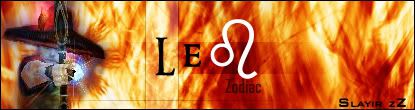
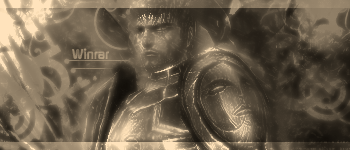
Slowly but surely...

Digital art design, renderings, signatures and anything art related. Upload pictures of your newest work or ask for feedback. Post graphics requests or discuss art in general.
Post Reply
User avatar
sandranger
Casual Member
Posts: 88
Joined: Sat Jun 10, 2006 3:30 pm
Quick Reply: Yes
Location: XIAN

Slowly but surely...

Post by sandranger »

So, I continue to teach myself photoshop. I'm working brushes right now. So here's the latest creation.

Please be kind with your opinions.


Image
Image

User avatar
Tatianasaphira
Active Member
Posts: 596
Joined: Fri May 12, 2006 1:12 pm
Quick Reply: Yes
Location: Oasis
Contact:

Post by Tatianasaphira »

its not bad, however I can't see the writing
Image
ImageImage

User avatar
sandranger
Casual Member
Posts: 88
Joined: Sat Jun 10, 2006 3:30 pm
Quick Reply: Yes
Location: XIAN

Post by sandranger »

hmm...I was worried about that. I'm at work right now, yes it's 2 a.m. I'll see if I can fix it when I get home.
Image

User avatar
XMoshe
Ex-Staff
Posts: 17293
Joined: Sun Apr 09, 2006 10:13 am
Location: Ghosting around

Post by XMoshe »

It looks very nice but idd the letters are unreadeble
Image
Props to chrisorg for the sig <3

User avatar
//:Protocol
Active Member
Posts: 702
Joined: Fri Apr 21, 2006 8:24 am
Quick Reply: Yes
Location: Venice

Post by //:Protocol »

Looks like a distort > Wave, with some text, with a bunch of default effects piled on, with a render thrown on top, and black bars at the top and the bottom.

You need to learn render blending, and less "Stock" photoshop effects.

User avatar
XMoshe
Ex-Staff
Posts: 17293
Joined: Sun Apr 09, 2006 10:13 am
Location: Ghosting around

Post by XMoshe »

//:Protocol wrote:You need to learn render blending, and less "Stock" photoshop effects.


sandranger wrote:I continue to teach myself photoshop. I'm working brushes right now. this and Please be kind with your opinions.




you could idd be nicer, he said he was learning the way of photoshop-_-
Image
Props to chrisorg for the sig <3

User avatar
RuYi
Ex-Staff
Posts: 7145
Joined: Tue Apr 25, 2006 7:39 am
Location: Done.

Post by RuYi »

The Thief is nicely cut out of the original screen, no messy pixels.
I like the background aswell. :) The text isn't very visible, but you already were going to fix it.

Keep up the good work! :D
Image

User avatar
dom
Global Moderator
Global Moderator
Posts: 9962
Joined: Wed Mar 08, 2006 10:46 pm
Quick Reply: Yes
Location: västkustskt

Post by dom »

I'll be honest. I think the background is hideous, but:

the potential of this sig MAKES ME WET, I love the thief placement/colour selection and most of all, the two black bars.

They remind me of a header and footer from photography prints.

Just work the background a bit and it will be great.
Image

User avatar
Shimohime
Active Member
Posts: 788
Joined: Tue Feb 28, 2006 11:40 pm
Quick Reply: Yes
Location: Xian

Post by Shimohime »

First, I think there's a little too much blank space, probably because of the background.

Also goin with the photography idea, u can either do the black bars as a film strip or try a photo border.

I think this sig has a lot of potential 2 :)
Lvl 5x- Ice Archer

Read my avatar tutorial here

User avatar
N00ber_B00ber
Casual Member
Posts: 58
Joined: Fri Apr 28, 2006 2:28 am
Quick Reply: Yes
Location: athens

Post by N00ber_B00ber »

XMoshe wrote:
//:Protocol wrote:You need to learn render blending, and less "Stock" photoshop effects.


sandranger wrote:I continue to teach myself photoshop. I'm working brushes right now. this and Please be kind with your opinions.


you could idd be nicer, he said he was learning the way of photoshop-_-


sounds harsh, but being nice doesnt help, especially when ur learning. nice start. try experimenting with diff backgrounds and brushes, then u can move on creatin ur own brushes. also try using the photoshop filters the least, they dont always give a result that is controllable and accurate to what u want. learn more bout the dodge and burn, the bars are nice i agree, make the bg diff colour or lighten it up, or make the theif stand out some how. for example make 2 strokes around the thief, a light and medium tone purple, not too dark tho. then smudge them so it looks like the thief is on fire or sumthing. creativity is the key element, ur on the right path. :D
Image

blu3_boi
Hi, I'm New Here
Posts: 8
Joined: Tue Jun 13, 2006 3:19 am

Post by blu3_boi »

yup it's too hard to read the words, especially the first word, your character's name? I thought the background was cool XD, but for me i don't like the placing of the thief...

good choice of color for the background :D Thief = purple XD
--currently making one--

User avatar
sandranger
Casual Member
Posts: 88
Joined: Sat Jun 10, 2006 3:30 pm
Quick Reply: Yes
Location: XIAN

Post by sandranger »

//:Protocol wrote:Looks like a distort > Wave, with some text, with a bunch of default effects piled on, with a render thrown on top, and black bars at the top and the bottom.

You need to learn render blending, and less "Stock" photoshop effects.


Actually I started with the purple as the Background, burned, dodged, smudged into a big "X" then I did "distort" "swirl". The black bars are a "widescreen movie" type effect that I've grown to like. I tried to figure out how to "blend" the thief cutout better but to no avail...I haven't gotten that far yet in all the tutorials I've been skimming lol.

Thanks, I'll have time to work on it Thursday.
Image

User avatar
Bakemaster
Senior Member
Posts: 4732
Joined: Fri Feb 10, 2006 7:06 pm
Quick Reply: Yes
Location: Babel

Post by Bakemaster »

Don't mention tutorials when dom's around. He might jump out from the bushes and bludgeon you something good.
LOL

User avatar
sandranger
Casual Member
Posts: 88
Joined: Sat Jun 10, 2006 3:30 pm
Quick Reply: Yes
Location: XIAN

Post by sandranger »

Well, I can't exactly go back to school and change careers, I only have so many books, don't want to buy anymore until I finish the ones I have, and online tutorials are free. So sue me. *shrug* :D
Image

User avatar
dom
Global Moderator
Global Moderator
Posts: 9962
Joined: Wed Mar 08, 2006 10:46 pm
Quick Reply: Yes
Location: västkustskt

Post by dom »

Just practice alot, tutorials can't make you good. Using tutorials to make a "work of art", is like having a sculpter use pre fabricated modular pieces.
Image

User avatar
sandranger
Casual Member
Posts: 88
Joined: Sat Jun 10, 2006 3:30 pm
Quick Reply: Yes
Location: XIAN

Post by sandranger »

Right, but I can only practice the "right" way if I find out what Photoshop CS2 can do and all the tools available. Believe me, in my field practice really makes perfect lol.
Image

User avatar
N00ber_B00ber
Casual Member
Posts: 58
Joined: Fri Apr 28, 2006 2:28 am
Quick Reply: Yes
Location: athens

Post by N00ber_B00ber »

dom wrote:Just practice alot, tutorials can't make you good. Using tutorials to make a "work of art", is like having a sculpter use pre fabricated modular pieces.


agreed 100% man. the more u do it, the better u get, develop ur own techniques as well.
Image

User avatar
Bakemaster
Senior Member
Posts: 4732
Joined: Fri Feb 10, 2006 7:06 pm
Quick Reply: Yes
Location: Babel

Post by Bakemaster »

My suggestion: use tutorials and after each step try again only focus on breaking all the rules they put forth in the tutorial. Maybe by the end you'll have learned important technical stuff without being locked into a generic style, and discover something cool along the way.

Of course, it may also be terrible advice. I dunno.
LOL

User avatar
sandranger
Casual Member
Posts: 88
Joined: Sat Jun 10, 2006 3:30 pm
Quick Reply: Yes
Location: XIAN

Post by sandranger »

Bakemaster wrote:My suggestion: use tutorials and after each step try again only focus on breaking all the rules they put forth in the tutorial. Maybe by the end you'll have learned important technical stuff without being locked into a generic style, and discover something cool along the way.

Of course, it may also be terrible advice. I dunno.


No your advice fits to my "out of the box" personality. I just need to learn what tools are available then, I'll figure out how I can use them. I've never been very artistic though. Hell, I'm a scientist for crying out loud, how artsy can we be? lol.
Image

User avatar
Bakemaster
Senior Member
Posts: 4732
Joined: Fri Feb 10, 2006 7:06 pm
Quick Reply: Yes
Location: Babel

Post by Bakemaster »

Oh? Tell that to Stephen Hawking. Science is an art once you move from learning what we know to discovering what we don't. That sounds neat, nobody rip me off while I check to see if anyone said it before. :wink:
LOL

User avatar
Cuda
New Member
Posts: 45
Joined: Sun Jun 04, 2006 6:47 pm

Post by Cuda »

try using a smaller canvas size for starters. use white stock font,(Arial Series and Century Gothic are good choices) and use white text with soft light. Light low opacity or soft light black 1 px stroke.
Image


Name:-
Guild:-
build:-
Selling:-

User avatar
sandranger
Casual Member
Posts: 88
Joined: Sat Jun 10, 2006 3:30 pm
Quick Reply: Yes
Location: XIAN

Post by sandranger »

Bakemaster wrote:Oh? Tell that to Stephen Hawking. Science is an art once you move from learning what we know to discovering what we don't. That sounds neat, nobody rip me off while I check to see if anyone said it before. :wink:
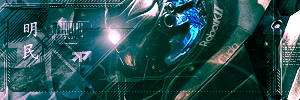


Meteorology is hardly a normal science my friend. It's so far from being an exact science that I would have to say forecasting it does become an art after awhile lol. My artistic skills rely on my ability to tell a 7-day story in 3 minutes using graphics. Short, and straight to the point. I'll be continuing to try new things. I did try to outline the cutout as suggested but it didn't work out that well, mainly because I'm not the steadiest of people lol. I've got the next 4 days off so i'll update this regularly looking for more suggestions. Thanks to all who have responded.
Image

User avatar
Bakemaster
Senior Member
Posts: 4732
Joined: Fri Feb 10, 2006 7:06 pm
Quick Reply: Yes
Location: Babel

Post by Bakemaster »

I think to blend the render any more would mean the background was no longer a background. You'd lose depth and make it too flat. I agree with dom about the placement only vertically, that's perfect (too many people are too hesitant to cut off a little bit of someone's head, it makes sense that working in the television industry you'd have a better feel for that). Horizontally, though, with so much text on one side of him and none on the other I think it would be more balanced were he just slightly farther to the left.

Not to mention that he's looking to the right and they say you should always give your subject more room in the direction he is facing (Ooh, ooh! Check out my sig. Here's an example of a rule I broke 'cause it looks better). Nobody cares about what is behind him, they want to know what he's looking at. But then, maybe he looks best where he is, in which case I'd say change the text. Everyone puts their level and miscellaneous info about their build in their sig, to me it's boring and I don't really care; say it with the image or not at all. What you need text for is your name, maybe your guild's name, and if you like something that identifies you. A motto, a funny line, or even a new-agey ambient pretentious single word like "illuminate", "shadow" or "obsession". It would make me vomit but at least it would be somewhat interesting, whereas "3x int spear" turns my brain off and makes me associate you with just another common build, the masses, conformity, something that is the same when you want your sig to tell me what's different so I remember you.

So you've got "uudoo" or something and then "viem", well I got no idea what they mean but that's perfect. Put the one that's more important, or the one you think should be seen first, in the top left corner, and keep the other hidden in that bright streamer in the bottom right. The natural flow of the eye will be from the first word to the face of the thief down the body of the thief and then finally to the second word in the corner. And the swirl of your background even moves in that exact direction! I had no idea I was so brilliant. Or maybe that's you. :wink:
LOL

User avatar
sandranger
Casual Member
Posts: 88
Joined: Sat Jun 10, 2006 3:30 pm
Quick Reply: Yes
Location: XIAN

Post by sandranger »

Yeah, I've been playing around with ideas. ViBM needs to be defined etc... I think I know what I'm going to do. You're right about looking and all that space needing to be bigger. duh..should've known that lol. Yes the direction of the swirl was on purpose. I'll be taking more screenies later and adding them etc... should have something new by tomorrow.
Image

User avatar
Cuda
New Member
Posts: 45
Joined: Sun Jun 04, 2006 6:47 pm

Post by Cuda »

The best application is to print them out and then burn them in the pit for a source of heat, or to take small bits of them and apply them to your work. never reuse tutorials, and NEVER follow them word for word. Know exactly what you're doing to the sig, or know what the numbers you enter on settings are doing.
Image


Name:-
Guild:-
build:-
Selling:-

User avatar
Bakemaster
Senior Member
Posts: 4732
Joined: Fri Feb 10, 2006 7:06 pm
Quick Reply: Yes
Location: Babel

Post by Bakemaster »

I mostly don't know what I'm doing in the program. I go in with a solid idea of how I want my signature to look and I try to get the damn software to reproduce that. Like your TIME sig by the way, except that it's the opposite proportions I like in a signature. :cry:
LOL

Post Reply

Return to “Artists Corner”