Taking screenshots and

Digital art design, renderings, signatures and anything art related. Upload pictures of your newest work or ask for feedback. Post graphics requests or discuss art in general.
Post Reply
User avatar
rumpleKillskin
Loyal Member
Posts: 1934
Joined: Sat Jun 02, 2007 4:47 pm
Quick Reply: Yes
Location: Off Topic

Taking screenshots and

Post by rumpleKillskin »

How do you take screenshots and resize them for avatars??
Or sigs

Because i want to take this pic, Image
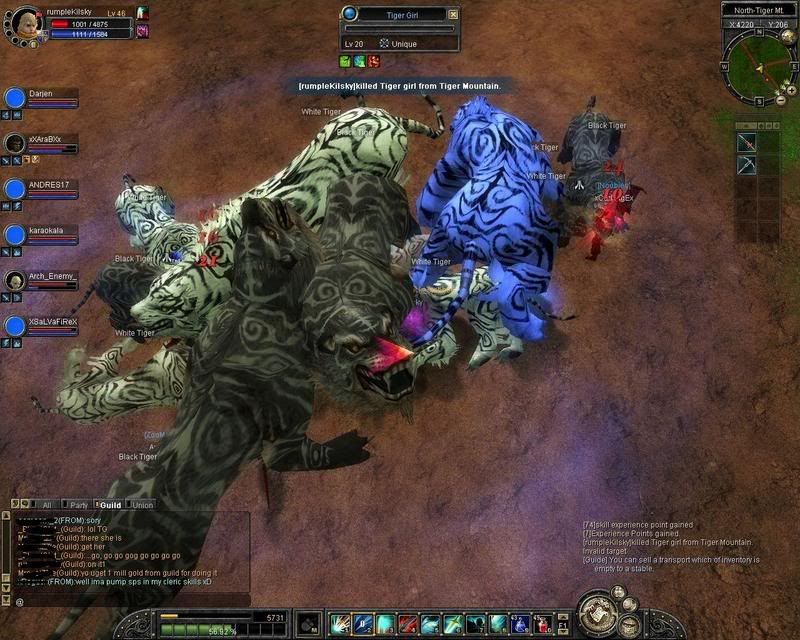
and take the part where it says i killed tg, and put it in my sig, and I also want to take a screenshot and resize it for a sig and avatar.

Thanks guys
cin

Post by cin »

Image

Code: Select all

[IMG]http://i189.photobucket.com/albums/z216/ciiiiiiiiiii/rumpel1.png[/IMG]


edit: if you want the text to be better readable, post a better quality pic ;)

User avatar
rumpleKillskin
Loyal Member
Posts: 1934
Joined: Sat Jun 02, 2007 4:47 pm
Quick Reply: Yes
Location: Off Topic

Post by rumpleKillskin »

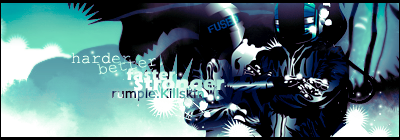
lol thanks cin
I will work on making it a tad bit better resolution
but can you do that with paint :? because i lost my photoshop cs a little bit ago lol
cin

Post by cin »

ya with paint its easy too.. you just either open the file in paint or open paint
n copy+paste the screenshot in. then you press the select tool n make a
selection around the piece you want. then you copy, make new project, and
past the selection you just copied. just be sure to in the end change the size
of your workspace so you dont get too much white around it.

after that, just save as jpg or whatever.

User avatar
rumpleKillskin
Loyal Member
Posts: 1934
Joined: Sat Jun 02, 2007 4:47 pm
Quick Reply: Yes
Location: Off Topic

Post by rumpleKillskin »

thanks cin, i think i got it
Image

Image

User avatar
rumpleKillskin
Loyal Member
Posts: 1934
Joined: Sat Jun 02, 2007 4:47 pm
Quick Reply: Yes
Location: Off Topic

Post by rumpleKillskin »

lol yep, thanks cin for your help
Image

Image

Post Reply

Return to “Artists Corner”