Ok here we start,
after installing SRO and lunchin it says :
BUMB!!!! wooooot wtf? is the server off or what? No its not, i found that u need to patch it manuly and till SRO change the wrong patch/client on their offical site here you can have the old patch for the same client on SRO site (cause the patch they got for new client i think)
How can i fix this :C
I install the game start it and it's starts updating and at 1 moment stops ... some file called C_roll.. or something like that and i when i try to start the launcher again i got this error :C :C :C :C :C
This may be due to your browser settings. Please check your security settings and try the link again. Or, go to Tools, Internet Options in your browser and choose Delete Files button. Close all browser windows and try the link again.
Should you reach this error again, please contact Customer Support.
Uriko wrote:zzzzzzzzzzz.. when i try 2 d/l it from fileplanet
There has been an error with your request.
This may be due to your browser settings. Please check your security settings and try the link again. Or, go to Tools, Internet Options in your browser and choose Delete Files button. Close all browser windows and try the link again.
Should you reach this error again, please contact Customer Support.
ok ok I added 2 new links cause some people seems still using the old patch.
@Gvidzz: There's nothing you need to do. Your client is up to date, all you need to do is wait for the server inspection to finish, then play. There was a real server inspection going on, which is why it's offline.
what i did was download the patch then put it on silkroad folder i did not open the patch at all, i just open silkroad like i always do and it start uploading by itself


 ) :
) :


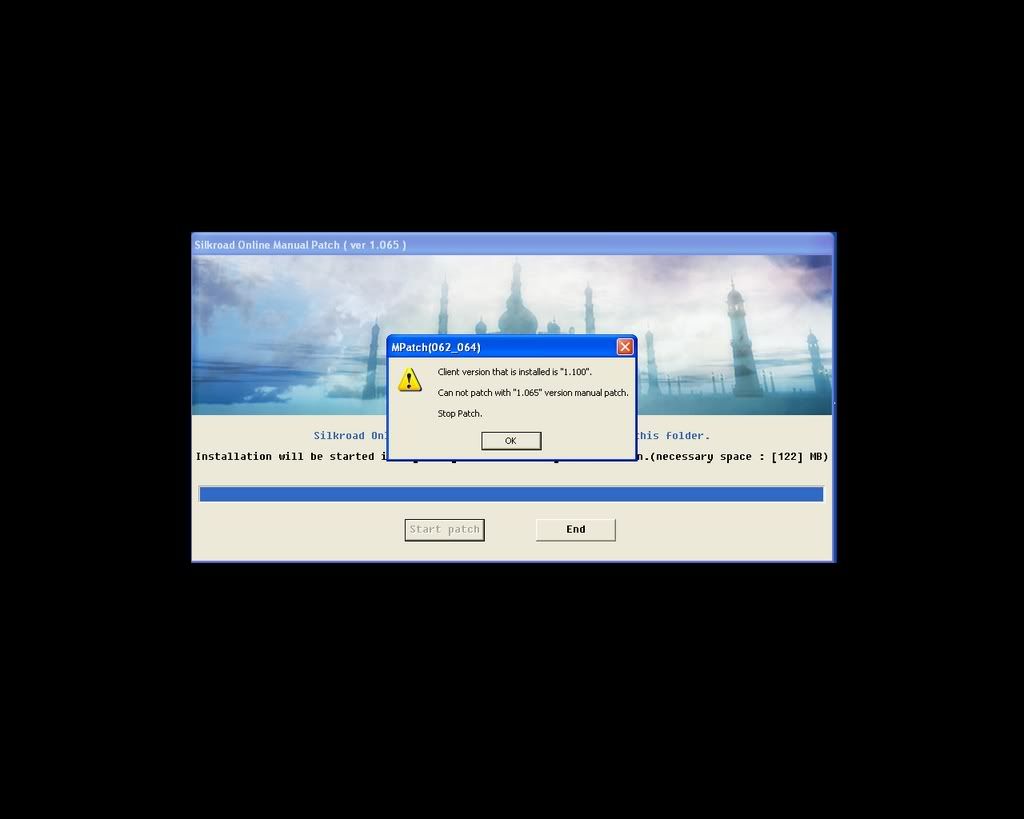


 I should play sro more often
