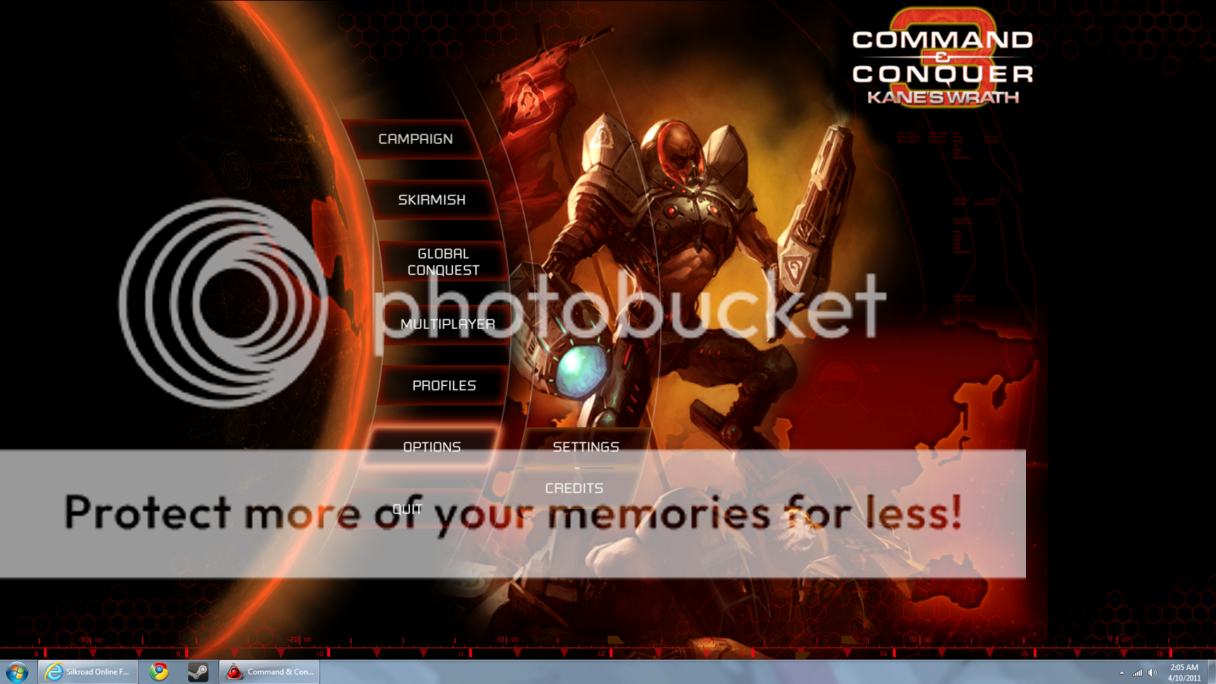
Uhm... pretty sure you're referring to windowed-mode. Some games have it, some don't. To make it fill the screen, just set it to windowed mode and then set the game's resolution close to you max screen resolution.
edit:if you want to see the task bar set the resolution a bit lower than your max screen resolution
NuclearSilo wrote:whore will put addict drug on her pussy to attract men
You mean like this? Yeah, as Hapjap mentioned; it's Windowed (No border). Some developers put it in, some don't. As far as I know, Valve includes this in all their games.
You mean like this? Yeah, as Hapjap mentioned; it's Windowed (No border). Some developers put it in, some don't. As far as I know, Valve includes this in all their games.
Kinda but I don't want to move the window into a position where it fits.
Basicly where it will fit in the desktop like a normal window would.
The Invisible wrote:I read it somewhere that you can press windows key ( next to alt ) + Alt + Enter to get isro windowed , Not sure if it works anymore though .
It's not the fact I can't get it in windowed mode. Its that I want it to maximize like a normal window say your web browser.
The Invisible wrote:I read it somewhere that you can press windows key ( next to alt ) + Alt + Enter to get isro windowed , Not sure if it works anymore though .
It's not the fact I can't get it in windowed mode. Its that I want it to maximize like a normal window say your web browser.
I guess it would depend on whether the game supports that resolution (meaning your max resolution minus the pixels of the taskbar height).
For me sro has the perfect option. 1280x800 fullscreen and 1280x768 windowed, that's about the size of my taskbar. But yeah, I think it changes per game, couldn't find anything on google either that goes up for every game.
A friend on steam suggest running games through steam: *** For non steam games you have to make a shortcut in steam first and then set the launch options
1. Right click on the game and the pop-up menu will apear , go down to properties and click on it
2. A window will apear and there will be a button called set launch propertires
3. Type in -window and click ok
4. When you start the game again it will run in a window and you can change the resolution.
He mentioned that most games also have a config file that can be edited, I rememeber this to be true as well. I once had to do this for a game so that it would fit a widescreen monitor correctly. Sword of the New World had this issue IIRC.
Also, the above mentioned method won't work with all games. Best of luck!
I'm not too surprised, not many games support custom resolutions (such as a monitor-taskbar, whatever that resolution is) Best bet for games that don't support maximizing is to look for 3rd party software that does it.
SM-Count wrote:I'm not too surprised, not many games support custom resolutions (such as a monitor-taskbar, whatever that resolution is) Best bet for games that don't support maximizing is to look for 3rd party software that does it.
seems if you have dual monitors, just put game in 1 at full screen and surf web in other monitor :S
or laptop+projector
A few games in window mode are able to stretch so you can set the size you want. Havent seen too many of them but remember playing a few that did
How do you explain a naked woman to a pubescent, visually impaired teen? "Katsumi arches unnaturally over a coffee table. You can see the whole thing."