Digital art design, renderings, signatures and anything art related. Upload pictures of your newest work or ask for feedback. Post graphics requests or discuss art in general.
TheKnight wrote:So hard trying to make new sig That is even worse but thought of posting it anyway
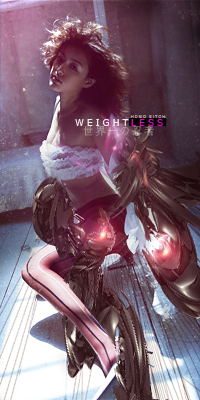
It's a bit rigid. I guess you can try to make it smoother - errr...shave off a few of the distorted/sharpened/spattered layer? Also, not sure if it would be helpful but I find using cloud brushes a lot easier when I want to erase smoothly.
I mean it's your sig so it's up to you. Just tossing in my 2 cents ^^
A little question: Do you have to merge all layers to use gardient map for whole image? since my files are getting full of editable sigs and merged ones...
TheKnight wrote:A little question: Do you have to merge all layers to use gardient map for whole image? since my files are getting full of editable sigs and merged ones...
No, just go Layer>New adjustment layer>Gradient map. As for merging..... hmm, you might wanna learn about 'apply image' instead of merging everything. (new layer>image>apply image, think you'll like it....)
You don't have to merge them to use Gradient Map, but if you want to apply it to the entire image (all layers), Ctrl+Alt+Shift+E (Apply Image) comes very handy, since it doesn't really merge them together but it instead gives you a merged layer without actually stitching all your layers together. So there's more room for error and you can easily revisit whatever you've done in a certain layer in case you want to do some editing.












 Alastor Crow