My own little art thread

Digital art design, renderings, signatures and anything art related. Upload pictures of your newest work or ask for feedback. Post graphics requests or discuss art in general.
User avatar
chrisorg
Active Member
Posts: 872
Joined: Wed Jul 04, 2007 2:11 pm
Quick Reply: Yes
Location: Artist Corner

My own little art thread

Post by chrisorg »

Deleted old stuff and going update this post as I get new stuff done :)

NEW STUFF 1. August
I tried using photos that I have taken and started messing around and having fun heh

Spoiler!


Spoiler!

Last edited by chrisorg on Sun Aug 01, 2010 7:30 pm, edited 8 times in total.
Image

User avatar
Melez
Veteran Member
Posts: 3009
Joined: Thu Jul 10, 2008 10:22 am
Location: лол шта
Contact:

Re: My own little art thread

Post by Melez »

If 3 and 2 are your newer ones, you're progressing. 3 is even better if you scribbled those effects. Just continue practicing and you'll get there. KIU
Image

User avatar
Love
Elite Member
Posts: 5330
Joined: Thu Nov 08, 2007 4:29 pm
Quick Reply: Yes
Location: guildwars2

Re: My own little art thread

Post by Love »

some of the best i seen ( 4 was crappy, no offense )
Image

Guild Wars 2, Isle of Janthir (NA)

Peace is a lie, there is only passion. Through passion, I gain strength. Through strength, I gain power. Through power, I gain victory. Through victory, my chains are broken.

User avatar
Amarisa
Senior Member
Posts: 4049
Joined: Sun Feb 03, 2008 12:40 am
Location: Magic

Re: My own little art thread

Post by Amarisa »

lol did you steal my thread style too? did i start a trend? XD


ontopic they all look nice (better then mine >.>)
Image

User avatar
chrisorg
Active Member
Posts: 872
Joined: Wed Jul 04, 2007 2:11 pm
Quick Reply: Yes
Location: Artist Corner

Re: My own little art thread

Post by chrisorg »

Thanks for all the opinions and advice, my computer broke down, so wont be doing anything new for awhile :(
Image

User avatar
Noobs_Slayer
Frequent Member
Posts: 1196
Joined: Fri Jan 18, 2008 10:56 am
Location: AioN

Re: My own little art thread

Post by Noobs_Slayer »

I like your new sig <3
Image
Sig by me.
Pride-Spatalos

User avatar
chrisorg
Active Member
Posts: 872
Joined: Wed Jul 04, 2007 2:11 pm
Quick Reply: Yes
Location: Artist Corner

Re: My own little art thread

Post by chrisorg »

Got my comp back!!! yes yes yes :D
Gonna make something soon :P
Image

User avatar
witchcraft
Casual Member
Posts: 94
Joined: Wed Nov 21, 2007 1:03 pm
Quick Reply: Yes
Location: ..

Re: My own little art thread

Post by witchcraft »

Nice Sigs!

User avatar
chrisorg
Active Member
Posts: 872
Joined: Wed Jul 04, 2007 2:11 pm
Quick Reply: Yes
Location: Artist Corner

Re: My own little art thread

Post by chrisorg »

Finally a new one, I kinda started to add stuff and this is the outcome. :)
CnC
Image

User avatar
ltsune
Elite Member
Posts: 5726
Joined: Sat Mar 22, 2008 2:12 pm
Quick Reply: Yes
Location: Aege
Contact:

Re: My own little art thread

Post by ltsune »

I simply love the first one :)

The other ones looks very well too, some of the best I've seen in some time :D
Dubious ・ Lvl 101 ・ STR Archer ・ jSRO-R ・ active
PillowFight ・ Lvl 69 ・ STR Archer ・ jSRO-R ・ inactive
Aggrobatic ・ Lvl 101 ・ Warrior / Cleric ・ jSRO-R ・ inactive


Check out our music-video! http://www.youtube.com/watch?v=iMxZWMWRjSM
I'm on the drums, beaches!

User avatar
chrisorg
Active Member
Posts: 872
Joined: Wed Jul 04, 2007 2:11 pm
Quick Reply: Yes
Location: Artist Corner

Re: My own little art thread

Post by chrisorg »

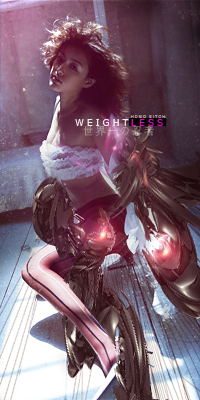
Something new again... I took a render and kinda started messing around with C4D's
Was just trying stuff out, also my first not a sig work lol
Image

User avatar
ZaKnighT
Loyal Member
Posts: 1730
Joined: Tue Sep 08, 2009 5:10 am
Quick Reply: Yes
Location: home

Re: My own little art thread

Post by ZaKnighT »

man i thought it was free drawing i pwn u in it ! :(
Image

Spoiler!

User avatar
.Banshee
Valued Member
Posts: 434
Joined: Sat Jan 03, 2009 1:07 am
Quick Reply: Yes
Location: Artists Corner

Re: My own little art thread

Post by .Banshee »

TrendWHORE is by far the best. Great flow, lots of effects that don't distract from the focal. Great choice in text, but I would work with the background more. Add some textures, I have some great textures that I think would go great with it if you want. Also work on adding depth to the work. But overall 8.5/10. GJ KIU!

EDIT
I forgot to mention that if you smudge the back of her body and head into the c4d it would look more natural and blended in.
Image

Image

User avatar
chrisorg
Active Member
Posts: 872
Joined: Wed Jul 04, 2007 2:11 pm
Quick Reply: Yes
Location: Artist Corner

Re: My own little art thread

Post by chrisorg »

Thanks :) and sure, those textures would be great.
Image

User avatar
SM-Count
Ex-Staff
Posts: 2761
Joined: Sat Jan 12, 2008 7:02 pm
Quick Reply: Yes
Location: /wave

Re: My own little art thread

Post by SM-Count »

I don't like trendwhore at all. I'd like to see more sigs without obvious c4ds which are not well blended, like most of them in trendwhore. I dunno, maybe go back to basics and make some super low budget (in terms of effects) sigs cause they teach a lot about how to make this c4d mix into flow or how to make that c4d blend with background. Stuff like choosing colors, color combos, more focals than the obvious large brush one point focal, multiplane depth (opposed to gradient depth), stuff like that.

I always feel very good sig makers don't take the time to go back and learn some pretty basic concepts but rather take the time to either do what they've always been done, or extend what they already know onto someone else's style so they never become amazing digital artists. Also do stuff like touch up landscape pictures to learn multi-point focals and ambiance/level settings, doesn't always have to be sigs.

User avatar
Melez
Veteran Member
Posts: 3009
Joined: Thu Jul 10, 2008 10:22 am
Location: лол шта
Contact:

Re: My own little art thread

Post by Melez »

NO! Don't smudge the edges! That's really more of a beginner blending technique (or it just depends from which to which concept it will work), but if you do it here with all the structured effects behind her, it will ruin both your blending and depth..
So, blending is the biggest flaw in this tag.. Play with adjustment layers to make her blend.. She looks too bright, so try putting a b/w gradient map @ luminosity as a clipping mask to her. If it doesn't make it any better, put it to multiply and play with the opacity/fill. Use gradient maps wisely, but also play with other adjustment layers (selective color, photo filters, etc etc)
As for the effects, yeah look like stylish c4ds, but they look a bit cluttered, and have another base (besides c4ds) for effects.. stocks, filters, vectors, anything really. Saying that because people usually shun down the 'c4d spam' sigs, unless they are done perfectly that is.
Another note, when you resize/rotate your c4ds, make sure you rotate them only once, because if you do it more then once it loses quality. It's just like reducing the size of it, accepting, then increasing the size again - will look pixelly.
The bg looks plain.. not sure what to comment about it
Now I see, SM summed it nicer..
Image

User avatar
Noobs_Slayer
Frequent Member
Posts: 1196
Joined: Fri Jan 18, 2008 10:56 am
Location: AioN

Re: My own little art thread

Post by Noobs_Slayer »

Can you show the stock of "New v2"? thanks in advance
Image
Sig by me.
Pride-Spatalos

User avatar
chrisorg
Active Member
Posts: 872
Joined: Wed Jul 04, 2007 2:11 pm
Quick Reply: Yes
Location: Artist Corner

Re: My own little art thread

Post by chrisorg »

A big big thanks to u Melez and SM... Now I know what Im doing wrong, and I can try to make it right :D

Heres the stock Noobs wanted: http://www.upload.ee/image/209007/Rende ... t__19_.png
And I made a new sig to kill some time yesterday, nothing special.
Image
Image

User avatar
DumboDii
Addicted Member
Posts: 2961
Joined: Sat Sep 13, 2008 7:20 pm
Quick Reply: Yes
Location: Finland

Re: My own little art thread

Post by DumboDii »

chrisorg wrote:A big big thanks to u Melez and SM... Now I know what Im doing wrong, and I can try to make it right :D

Heres the stock Noobs wanted: http://www.upload.ee/image/209007/Rende ... t__19_.png
And I made a new sig to kill some time yesterday, nothing special.
Image


I actually like this a lot. You should work little bit on the blue lightning. It's somehow too obvious and not smooth enough.

But after all it's pretty good looking tag. KIU!
Drop the beat

User avatar
Noobs_Slayer
Frequent Member
Posts: 1196
Joined: Fri Jan 18, 2008 10:56 am
Location: AioN

Re: My own little art thread

Post by Noobs_Slayer »

I simply like the colors ya did in ur sig it is good
Image
Sig by me.
Pride-Spatalos

User avatar
chrisorg
Active Member
Posts: 872
Joined: Wed Jul 04, 2007 2:11 pm
Quick Reply: Yes
Location: Artist Corner

Re: My own little art thread

Post by chrisorg »

FRESH STUFF MENZ!

Image

EDIT. Off topic, but how do I get that Artist Corner patron thingy? :P
Image

User avatar
chrisorg
Active Member
Posts: 872
Joined: Wed Jul 04, 2007 2:11 pm
Quick Reply: Yes
Location: Artist Corner

Re: My own little art thread

Post by chrisorg »

Didn't think it was so simple, but thanks hehe
Image

User avatar
Sjo3rd
Active Member
Posts: 748
Joined: Tue Jul 22, 2008 11:45 am
Location: The Netherlands

Re: My own little art thread

Post by Sjo3rd »

Nice work man, there is some sick art in there.. :)
Image

Image

User avatar
TheKnight
Veteran Member
Posts: 3067
Joined: Fri Apr 10, 2009 5:11 pm
Location: leagueoflegends

Re: My own little art thread

Post by TheKnight »

How did you make that Smudge for this sig:
Image
Image

Image
League of Legends EUW - Summoner Name: Th3Knight

User avatar
chrisorg
Active Member
Posts: 872
Joined: Wed Jul 04, 2007 2:11 pm
Quick Reply: Yes
Location: Artist Corner

Re: My own little art thread

Post by chrisorg »

I took one of the stock brushes, messed around with the settings and started smudging.. I do it pretty randomly so its hard to explain hehe
Image

User avatar
Thomas42
Active Member
Posts: 906
Joined: Wed Jun 18, 2008 6:30 am
Quick Reply: Yes
Location: Budapest, Hungary

Re: My own little art thread

Post by Thomas42 »

chrisorg wrote:I took one of the stock brushes, messed around with the settings and started smudging.. I do it pretty randomly so its hard to explain hehe

I'm trying the same every so often. Did you smudge multiple layers or just one and messed with copies?
Image
The best way out - is through.

User avatar
Sjo3rd
Active Member
Posts: 748
Joined: Tue Jul 22, 2008 11:45 am
Location: The Netherlands

Re: My own little art thread

Post by Sjo3rd »

Question, what does Smudge mean? :$
Image

Image

User avatar
Thomas42
Active Member
Posts: 906
Joined: Wed Jun 18, 2008 6:30 am
Quick Reply: Yes
Location: Budapest, Hungary

Re: My own little art thread

Post by Thomas42 »

Smudging is the stuff you do with the Smudge tool. :oops:
Image
The best way out - is through.

User avatar
chrisorg
Active Member
Posts: 872
Joined: Wed Jul 04, 2007 2:11 pm
Quick Reply: Yes
Location: Artist Corner

Re: My own little art thread

Post by chrisorg »

Thomas42 wrote:
chrisorg wrote:I took one of the stock brushes, messed around with the settings and started smudging.. I do it pretty randomly so its hard to explain hehe

I'm trying the same every so often. Did you smudge multiple layers or just one and messed with copies?



Made copies, and went crazy with it lol
Image

User avatar
Sjo3rd
Active Member
Posts: 748
Joined: Tue Jul 22, 2008 11:45 am
Location: The Netherlands

Re: My own little art thread

Post by Sjo3rd »

Awesome, if i dont know what the smudge tool is XD
Image

Image

Post Reply

Return to “Artists Corner”