pk2 edit: garm to robe

New to the game and need a little help? Have a question about armor types or how to enhance an item? Ask your questions here.
Post Reply
User avatar
linya
Casual Member
Posts: 60
Joined: Wed Mar 26, 2008 2:49 pm
Quick Reply: Yes
Location: mercury

pk2 edit: garm to robe

Post by linya »

hello :)

well i am trying to change my pk2. i wantto change garms in to robe.
but it dont work for me :( i already saw screens, so i know there is a way to do that, but how?

would be nice if u guys tell it to me

i was trying 1 dg garm into 9dg robe
Image
ISRO Mercury
[enLightens] * GreenFairy Absynthe

User avatar
Sovereign
Active Member
Posts: 749
Joined: Sat Apr 12, 2008 11:27 am
Quick Reply: Yes
Location: Guild Wars

Re: pk2 edit: garm to robe

Post by Sovereign »

1. Your posting in the wrong section, post in the questions forum next time.
2. I'm not gonna explain how to PK2 edit things, since i can't be bothered, but read this, it says it all, viewtopic.php?f=90&t=93535.

User avatar
BloodyBlade
Elite Member
Posts: 5219
Joined: Wed Nov 14, 2007 8:32 pm
Quick Reply: Yes
Location: Attending your mothers sexual needs :)

Re: pk2 edit: garm to robe

Post by BloodyBlade »

I tried it once getting light armor to heavy armor, because it looks better.
Didnt work out well, because Heavy armor is longer than light armor or something, and the size of the .pk2 changed

But im sure there is a way to do it ^.^
My sig died

User avatar
linya
Casual Member
Posts: 60
Joined: Wed Mar 26, 2008 2:49 pm
Quick Reply: Yes
Location: mercury

Re: pk2 edit: garm to robe

Post by linya »

this guide is outdated u posted. in my itemdata.txt are just few entries, with the name of other txt files, but NO itemnames and so on
Image
ISRO Mercury
[enLightens] * GreenFairy Absynthe

User avatar
Sovereign
Active Member
Posts: 749
Joined: Sat Apr 12, 2008 11:27 am
Quick Reply: Yes
Location: Guild Wars

Re: pk2 edit: garm to robe

Post by Sovereign »

Linya. You are slow then my friend.
There are 5 Itemdata texts:
5000
10000
15000
20000
25000

Extract each one. All the codes are inside those.

User avatar
Crumpets
Forum Legend
Posts: 7800
Joined: Mon Aug 14, 2006 4:58 pm
Quick Reply: Yes
Location:         

Re: pk2 edit: garm to robe

Post by Crumpets »

Yeah it's easy if you do it manually via, well what Lady said. Don't even attempt find and replace for this shit >.>

Think this is what I got up to last time I tried ;o

Image
<< banned for being a constant problem. -cin >>

User avatar
linya
Casual Member
Posts: 60
Joined: Wed Mar 26, 2008 2:49 pm
Quick Reply: Yes
Location: mercury

Re: pk2 edit: garm to robe

Post by linya »

ah nice....i still dun get it working =.=

did u edit a isro pk2? oO coz this 10 dg 2h sword
Image
ISRO Mercury
[enLightens] * GreenFairy Absynthe

User avatar
Crumpets
Forum Legend
Posts: 7800
Joined: Mon Aug 14, 2006 4:58 pm
Quick Reply: Yes
Location:         

Re: pk2 edit: garm to robe

Post by Crumpets »

linya wrote:ah nice....i still dun get it working =.=

did u edit a isro pk2? oO coz this 10 dg 2h sword


Yeah I edited my glaive into 2H, using korean data.pk2. That is what you will need.

Use this thread as reference:

viewtopic.php?f=5&t=87571&start=0

Then well, you want garms to change into robes.

Just open up itemdata_5000.txt using Drew Benton's pk2 extractor and look up this path:

ITEM_CH_W_CLOTHES <-- Are your garms. _09 is 9th degree obviously _C is last tier and the _LA / _BA etc etc are which piece of your garms. Anyways,

Code: Select all

HA = Helmet
CA = Crown
BA = Body
FA = Feet
AA = Arms
SA = Shoulders
LA = Legs


So say you want to change chestpiece into robes, search for this line:

Code: Select all

1   1681   ITEM_CH_W_CLOTHES_09_BA_C   폭천 풍뢰 상의   ITEM_CH_M_CLOTHES_09_BA_C   SN_ITEM_CH_CLOTHES_09_BA_C   SN_ITEM_CH_CLOTHES_09_BA_C_TT_DESC   0   0   3   1   1   3   180000   0   0   1   1   1   255   3   1   1   1   0   0   3473000   4147   6220   0   9000   1215550   1   90   -1   0   -1   0   -1   0   -1   0   0   0   0   0   0   0   100   0   0   0   item\china\woman_item\clothes_09_ba.bsr   item\etc\drop_ch_equip.bsr   item\china\woman_item\clothes_09_ba.ddj   xxx   xxx   1   0   0   0   27   0   74.0   90.0   152.7   162.2   4.8000002   22.0   55.0   0.0   0.0   0.0   0.0   0.0   0.0   325.70001   346.0   10.2   0.0   0.0   0.0   265.0   276.0   566.0   588.0   0   0   0   0   0   0   0   0   0   0.0   0.0   0.0   0.0   0.0   0.0   0.0   0.0   0.0   0.0   0.0   0.0   0.0   0.0   0.0   0.0   0.0   0.0   0.0   0.0   0.0   0.0   0.0   -1   xxx   -1   xxx   -1   xxx   -1   xxx   -1   xxx   -1   xxx   -1   xxx   -1   xxx   -1   xxx   -1   xxx   -1   xxx   -1   xxx   -1   xxx   -1   xxx   -1   xxx   -1   xxx   -1   xxx   -1   xxx   -1   xxx   -1   xxx   9   0


And edit the '.bsr' bit into the euro robes .. which would be ( Looking at itemdata_15000.txt )

Code: Select all

item\europe\woman_item\clothes_09_ba.bsr


Once you changed it, it should look like:

Code: Select all

1   1681   ITEM_CH_W_CLOTHES_09_BA_C   폭천 풍뢰 상의   ITEM_CH_M_CLOTHES_09_BA_C   SN_ITEM_CH_CLOTHES_09_BA_C   SN_ITEM_CH_CLOTHES_09_BA_C_TT_DESC   0   0   3   1   1   3   180000   0   0   1   1   1   255   3   1   1   1   0   0   3473000   4147   6220   0   9000   1215550   1   90   -1   0   -1   0   -1   0   -1   0   0   0   0   0   0   0   100   0   0   0   item\europe\woman_item\clothes_09_ba.bsr   item\etc\drop_ch_equip.bsr   item\china\woman_item\clothes_09_ba.ddj   xxx   xxx   1   0   0   0   27   0   74.0   90.0   152.7   162.2   4.8000002   22.0   55.0   0.0   0.0   0.0   0.0   0.0   0.0   325.70001   346.0   10.2   0.0   0.0   0.0   265.0   276.0   566.0   588.0   0   0   0   0   0   0   0   0   0   0.0   0.0   0.0   0.0   0.0   0.0   0.0   0.0   0.0   0.0   0.0   0.0   0.0   0.0   0.0   0.0   0.0   0.0   0.0   0.0   0.0   0.0   0.0   -1   xxx   -1   xxx   -1   xxx   -1   xxx   -1   xxx   -1   xxx   -1   xxx   -1   xxx   -1   xxx   -1   xxx   -1   xxx   -1   xxx   -1   xxx   -1   xxx   -1   xxx   -1   xxx   -1   xxx   -1   xxx   -1   xxx   -1   xxx   9   0


Do that for every piece and save / exit / load game.
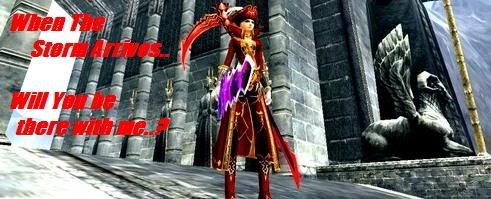
<< banned for being a constant problem. -cin >>

User avatar
linya
Casual Member
Posts: 60
Joined: Wed Mar 26, 2008 2:49 pm
Quick Reply: Yes
Location: mercury

Re: pk2 edit: garm to robe

Post by linya »

k ty :) i will try it
Image
ISRO Mercury
[enLightens] * GreenFairy Absynthe

User avatar
ahmedsabry
Active Member
Posts: 615
Joined: Tue Feb 26, 2008 9:50 pm
Quick Reply: Yes
Location: sparta
Contact:

Re: pk2 edit: garm to robe

Post by ahmedsabry »

Crumpets wrote:
linya wrote:ah nice....i still dun get it working =.=

did u edit a isro pk2? oO coz this 10 dg 2h sword


Yeah I edited my glaive into 2H, using korean data.pk2. That is what you will need.

Use this thread as reference:

viewtopic.php?f=5&t=87571&start=0

Then well, you want garms to change into robes.

Just open up itemdata_5000.txt using Drew Benton's pk2 extractor and look up this path:

ITEM_CH_W_CLOTHES <-- Are your garms. _09 is 9th degree obviously _C is last tier and the _LA / _BA etc etc are which piece of your garms. Anyways,

Code: Select all

HA = Helmet
CA = Crown
BA = Body
FA = Feet
AA = Arms
SA = Shoulders
LA = Legs


So say you want to change chestpiece into robes, search for this line:

Code: Select all

1   1681   ITEM_CH_W_CLOTHES_09_BA_C   폭천 풍뢰 상의   ITEM_CH_M_CLOTHES_09_BA_C   SN_ITEM_CH_CLOTHES_09_BA_C   SN_ITEM_CH_CLOTHES_09_BA_C_TT_DESC   0   0   3   1   1   3   180000   0   0   1   1   1   255   3   1   1   1   0   0   3473000   4147   6220   0   9000   1215550   1   90   -1   0   -1   0   -1   0   -1   0   0   0   0   0   0   0   100   0   0   0   item\china\woman_item\clothes_09_ba.bsr   item\etc\drop_ch_equip.bsr   item\china\woman_item\clothes_09_ba.ddj   xxx   xxx   1   0   0   0   27   0   74.0   90.0   152.7   162.2   4.8000002   22.0   55.0   0.0   0.0   0.0   0.0   0.0   0.0   325.70001   346.0   10.2   0.0   0.0   0.0   265.0   276.0   566.0   588.0   0   0   0   0   0   0   0   0   0   0.0   0.0   0.0   0.0   0.0   0.0   0.0   0.0   0.0   0.0   0.0   0.0   0.0   0.0   0.0   0.0   0.0   0.0   0.0   0.0   0.0   0.0   0.0   -1   xxx   -1   xxx   -1   xxx   -1   xxx   -1   xxx   -1   xxx   -1   xxx   -1   xxx   -1   xxx   -1   xxx   -1   xxx   -1   xxx   -1   xxx   -1   xxx   -1   xxx   -1   xxx   -1   xxx   -1   xxx   -1   xxx   -1   xxx   9   0


And edit the '.bsr' bit into the euro robes .. which would be ( Looking at itemdata_15000.txt )

Code: Select all

item\europe\woman_item\clothes_09_ba.bsr


Once you changed it, it should look like:

Code: Select all

1   1681   ITEM_CH_W_CLOTHES_09_BA_C   폭천 풍뢰 상의   ITEM_CH_M_CLOTHES_09_BA_C   SN_ITEM_CH_CLOTHES_09_BA_C   SN_ITEM_CH_CLOTHES_09_BA_C_TT_DESC   0   0   3   1   1   3   180000   0   0   1   1   1   255   3   1   1   1   0   0   3473000   4147   6220   0   9000   1215550   1   90   -1   0   -1   0   -1   0   -1   0   0   0   0   0   0   0   100   0   0   0   item\europe\woman_item\clothes_09_ba.bsr   item\etc\drop_ch_equip.bsr   item\china\woman_item\clothes_09_ba.ddj   xxx   xxx   1   0   0   0   27   0   74.0   90.0   152.7   162.2   4.8000002   22.0   55.0   0.0   0.0   0.0   0.0   0.0   0.0   325.70001   346.0   10.2   0.0   0.0   0.0   265.0   276.0   566.0   588.0   0   0   0   0   0   0   0   0   0   0.0   0.0   0.0   0.0   0.0   0.0   0.0   0.0   0.0   0.0   0.0   0.0   0.0   0.0   0.0   0.0   0.0   0.0   0.0   0.0   0.0   0.0   0.0   -1   xxx   -1   xxx   -1   xxx   -1   xxx   -1   xxx   -1   xxx   -1   xxx   -1   xxx   -1   xxx   -1   xxx   -1   xxx   -1   xxx   -1   xxx   -1   xxx   -1   xxx   -1   xxx   -1   xxx   -1   xxx   -1   xxx   -1   xxx   9   0


Do that for every piece and save / exit / load game.

nice :)
but do u know a way to pk2 edit avatar items as well?
Image

User avatar
Crumpets
Forum Legend
Posts: 7800
Joined: Mon Aug 14, 2006 4:58 pm
Quick Reply: Yes
Location:         

Re: pk2 edit: garm to robe

Post by Crumpets »

ahmedsabry wrote:nice :)
but do u know a way to pk2 edit avatar items as well?


Same way mate. Find the avatar's in the itemdata_XXXX.txt's and replace them with the one's you have. Or simply make your avatar invisible so you can see what you are wearing underneath. Or what others are wearing underneath ;p ( Most are in itemdata_25000.txt )

For example, I edited my gay clown costume into halloween suit:

Code: Select all

1   24362   ITEM_MALL_AVATAR_W_CLOWN   광대 의상 (여)   xxx   SN_ITEM_MALL_AVATAR_W_CLOWN   SN_ITEM_MALL_AVATAR_W_CLOWN_TT_DESC   1   0   3   1   13   2   180000   3   0   0   1   1   255   0   1   0   0   0   0   0   0   0   0   1   0   -1   0   -1   0   -1   0   -1   0   -1   0   0   0   0   0   0   0   100   0   0   0   item\Avatar\avatar_w_halloween.bsr   item\etc\drop_ch_eventbox.bsr   item\Avatar\mall_avatar_w_halloween.ddj   xxx   xxx   1   0   0   0   1   0   0.0   0.0   0.0   0.0   0.0   0.0   0.0   0.0   0.0   0.0   0.0   0.0   0.0   0.0   0.0   0.0   0.0   0.0   0.0   0.0   0.0   0.0   0.0   0   0   0   0   0   0   0   0   0   0.0   0.0   0.0   0.0   0.0   0.0   0.0   0.0   0.0   0.0   0.0   0.0   0.0   0.0   0.0   0.0   0.0   0.0   0.0   0.0   0.0   0.0   0.0   -1   xxx   -1   xxx   -1   xxx   -1   xxx   -1   xxx   -1   xxx   574   [상,견,장,하,신,직업]   -1   xxx   -1   xxx   -1   xxx   -1   xxx   -1   xxx   -1   xxx   -1   xxx   -1   xxx   -1   xxx   -1   xxx   -1   xxx   -1   xxx   -1   xxx   4   1


As you can see by the 'item\Avatar\avatar_w_halloween.bsr' where 'item\Avatar\avatar_w_clown.bsr' should be. That's how simple it is ;o.

Editing costumes is what I have been doing ever since I could. Saves me 20$ a pop buying a new costume every damn time : )
<< banned for being a constant problem. -cin >>

User avatar
ahmedsabry
Active Member
Posts: 615
Joined: Tue Feb 26, 2008 9:50 pm
Quick Reply: Yes
Location: sparta
Contact:

Re: pk2 edit: garm to robe

Post by ahmedsabry »

Crumpets wrote:
ahmedsabry wrote:nice :)
but do u know a way to pk2 edit avatar items as well?


Same way mate. Find the avatar's in the itemdata_XXXX.txt's and replace them with the one's you have. Or simply make your avatar invisible so you can see what you are wearing underneath. Or what others are wearing underneath ;p ( Most are in itemdata_25000.txt )

For example, I edited my gay clown costume into halloween suit:

Code: Select all

1   24362   ITEM_MALL_AVATAR_W_CLOWN   광대 의상 (여)   xxx   SN_ITEM_MALL_AVATAR_W_CLOWN   SN_ITEM_MALL_AVATAR_W_CLOWN_TT_DESC   1   0   3   1   13   2   180000   3   0   0   1   1   255   0   1   0   0   0   0   0   0   0   0   1   0   -1   0   -1   0   -1   0   -1   0   -1   0   0   0   0   0   0   0   100   0   0   0   item\Avatar\avatar_w_halloween.bsr   item\etc\drop_ch_eventbox.bsr   item\Avatar\mall_avatar_w_halloween.ddj   xxx   xxx   1   0   0   0   1   0   0.0   0.0   0.0   0.0   0.0   0.0   0.0   0.0   0.0   0.0   0.0   0.0   0.0   0.0   0.0   0.0   0.0   0.0   0.0   0.0   0.0   0.0   0.0   0   0   0   0   0   0   0   0   0   0.0   0.0   0.0   0.0   0.0   0.0   0.0   0.0   0.0   0.0   0.0   0.0   0.0   0.0   0.0   0.0   0.0   0.0   0.0   0.0   0.0   0.0   0.0   -1   xxx   -1   xxx   -1   xxx   -1   xxx   -1   xxx   -1   xxx   574   [상,견,장,하,신,직업]   -1   xxx   -1   xxx   -1   xxx   -1   xxx   -1   xxx   -1   xxx   -1   xxx   -1   xxx   -1   xxx   -1   xxx   -1   xxx   -1   xxx   -1   xxx   4   1


As you can see by the 'item\Avatar\avatar_w_halloween.bsr' where 'item\Avatar\avatar_w_clown.bsr' should be. That's how simple it is ;o.

Editing costumes is what I have been doing ever since I could. Saves me 20$ a pop buying a new costume every damn time : )


yea.. avatars get boring u know :)
thx man :love: :love:
ill have to do some searching to know the codes for the devil/angel wings though
Image

Post Reply

Return to “Questions and Answers”