Digital art design, renderings, signatures and anything art related. Upload pictures of your newest work or ask for feedback. Post graphics requests or discuss art in general.
The render is in the left, ok, but since there is nothing "raw" next to it, the right side looks pretty empty.. Only the splatter brush and clipping masks that are covering it. Another thing, the colors crash too much.. The black and white.
Melez wrote: The render is in the left, ok, but since there is nothing "raw" next to it, the right side looks pretty empty.. Only the splatter brush and clipping masks that are covering it. Another thing, the colors crash too much.. The black and white.
What?
...anywho. I love what you did with the colours just bring out some blue in the eyes and it would look ace! Now I noticed with you splatter brush that its going this way;
Now if you go to your brush pallet and go to brush tips you will see a campus looking thing. With that you can change the direction of your brush. that way you could have made the splatter go up and out wards away from your render adding a bit of flow to your tag.
Get what I mean?
I like your border too. I'm a huge fan of white borders but it sucks they are barely visible on srf. Good job.
Last edited by Hostage on Fri Oct 17, 2008 2:01 am, edited 1 time in total.
Melez wrote: The render is in the left, ok, but since there is nothing "raw" next to it, the right side looks pretty empty.. Only the splatter brush and clipping masks that are covering it. Another thing, the colors crash too much.. The black and white.
What?
...anywho. I love what you did with the colours just bring out some blue in the eyes and it would look ace! Now I noticed with you splatter brush that its going this way;
Now if you go to your brush pallet and go to brush tips you will see a campus looking thing. With that you can change the direction of your brush. that way you could have made the splatter go up and out wards away from your render adding a bit of flow to your tag.
Get what I mean?
I like your border too. I'm a huge fan of white borders but it sucks they are barely visible on srf. Good job.
ZOMFG I love you. I've been looking for this for weeks now! Not actively, mind you, but I knew there had to be a way. I was just too lazy to try to find it online and PS help is sketchy at best. hehehehe
Melez wrote: The render is in the left, ok, but since there is nothing "raw" next to it, the right side looks pretty empty.. Only the splatter brush and clipping masks that are covering it. Another thing, the colors crash too much.. The black and white.
What?
...anywho. I love what you did with the colours just bring out some blue in the eyes and it would look ace! Now I noticed with you splatter brush that its going this way;
Now if you go to your brush pallet and go to brush tips you will see a campus looking thing. With that you can change the direction of your brush. that way you could have made the splatter go up and out wards away from your render adding a bit of flow to your tag.
Get what I mean?
I like your border too. I'm a huge fan of white borders but it sucks they are barely visible on srf. Good job.
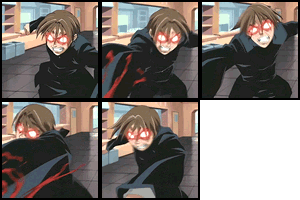
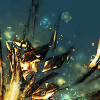
Im guessing those two images that are together are forvisual aid, they don't show up...
But I know what you mean, thanks ^-^ Mind rehosting them ?
And, I noticed the blue wasn't pooping, tryed to add some white color on overlay, only helped a bit. ANy pointers?
And, I noticed the blue wasn't pooping, tryed to add some white color on overlay, only helped a bit. ANy pointers?
Sorry dude I don't do potty training. But if you meant "popping" then you can try;
1. New Layer 2. Fill layer with black ( paint bucket tool) 3. Set layer to linear, screen, lighten. Which ever, doesn't matter. 4. Use a small hard bush set on low opacity full flow and brush over the eye area.
Then just play with the layer opacity to what ever looks best.
..and yeah I'll re-host. Just a sec.
Last edited by Hostage on Fri Oct 17, 2008 5:18 am, edited 2 times in total.
And, I noticed the blue wasn't pooping, tryed to add some white color on overlay, only helped a bit. ANy pointers?
Sorry dude I don't due potty training. But if you meant "popping" then you can try;
1. New Layer 2. Fill layer with black ( paint bucket tool) 3. Set layer to linear, screen, lighten. Which ever, doesn't matter. $. Use a small hard bush set on low opacity full flow and brush over the eye area.
Then just play with the layer opacity to what ever looks best.