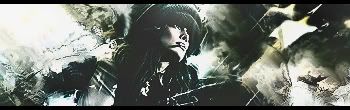
C&C plz
some tips would really be appreciated, i seem to have trouble just finishing off a sig (adjustment layers, all that good stuff)
thanks




1-Gaussain Blur your backround
2-Sharpen your focal
3-use the burn tool for distance things
4-B&W Gradient on Lumonsity and erase some parts
5-applying your image, and then putting it on multiply to about 20% opacity or around there, until it looks good
6-i use the hue/saturation adjustment and set the saturation on -15 and set the layer to soft light
7.apply image, ur burn tools, sharpen, and blur the background. (only with HQ stock)
8.You can also take your original stock [scaled down to what it is in the sig] and put it on top of everything and set it to multiply and erase some parts.
9.You have a render that is mainly blue
You add it to a red background (with a red light source)
Take out a red soft brush and brush where the red light source would hit your render.
Set this layer to Soft Light.
It adds depth and makes it 'feel' like the render was always apart of the stock
10.Apply image, high pass on 10, set it on soft light. Great way to make depth
11. B+W Gradient map on multiply, Lower Opacity to about 20-30.