First Time EVER

Digital art design, renderings, signatures and anything art related. Upload pictures of your newest work or ask for feedback. Post graphics requests or discuss art in general.
Post Reply
Tag_Z...
New Member
Posts: 31
Joined: Sat Feb 24, 2007 9:24 pm
Quick Reply: Yes
Location: Troy
Contact:

First Time EVER

Post by Tag_Z... »

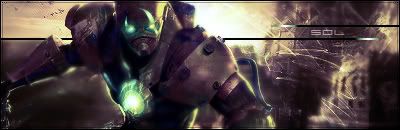
This is my first time ever using photoshop... so be honest but constructive =)

Image

User avatar
Key-J
Retired Admin
Posts: 8237
Joined: Fri Jun 23, 2006 2:21 pm
Location: BF3 waiting for BF4
Contact:

Post by Key-J »

The text.. OH NOES!! :P

Decent try for a first timer, make it more colorfull, n let the Renders blend in better

id say... 3.6/10
Image

Tag_Z...
New Member
Posts: 31
Joined: Sat Feb 24, 2007 9:24 pm
Quick Reply: Yes
Location: Troy
Contact:

Post by Tag_Z... »

Alright ill get rigght on that.... Thanks
Image
(\__/)
(='.'=) This is Bunny. Copy and paste bunny into
(")_(") your signature to help him gain world domination

User avatar
CrimsonNuker
Dom's Slut
Posts: 13791
Joined: Sun Aug 06, 2006 3:31 am
Quick Reply: Yes
Location: guildwars2

Post by CrimsonNuker »

brush in white, take your render(s) and paste them all over the sig (literally), gaussian blur (4.0) all of them then set them all to overlay, past your render at the place u want it to be, duplicate it, set the duplicated render to gaussian blur then overlay, add some fancy text, new layer>ctrl+a>edit>stroke (i think it was lol)>1px,main colour of ur sig,inside,ok

that should make a simple decent looking sig lmao

ImageImageImage

User avatar
Shimohime
Active Member
Posts: 788
Joined: Tue Feb 28, 2006 11:40 pm
Quick Reply: Yes
Location: Xian

Post by Shimohime »

Umm, don't use that shade of orange and blue together :P
Lvl 5x- Ice Archer

Read my avatar tutorial here

User avatar
ranger4life
Addicted Member
Posts: 2526
Joined: Thu Mar 16, 2006 11:05 pm
Quick Reply: Yes
Location: Off Topic

Post by ranger4life »

4.2/10
nice for a first
u wanna know wat rating i got for my first?
it was a 2.1/10
so your doing better than me


try to fix up the text there
Image

Tag_Z...
New Member
Posts: 31
Joined: Sat Feb 24, 2007 9:24 pm
Quick Reply: Yes
Location: Troy
Contact:

Post by Tag_Z... »

thanks for the tips guys i really appreacate it :) :)
Image
(\__/)
(='.'=) This is Bunny. Copy and paste bunny into
(")_(") your signature to help him gain world domination

User avatar
0l3n
Elite Member
Posts: 5184
Joined: Fri Jun 16, 2006 1:45 pm
Quick Reply: Yes
Location: Artists Corner

Post by 0l3n »

CrimsonNuker wrote:brush in white, take your render(s) and paste them all over the sig (literally), gaussian blur (4.0) all of them then set them all to overlay, past your render at the place u want it to be, duplicate it, set the duplicated render to gaussian blur then overlay, add some fancy text, new layer>ctrl+a>edit>stroke (i think it was lol)>1px,main colour of ur sig,inside,ok

that should make a simple decent looking sig lmao


That was how I did my sigs before.

Image
Image

User avatar
CrimsonNuker
Dom's Slut
Posts: 13791
Joined: Sun Aug 06, 2006 3:31 am
Quick Reply: Yes
Location: guildwars2

Post by CrimsonNuker »

Great minds think alike :)

How do you do them now? :twisted: Image
ImageImageImage

User avatar
Sol
Regular Member
Posts: 321
Joined: Tue Jan 30, 2007 9:21 am
Quick Reply: Yes
Location: Sparta
Contact:

Post by Sol »

CrimsonNuker wrote:Great minds think alike :)

How do you do them now? :twisted: Image


Lol at picture :D

ol3n = Sharpen! :D
Image
Image

User avatar
0l3n
Elite Member
Posts: 5184
Joined: Fri Jun 16, 2006 1:45 pm
Quick Reply: Yes
Location: Artists Corner

Post by 0l3n »

Im halfway in making a tutorial now so youl see tomorow or later today.
Image
Image

User avatar
Sol
Regular Member
Posts: 321
Joined: Tue Jan 30, 2007 9:21 am
Quick Reply: Yes
Location: Sparta
Contact:

Post by Sol »

cool ol3n :) send it me first mate so i can spell check it :D :D:D
Image
Image

User avatar
0l3n
Elite Member
Posts: 5184
Joined: Fri Jun 16, 2006 1:45 pm
Quick Reply: Yes
Location: Artists Corner

Post by 0l3n »

lol :P
Image
Image

User avatar
Caras
Frequent Member
Posts: 1337
Joined: Fri Sep 01, 2006 3:15 am
Quick Reply: Yes
Location: Place to place.

Post by Caras »

Until you get the hang of it, follow tutorials.

Post Reply

Return to “Artists Corner”