New Sig

Digital art design, renderings, signatures and anything art related. Upload pictures of your newest work or ask for feedback. Post graphics requests or discuss art in general.
Post Reply
User avatar
Shomari
Advanced Member
Posts: 2341
Joined: Wed Jul 04, 2007 3:44 am
Quick Reply: Yes
Location: Limbo

New Sig

Post by Shomari »

Image
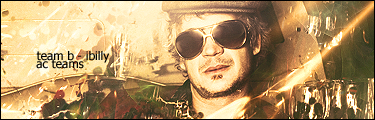
Rate please.

User avatar
Amelie
Veteran Member
Posts: 3669
Joined: Wed Sep 06, 2006 2:41 am
Quick Reply: Yes
Location: Daikanyama

Post by Amelie »

10!!

even tho i dont know who that character is, i simply love those colors!!! :love:


love it, love it!
Image

User avatar
Shomari
Advanced Member
Posts: 2341
Joined: Wed Jul 04, 2007 3:44 am
Quick Reply: Yes
Location: Limbo

Post by Shomari »

She is from Elfen lied;one of the best shows I watch(Probably the most violent show.). Her name is Lucy or Nyu.
Last edited by Shomari on Thu Aug 23, 2007 12:49 am, edited 1 time in total.
My attention span is

User avatar
Knuckles
Common Member
Posts: 130
Joined: Thu May 25, 2006 6:55 pm
Quick Reply: Yes
Location: Oasis

Post by Knuckles »

I :love: it. Nice color choice, and very simple. 10/10
Last edited by Knuckles on Thu Aug 23, 2007 1:06 am, edited 1 time in total.
| Atlas | Oasis | 2x Str Hybrid Fire Blader | Farming: 20k / 370k SP |
Image

deep.in
Advanced Member
Posts: 2133
Joined: Mon Mar 19, 2007 11:55 am
Quick Reply: Yes
Location: .........
Contact:

Post by deep.in »

Too many pink imho :P Everything looks cool, but try mix that pink with some other colors :wink:
<<banned from SRF for bot admission. -SG>>

iBilly
Active Member
Posts: 849
Joined: Mon Jul 30, 2007 7:18 pm
Quick Reply: Yes
Location: Romford, Essex, England

Re: New Sig

Post by iBilly »

Shomari wrote:Image
Rate please.


Way too bright, tone the lighting down, can't even see the render.

I also don't like text with anything other than horizontal orientation that much.

6/10
Permanently retired from Silkroad Online.
- Playing Lord of the Rings Online.

Image

User avatar
Shomari
Advanced Member
Posts: 2341
Joined: Wed Jul 04, 2007 3:44 am
Quick Reply: Yes
Location: Limbo

Post by Shomari »

Image
Better?

Shadowman20818
Loyal Member
Posts: 1506
Joined: Wed Jul 18, 2007 12:19 am

Post by Shadowman20818 »

Still looks Über saturated.
-Back in '08-

User avatar
Shomari
Advanced Member
Posts: 2341
Joined: Wed Jul 04, 2007 3:44 am
Quick Reply: Yes
Location: Limbo

Post by Shomari »

Image
Now?
My attention span is

Shadowman20818
Loyal Member
Posts: 1506
Joined: Wed Jul 18, 2007 12:19 am

Post by Shadowman20818 »

Much better, now about those circles to the right of the render, what is that?
-Back in '08-

User avatar
Shomari
Advanced Member
Posts: 2341
Joined: Wed Jul 04, 2007 3:44 am
Quick Reply: Yes
Location: Limbo

Post by Shomari »

Effects
My attention span is

User avatar
Rizla
Ex-Staff
Posts: 1197
Joined: Sun Jun 11, 2006 4:17 am
Quick Reply: Yes
Location: Artist's Corner

Post by Rizla »

Shomari wrote:Effects


XD
Image

User avatar
0l3n
Elite Member
Posts: 5184
Joined: Fri Jun 16, 2006 1:45 pm
Quick Reply: Yes
Location: Artists Corner

Post by 0l3n »

Shomari wrote:Effects


P4wn3d!! :P
Image
Image

User avatar
CrimsonNuker
Dom's Slut
Posts: 13791
Joined: Sun Aug 06, 2006 3:31 am
Quick Reply: Yes
Location: guildwars2

Post by CrimsonNuker »

Imagine he said "rate it." like the other guy LOL

7/10
ImageImageImage

User avatar
0l3n
Elite Member
Posts: 5184
Joined: Fri Jun 16, 2006 1:45 pm
Quick Reply: Yes
Location: Artists Corner

Post by 0l3n »

OT: Focal is to blured out.
Image
Image

User avatar
DeathBeforeDishonor
Active Member
Posts: 990
Joined: Sun Jun 10, 2007 1:05 am
Quick Reply: Yes
Location: Sitting at my computer?

Post by DeathBeforeDishonor »

wow thats good = ) colours are awsome ^^ wish i had photo shop skills like that hehe

9/10

User avatar
lavapockets
Frequent Member
Posts: 1126
Joined: Fri May 25, 2007 3:27 pm
Quick Reply: Yes
Location: right behind you

Post by lavapockets »

I have to say, I've seen Elfen Lied and I didn't even recognize her lol Is that from the beginning when she was locked up?
Image
Image

cin

Post by cin »

its probably really good in effects n whatever..

but i simply dont like it oO sowwie :P

idk its a little too blurry imo, and.. well.. the stuff next to the render,
it doesnt really fit in.

7,5/10

User avatar
Shomari
Advanced Member
Posts: 2341
Joined: Wed Jul 04, 2007 3:44 am
Quick Reply: Yes
Location: Limbo

Post by Shomari »

TehUrbanNinja wrote:wow thats good = ) colours are awsome ^^ wish i had photo shop skills like that hehe

9/10

GIMP ftw lol
My attention span is

User avatar
lavapockets
Frequent Member
Posts: 1126
Joined: Fri May 25, 2007 3:27 pm
Quick Reply: Yes
Location: right behind you

Post by lavapockets »

yay for gimp. How do you do those line you have running across the screen?
Image
Image

User avatar
Shomari
Advanced Member
Posts: 2341
Joined: Wed Jul 04, 2007 3:44 am
Quick Reply: Yes
Location: Limbo

Post by Shomari »

Start by making a new canvas. any size, doesn't matter. I just went with 300-100 cause it's mah normal size Oo

paste any render into sig, open as layer, whatever you wanna do. just get a render, stock, etc. I'm gonna work with a stock since it's easier to see the lines when there's a complete backgrounds.
Image

make a new layer and copy visible to that layer, right click-->edit-->copy visible-->paste
after this you can delete the original leaving just the pasted image.

now take your paths tool and make a single line using as many points as needed. at the beginning you can start off simple and smooth but towards the end I wanna see a little vibration thing going on lol. this is also the time where you straighten your lines, make them nice and curvy. not what's shown here. this was rushed.
Note: The vibrational patterns at the end are not needed. I just want you to get used to the curves and swerves used in the path tools.
Image

Image
now make a new layer fill it with black and on that new layer I want you to stroke the path by 3 pixels.


Image
set that layer to screen. than duplicate the layer three times. so a total of 4 layers.
Image


run a Gaussian blur from 10-20-30 in the respective order. make sure it is set to screen.
Image


Go to layers-->colors-->colorize and pick a color that matches the background, render, stock, etc. well

[I recommend doing it without the image so you can flatten the image so it is one layer and then just copy and paste onto your stock or render]

[Credit goes to Rave on The Ninja Forum]

My attention span is

User avatar
lavapockets
Frequent Member
Posts: 1126
Joined: Fri May 25, 2007 3:27 pm
Quick Reply: Yes
Location: right behind you

Post by lavapockets »

Sweet!! Thanks!!!! I will go try it out right now and report back :P
Image
Image

Post Reply

Return to “Artists Corner”