Digital art design, renderings, signatures and anything art related. Upload pictures of your newest work or ask for feedback. Post graphics requests or discuss art in general.
0l3n
Elite Member
Posts: 5184 Joined: Fri Jun 16, 2006 1:45 pmQuick Reply: YesLocation: Artists Corner
Post
by 0l3n Wed Jan 24, 2007 8:16 pm
Last edited by
0l3n on Fri Feb 23, 2007 2:02 pm, edited 3 times in total.
Geedunk
Active Member
Posts: 787 Joined: Sat Jan 13, 2007 3:30 pm
Post
by Geedunk Wed Jan 24, 2007 8:20 pm
It's pretty good, not something I would use. Great for newcomers!
XxYODAxX wrote: Thank you Geedunk you are friggin awesome!
RuYi wrote: Geedunk for president!!
RuYi
Ex-Staff
Posts: 7145 Joined: Tue Apr 25, 2006 7:39 amLocation: Done.
Post
by RuYi Wed Jan 24, 2007 8:28 pm
Good tutorial, short, no unnessesary things that only makes it complicated.
Good thing you also posted the shortcuts with it!
I'm sure this'll help several people!
MastaChiefX
Senior Member
Posts: 4526 Joined: Fri Nov 03, 2006 1:18 amQuick Reply: YesLocation: Life.
Post
by MastaChiefX Wed Jan 24, 2007 8:35 pm
stupid anti rip
just kidding, nice tut, hopefully people wont just copy everything to the max lol
^Thanks 0l3n!
Gone. Never really gone, but never really here.
"If Pac-Man had affected us as kids, we’d all be running around in dark rooms, munching pills and listening to repetitive electronic music"
bladecarlo
Frequent Member
Posts: 1116 Joined: Tue Oct 31, 2006 12:33 pmQuick Reply: YesLocation: Athens
Contact:
Post
by bladecarlo Wed Jan 24, 2007 10:51 pm
nice tut..
//:Protocol
Active Member
Posts: 702 Joined: Fri Apr 21, 2006 8:24 amQuick Reply: YesLocation: Venice
Post
by //:Protocol Thu Jan 25, 2007 6:37 am
Just a tip, 3 on the gaussian blur is a bit high.
1.5 will do.
Good tut.
0l3n
Elite Member
Posts: 5184 Joined: Fri Jun 16, 2006 1:45 pmQuick Reply: YesLocation: Artists Corner
Post
by 0l3n Thu Jan 25, 2007 11:51 am
Just a tip, 3 on the gaussian blur is a bit high.
yeah i know its a bit much but i thought it was ok.
It's pretty good, not something I would use. Great for newcomers!
lol il see what i can do
Nave47
Frequent Member
Posts: 1038 Joined: Sat Oct 21, 2006 11:15 pmQuick Reply: YesLocation: Inside your Mind
Post
by Nave47 Mon Feb 12, 2007 7:16 pm
Edit : I'm confused about that brush setting... btw I have Photoshop CS2.
Bakemaster wrote: ... Now I have to spam up about 30 more posts tonight so I can go delete some of Nave47's posts.
Key-J
Retired Admin
Posts: 8237 Joined: Fri Jun 23, 2006 2:21 pmLocation: BF3 waiting for BF4
Contact:
Post
by Key-J Fri Feb 23, 2007 12:17 pm
Nice sig tutorial Ol3n... Next time, lets not try to make it such a large Image file, more text would be much better.
Great for newbiew. Like moi! Yes i shall not lie.
Stickied
Last edited by
Key-J on Fri Feb 23, 2007 1:59 pm, edited 1 time in total.
Geedunk
Active Member
Posts: 787 Joined: Sat Jan 13, 2007 3:30 pm
Post
by Geedunk Fri Feb 23, 2007 12:33 pm
Key-j, there should be an image for EVERY single step.
XxYODAxX wrote: Thank you Geedunk you are friggin awesome!
RuYi wrote: Geedunk for president!!
0l3n
Elite Member
Posts: 5184 Joined: Fri Jun 16, 2006 1:45 pmQuick Reply: YesLocation: Artists Corner
Post
by 0l3n Fri Feb 23, 2007 1:49 pm
Thanks Key-J, ill change the render and c4ds to thumbnails
Rockshmo
Frequent Member
Posts: 1062 Joined: Mon May 29, 2006 5:00 pmQuick Reply: YesLocation: rehab
Contact:
Post
by Rockshmo Fri Feb 23, 2007 10:54 pm
I'd like to see some other people's results from this.
[Sparta][Pure STR][Lvl 5x]
0l3n
Elite Member
Posts: 5184 Joined: Fri Jun 16, 2006 1:45 pmQuick Reply: YesLocation: Artists Corner
Post
by 0l3n Mon Feb 26, 2007 4:21 pm
Rockshmo wrote: I'd like to see some other people's results from this.
+1
Alphanum3ric
Common Member
Posts: 106 Joined: Sun Feb 18, 2007 3:27 pmQuick Reply: YesLocation: Pacific
Post
by Alphanum3ric Mon Feb 26, 2007 10:06 pm
Very Nice Tutorial...
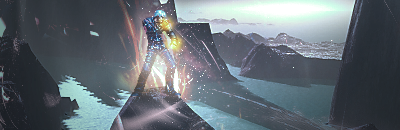
Keep up Ol3n
Draquish
Elite Member
Posts: 6423 Joined: Wed Mar 15, 2006 10:25 pmQuick Reply: YesLocation: ____
Post
by Draquish Mon Feb 26, 2007 10:38 pm
Nice sig and avvy set 4lph4...
QingMei
Active Member
Posts: 673 Joined: Sun Feb 18, 2007 7:02 pmQuick Reply: YesLocation: Azteca
Post
by QingMei Fri Mar 02, 2007 9:00 am
Everytime I go to the spatter part I can't access it. I can only use it on those black/white circle layers o.O
sloweredmangyang
Active Member
Posts: 605 Joined: Wed Jul 19, 2006 12:12 amQuick Reply: YesLocation: alps
Post
by sloweredmangyang Sat Mar 03, 2007 3:28 am
i really suk at PS lmao, i cant get past the 1st step
edit: ok well i figured some stuff out myself lol, looks ok...no not rly but ima noob lmao.
Mage Pker
Frequent Member
Posts: 1102 Joined: Tue Mar 06, 2007 9:40 pmQuick Reply: YesLocation: Sparta
Post
by Mage Pker Mon Mar 12, 2007 8:12 pm
people who use other peoples artwork arent cool.
IE: dl'ing c4ds and brushes. C4D whores usually get no respect in the art community. sadly.
some c4d sigs look actually cool. but most people use 2-4 c4ds which makes them c4d whores >_>
nice noobie tut tho
blutrausch
Regular Member
Posts: 237 Joined: Mon Jan 29, 2007 10:26 pmQuick Reply: YesLocation: Oasis
Post
by blutrausch Wed Mar 14, 2007 10:45 pm
nice tut, although i didnt get the smudge like i wanted it to be
X..Katie
New Member
Posts: 38 Joined: Sat Mar 03, 2007 12:58 pmQuick Reply: YesLocation: spain
Contact:
Post
by X..Katie Mon Mar 19, 2007 8:20 pm
i copied a bit of wat u done but reli good tut
lol xx
X..Katie
New Member
Posts: 38 Joined: Sat Mar 03, 2007 12:58 pmQuick Reply: YesLocation: spain
Contact:
Post
by X..Katie Tue Mar 20, 2007 4:41 pm
hello this is the 1 that i made betta but with a differrent render...
do ya like it?????????
ziddy1232
Frequent Member
Posts: 1391 Joined: Sat Sep 30, 2006 12:45 pmQuick Reply: YesLocation: Alps
Post
by ziddy1232 Wed Mar 28, 2007 2:39 pm
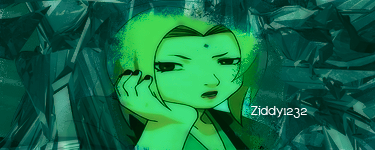
Please don't laugh...
Mine never turns out like it should
I think i might go emo and cry a little...
ziddy1232
Frequent Member
Posts: 1391 Joined: Sat Sep 30, 2006 12:45 pmQuick Reply: YesLocation: Alps
Post
by ziddy1232 Wed Mar 28, 2007 2:58 pm
My second attempt with a differant render, still not that good, but better than my previous attempt i think :
Its a bit... green
uBeR
Active Member
Posts: 966 Joined: Thu Jan 11, 2007 8:40 pmQuick Reply: YesLocation: Azteca
Post
by uBeR Mon Apr 02, 2007 7:06 pm
stealing images and using them as sig backgrounds = the newb.
tigercat
Regular Member
Posts: 222 Joined: Thu Mar 22, 2007 7:50 pm
Post
by tigercat Wed Apr 04, 2007 10:41 pm
Um....I got lost a bit...due to...lack of instuction heh....this is the second sig that i've made in photoshop, the one below is my first one.
Nice tut thought.
<<banned from SRF for remaking an account after a previous account ban. -SG>>>>
Geedunk
Active Member
Posts: 787 Joined: Sat Jan 13, 2007 3:30 pm
Post
by Geedunk Thu Apr 05, 2007 8:29 am
uBeR wrote: stealing images and using them as sig backgrounds = the newb.
Quote from the tut: "And if you are a retard... GOODBYE". Fits on you, jerkoff.
XxYODAxX wrote: Thank you Geedunk you are friggin awesome!
RuYi wrote: Geedunk for president!!
Dystopia
Advanced Member
Posts: 2317 Joined: Thu Jan 04, 2007 8:37 pmQuick Reply: YesLocation: Off Topic
Post
by Dystopia Thu Apr 26, 2007 9:11 pm
My outcome...
Is it okay?
I just dont like how the right side of her is much darker than her left side
-=EDIT=-
I fixed it....kinda
tigercat
Regular Member
Posts: 222 Joined: Thu Mar 22, 2007 7:50 pm
Post
by tigercat Mon Apr 30, 2007 1:27 am
I like your sig better...
<<banned from SRF for remaking an account after a previous account ban. -SG>>>>
Dystopia
Advanced Member
Posts: 2317 Joined: Thu Jan 04, 2007 8:37 pmQuick Reply: YesLocation: Off Topic
Post
by Dystopia Tue May 01, 2007 2:29 am
i know me to its too wierd look on her face, it looks like the light source would come on the right side of the sig and the left side of her face is darker, and its much lighter on the left compared to the right :S:S:S:S
Waisha
Veteran Member
Posts: 3216 Joined: Sat Apr 01, 2006 8:01 amQuick Reply: YesLocation: wat
Post
by Waisha Sun Jun 10, 2007 5:10 pm
OK. I'm newb at PS. I just *cough* bought it and believe it or not; Im stuck at step 3. I can't find the smudge tool lol. It's not in my toolbar. Maybe I'm looking at the wrong place?
<<banned from SRF for rules violations. -SG>>





















 Keep up Ol3n