Page 1 of 1
Clicking major sections.
Posted: Wed Jul 30, 2008 3:07 pm
by MrJoey
Something that kind of annoys me.
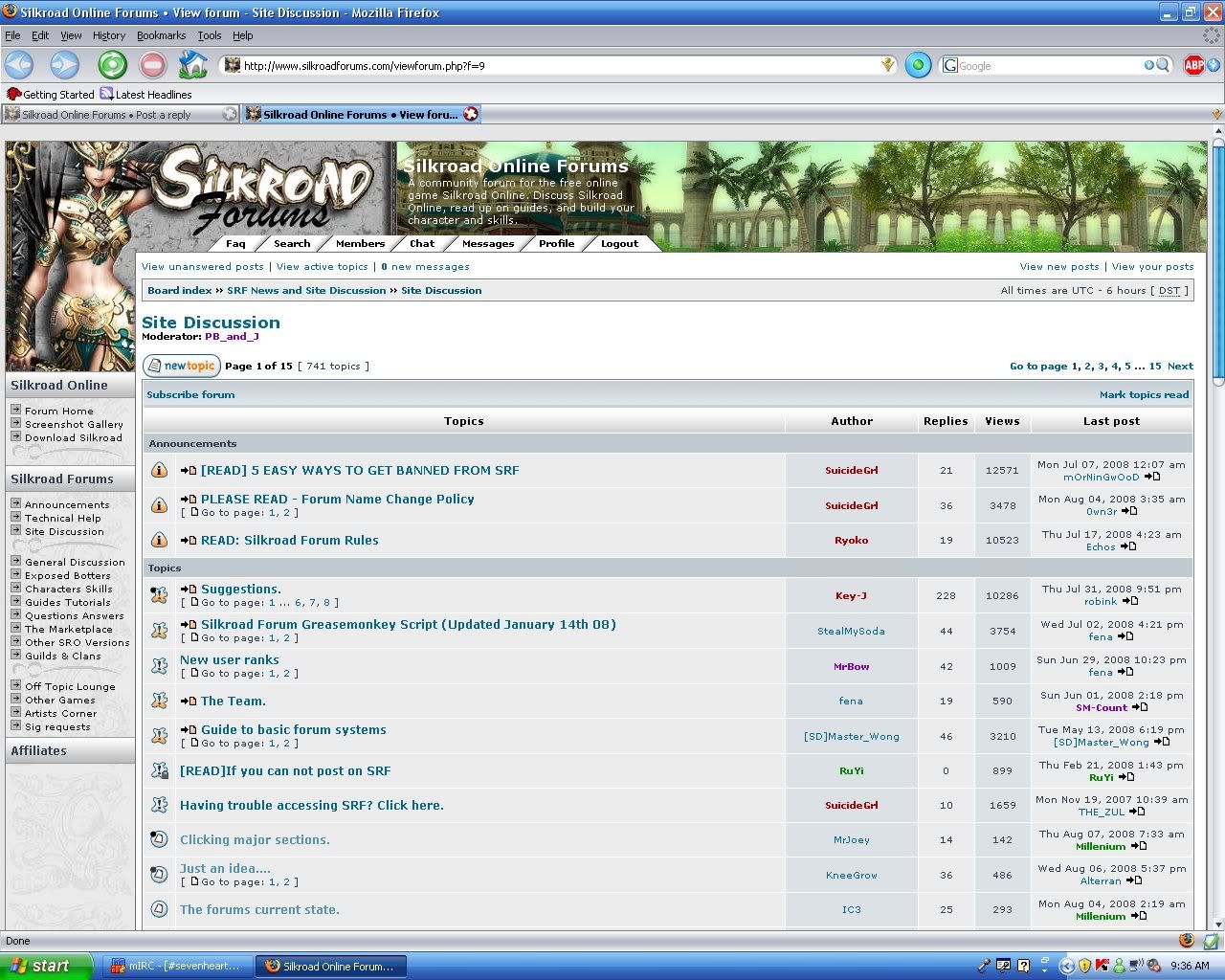
I'll start off with an example, this section I'm posting in, is Site Discussion, part of SRF News and Site Discussion. When I'm done browsing threads in Site Discussion, I want to be able to click SRF News and Site Discussion so that it will only show the sections under that (News and Announcements, Technical Help, and Site Discussion.)
It's mainly after browsing the Off-Topic Lounge, and I want to check Other Games, but in order to do that, I have to go to the overall board view, then scroll down to Other Games. Yes, I know on the left there's all the sections, but I never look over there, and it doesn't show last post.
Re: Clicking major sections.
Posted: Wed Jul 30, 2008 8:22 pm
by MegaLolz
I keep clicking that at the top as well and then i have to click on the left to get back to where i was .. kind of annoying at times but im getting used to it lol
Re: Clicking major sections.
Posted: Thu Jul 31, 2008 7:32 am
by cin
well idk the possibilities really, but if you're using firefox,
you might want to make a custom greasemonkey mod script. soda
made one that makes the left side menu scroll down when you
scroll. otherwise, i don't know >.<
Re: Clicking major sections.
Posted: Thu Jul 31, 2008 1:54 pm
by SM-Count
Re: Clicking major sections.
Posted: Thu Jul 31, 2008 2:40 pm
by Millenium
SM-Count wrote:
No it doesn't. The sections, like Other Games, OTL and things aren't shown properly. At least not for me.
I don't know what you meant but "don't show the latest posts" if you navigate with the left menu though. That's what I use the most when I want to jump between sections.
Re: Clicking major sections.
Posted: Thu Jul 31, 2008 3:03 pm
by SM-Count
Millenium wrote:SM-Count wrote:
No it doesn't. The sections, like Other Games, OTL and things aren't shown properly. At least not for me.
I don't know what you meant but "don't show the latest posts" if you navigate with the left menu though. That's what I use the most when I want to jump between sections.
Huh, just noticed that after I s/s'd. Well this should be a fix then, not something new. Someone should put this on the to do list.
As for the second paragraph:?

Re: Clicking major sections.
Posted: Thu Jul 31, 2008 7:04 pm
by Millenium
Well why don't we let him explain what he meant by not showing last post? We could be making stupid assumptions here. There's nothing wrong with using the left menu bar but I could be wrong too
Re: Clicking major sections.
Posted: Fri Aug 01, 2008 2:30 am
by MrJoey
SM-Count wrote:Millenium wrote:SM-Count wrote:
No it doesn't. The sections, like Other Games, OTL and things aren't shown properly. At least not for me.
I don't know what you meant but "don't show the latest posts" if you navigate with the left menu though. That's what I use the most when I want to jump between sections.
Huh, just noticed that after I s/s'd. Well this should be a fix then, not something new. Someone should put this on the to do list.
As for the second paragraph:?
Yes, I mean that, doesn't show who made last post, and what time if you use the list on the far left.
As for greasemonkey script, **** that, I don't have time to learn scripts of that kind.
Re: Clicking major sections.
Posted: Mon Aug 04, 2008 9:20 pm
by Millenium
But...it does show last post...
It does on the SS you took. o_O
Re: Clicking major sections.
Posted: Tue Aug 05, 2008 3:46 am
by MrJoey
Millenium wrote:But...it does show last post...
It does on the SS you took. o_O
The SS isn't showing the list on the far left. <_<
Re: Clicking major sections.
Posted: Tue Aug 05, 2008 1:25 pm
by Millenium
MrJoey wrote:Millenium wrote:But...it does show last post...
It does on the SS you took. o_O
The SS isn't showing the list on the far left. <_<
But if I click General Discussion (for example) from the list on the left it does show last post.

Re: Clicking major sections.
Posted: Wed Aug 06, 2008 1:10 am
by MrJoey
Millenium wrote:MrJoey wrote:Millenium wrote:But...it does show last post...
It does on the SS you took. o_O
The SS isn't showing the list on the far left. <_<
But if I click General Discussion (for example) from the list on the left it does show last post.
Maybe that's cause it takes you to the General Discussion? When you're actually there, you can see the last one + all the other ones? <.<
Re: Clicking major sections.
Posted: Wed Aug 06, 2008 2:24 pm
by Millenium
MrJoey wrote:Maybe that's cause it takes you to the General Discussion? When you're actually there, you can see the last one + all the other ones? <.<
So addressing your original concern. When you're at OTL maybe you can use the menu on the left to jump to other games section. I know its something you're not used to doing, but that's the whole purpose why we have those things on the left.
Re: Clicking major sections.
Posted: Thu Aug 07, 2008 2:13 am
by MrJoey
Edit: lol nvm.
Re: Clicking major sections.
Posted: Thu Aug 07, 2008 12:33 pm
by Millenium
I'm still confused tbh

Re: Clicking major sections.
Posted: Thu Aug 07, 2008 2:47 pm
by MrJoey
Ok, I'll dumb it down for you.
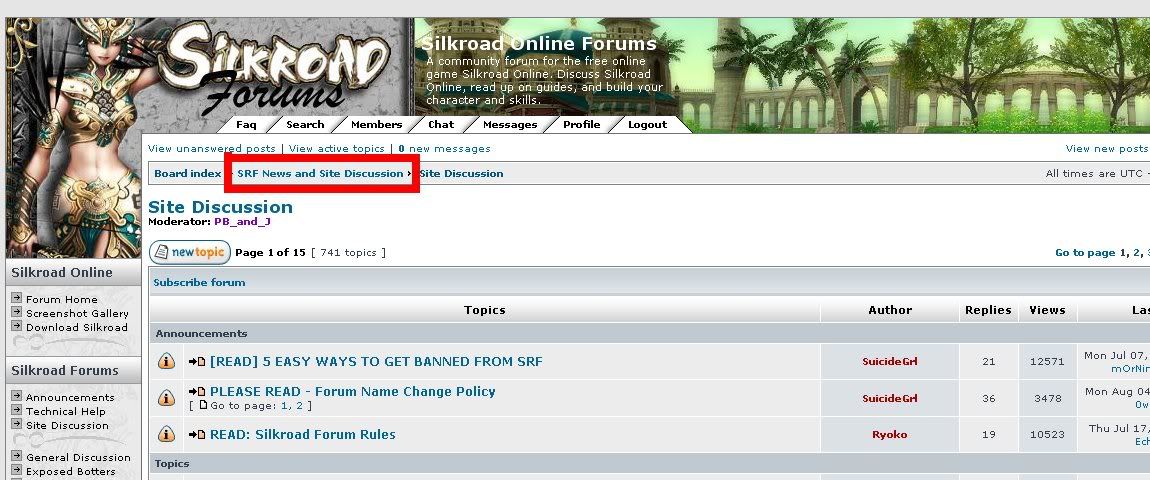
The point of this topic (which everyone seems to have drifted off from) is so that, if I'm in Site Discussion.
I want to be able to click SRF News and Site Discussion
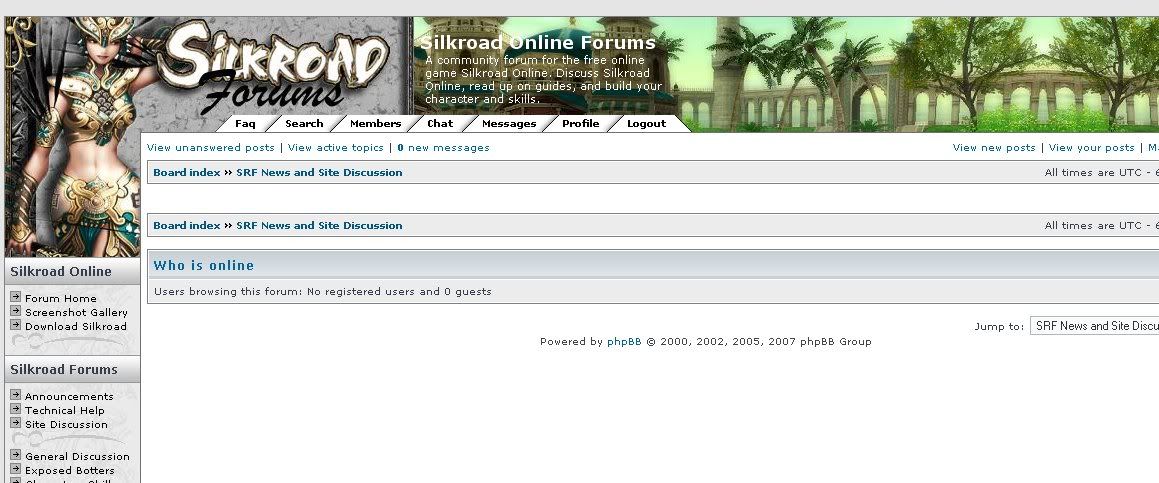
Instead of getting a blank page like this...
It would show the highlighted sections in this image...
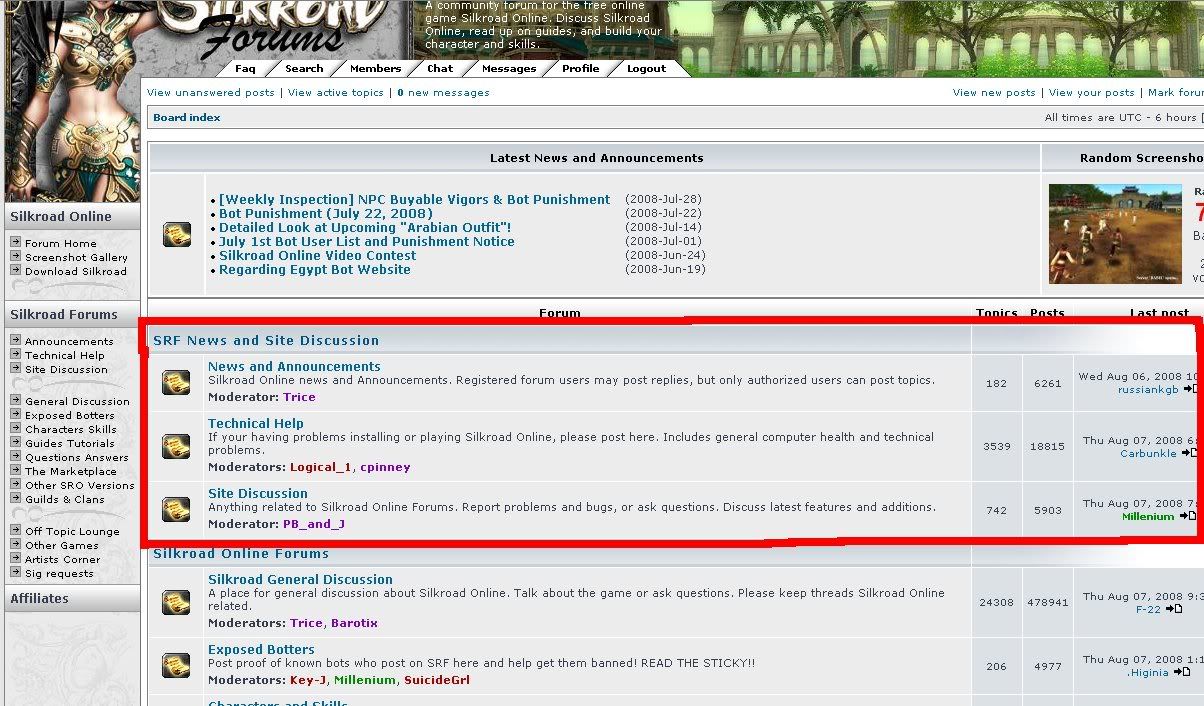
That's just one example. Clicking Silkroad Online Forums, would show General Discussion, Exposed Botters, Characters and Skills, Guides and Tutorials, Questions and Answers, The Marketplace, and Other SRO Versions.
and so on and so forth. It is a very standard thing in most forums, and someone seems to have screwed up when they made this one.
Re: Clicking major sections.
Posted: Thu Aug 07, 2008 2:53 pm
by cin
lol odd. sounds like a job for the rednames here, as greens and
purples can't access that part. tbh, i didnt know u meant that
either lol. i thought u wanted to see the last posts in the left
side bar

we'll make sure SG sees this.