not sure if its only me or if this is a bug but it sure looks like a forum bug.
when i use to search function to find a topic, after i have found the said topic i click on it, and i get a white page, well not an entierly white page, just the page can not be found kinda thing. so theres some kind of linking issue going on here.
Forum search function bug.
-
CodeOfSilence

- Valued Member
- Posts: 440
- Joined: Fri Jul 28, 2006 11:47 pm
- Quick Reply: Yes
- Location: Athens
-
CodeOfSilence
- Valued Member
- Posts: 440
- Joined: Fri Jul 28, 2006 11:47 pm
- Quick Reply: Yes
- Location: Athens
its not something specific. actually i was trying to see if this forums has a setting or something that tells which topics you have subscribed too. and since i didnt find that, i did a search by author using my username to find the topics that i had posted on.
so i did the following.
hit search key.
under author.. i type my username codeofsilence.
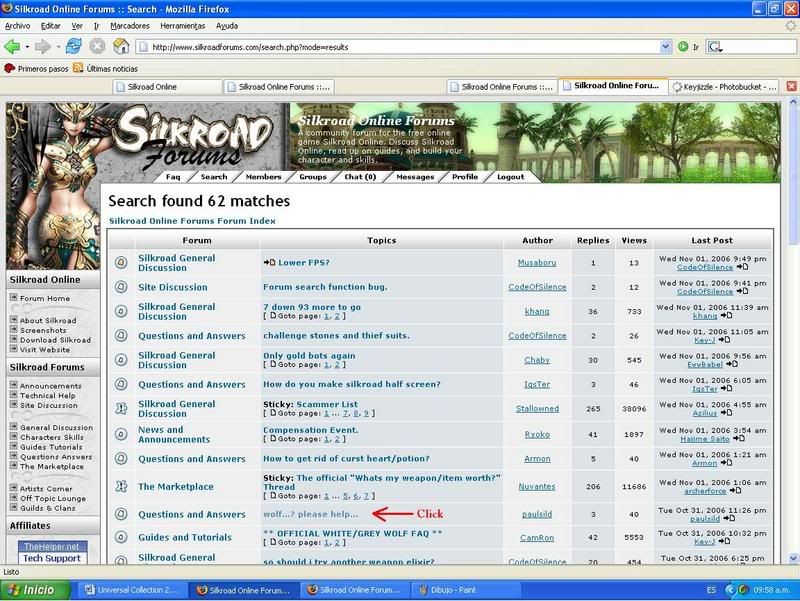
atfer i get the a list of hits. i hit the links that are under the "topic" category and when i do that, it doesnt take me to the topic... it just says "The page cannot be displayed"
so i did the following.
hit search key.
under author.. i type my username codeofsilence.
atfer i get the a list of hits. i hit the links that are under the "topic" category and when i do that, it doesnt take me to the topic... it just says "The page cannot be displayed"
-
Key-J

- Retired Admin
- Posts: 8237
- Joined: Fri Jun 23, 2006 2:21 pm
- Location: BF3 waiting for BF4
- Contact:
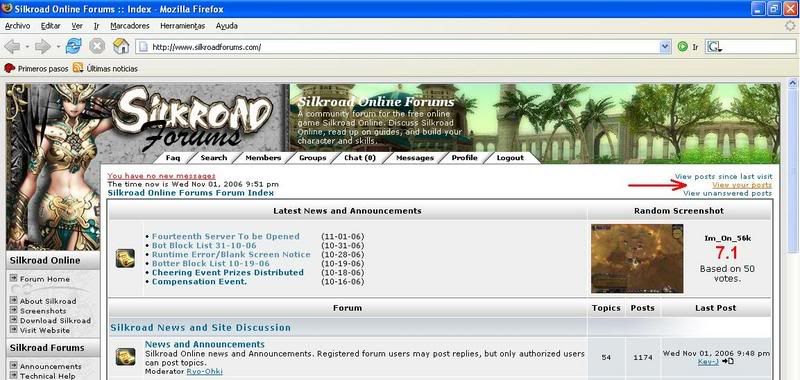
Well after trying it out for myself i couldnt seem to find a problem, However our forums does have a List of posts you yourself have made which can be found Here.
Also i followed the steps you gave me and found for the links to work fine,
1. Search
2. Author: codeofsilence
3. List of Links
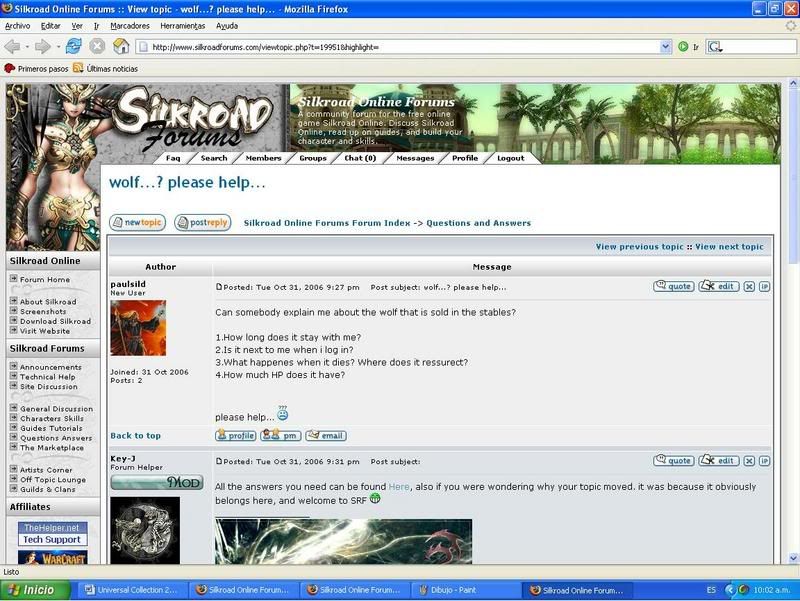
4. After clicking on one
5. Page Working Fine
I hope this answers your question.
If i miss understood you please let me know and ill one again look into it
Key-J
Also i followed the steps you gave me and found for the links to work fine,
1. Search
2. Author: codeofsilence
3. List of Links
4. After clicking on one
5. Page Working Fine
I hope this answers your question.
If i miss understood you please let me know and ill one again look into it
Key-J

-
CodeOfSilence
- Valued Member
- Posts: 440
- Joined: Fri Jul 28, 2006 11:47 pm
- Quick Reply: Yes
- Location: Athens


-
Key-J
- Retired Admin
- Posts: 8237
- Joined: Fri Jun 23, 2006 2:21 pm
- Location: BF3 waiting for BF4
- Contact:
Hmmm.. That is strange.. Ill bring this Topic up with Ryoko, P.s unsure but mayb it is the fact that you are using I.E
Try using a better browser
E.g
FireFox:
http://www.getfirefox.com
Try using a better browser
E.g
FireFox:
http://www.getfirefox.com
-
CodeOfSilence
- Valued Member
- Posts: 440
- Joined: Fri Jul 28, 2006 11:47 pm
- Quick Reply: Yes
- Location: Athens

-
CodeOfSilence
- Valued Member
- Posts: 440
- Joined: Fri Jul 28, 2006 11:47 pm
- Quick Reply: Yes
- Location: Athens
Key-J wrote:Ok... Ill get Ryoko to look into this, mayb there is a little conflict with your IP and the site? However when your not searching for topics and you just go to the forums you can see them easily?
P.s Love the penguing
yes everything works fine except when trying to visit a page that was found on the search. what i do now, i just search, find the forum section where the topic is and go there, but i cant go directly from the link of the page.