Avatar help

Need a forum signature image or an avatar? Ask one of our talented Artists' Corner residents to make you one!
Post Reply
User avatar
Achilles990
Frequent Member
Posts: 1338
Joined: Mon Oct 09, 2006 10:27 pm
Quick Reply: Yes
Location: Troy
Contact:

Avatar help

Post by Achilles990 »

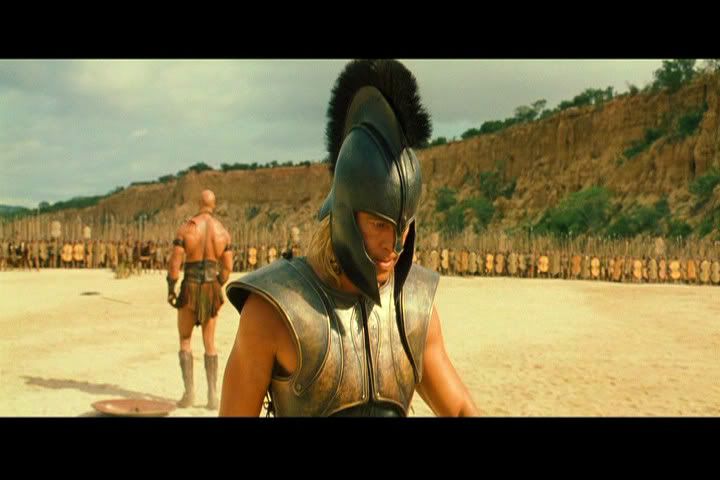
Am haveing the hardest time geting a good avatar...i tryed alot of them but with the rules of wide and lenght is killing me and i was wondering if anyone could help?

lol i spend all day trying get the sig i got right now to fit the rules on wide and lenght too :banghead: :banghead:
                              Image
                      "The greatest trick the Devil ever pulled was convincing the world he didn't exist. And like that, poof. He's gone."
                                      |Achilles990|7x| Hybird Int S/s|Heavens*MyrTitan|
                                      |Neoptolemus|39|Warrior/Harp|Myrmidons*MyrKnight|

User avatar
Achilles990
Frequent Member
Posts: 1338
Joined: Mon Oct 09, 2006 10:27 pm
Quick Reply: Yes
Location: Troy
Contact:

Re: Avatar help

Post by Achilles990 »

ofy1993 wrote:
Spoiler!


seriously,

Spoiler!


^^ seriously seriously, you should just a good cut out of your signature. That usually looks good.


Am sorry but both imgs wont show up, and am sorry what?
                              Image
                      "The greatest trick the Devil ever pulled was convincing the world he didn't exist. And like that, poof. He's gone."
                                      |Achilles990|7x| Hybird Int S/s|Heavens*MyrTitan|
                                      |Neoptolemus|39|Warrior/Harp|Myrmidons*MyrKnight|

User avatar
Achilles990
Frequent Member
Posts: 1338
Joined: Mon Oct 09, 2006 10:27 pm
Quick Reply: Yes
Location: Troy
Contact:

Re: Avatar help

Post by Achilles990 »

ofy1993 wrote:maybe something like this

Image


Image

other then that, your avatar is your own choice :S just google any picture and use it :P


Thats Awsome dude...i would but my issues is makeing perfect to the width and lenght when i do looks pretty gay :(
                              Image
                      "The greatest trick the Devil ever pulled was convincing the world he didn't exist. And like that, poof. He's gone."
                                      |Achilles990|7x| Hybird Int S/s|Heavens*MyrTitan|
                                      |Neoptolemus|39|Warrior/Harp|Myrmidons*MyrKnight|

User avatar
Achilles990
Frequent Member
Posts: 1338
Joined: Mon Oct 09, 2006 10:27 pm
Quick Reply: Yes
Location: Troy
Contact:

Re: Avatar help

Post by Achilles990 »

Avatars must be at least 20 pixels wide and 20 pixels high, but no larger than 125 pixels wide and 125 pixels high. When i do it make like that i mess up big time.

I try do this pictures:
Image

and just looked really bad
Image
                              Image
                      "The greatest trick the Devil ever pulled was convincing the world he didn't exist. And like that, poof. He's gone."
                                      |Achilles990|7x| Hybird Int S/s|Heavens*MyrTitan|
                                      |Neoptolemus|39|Warrior/Harp|Myrmidons*MyrKnight|

User avatar
Amarisa
Senior Member
Posts: 4049
Joined: Sun Feb 03, 2008 12:40 am
Location: Magic

Re: Avatar help

Post by Amarisa »

when you resize you have to make sure the ratio is the same.

Example: you shorten the width of a picture by 10 pixels. to make it even you have to shorten the hight by 10 pixels.

and here is a picture for your avy

Image
Image

User avatar
Hostage
Veteran Member
Posts: 3119
Joined: Thu Jan 25, 2007 8:34 pm
Quick Reply: Yes
Location: Canada,On

Re: Avatar help

Post by Hostage »

Achilles990 wrote:Avatars must be at least 20 pixels wide and 20 pixels high, but no larger than 125 pixels wide and 125 pixels high. When i do it make like that i mess up big time.

I try do this pictures:


and just looked really bad
Image


It does that because your original image is not a square. Not sure how you are going about it but if you are transforming it directly like that then you are bound to get distorted pixels.

Use your marque tool (holding shift) and select around the part of the image you want to use and then right click>copy layer.

Delete layer below. Image>Trim. ALT+Ctrl+i and select your image size.

Image

EDIT:

Meh, beaten to it. Back to watching T.V
User avatar
Achilles990
Frequent Member
Posts: 1338
Joined: Mon Oct 09, 2006 10:27 pm
Quick Reply: Yes
Location: Troy
Contact:

Re: Avatar help

Post by Achilles990 »

Hostage wrote:
Achilles990 wrote:Avatars must be at least 20 pixels wide and 20 pixels high, but no larger than 125 pixels wide and 125 pixels high. When i do it make like that i mess up big time.

I try do this pictures:


and just looked really bad
Image


It does that because your original image is not a square. Not sure how you are going about it but if you are transforming it directly like that then you are bound to get distorted pixels.

Use your marque tool (holding shift) and select around the part of the image you want to use and then right click>copy layer.

Delete layer below. Image>Trim. ALT+Ctrl+i and select your image size.

Image

EDIT:

Meh, beaten to it. Back to watching T.V


Thanks guys!

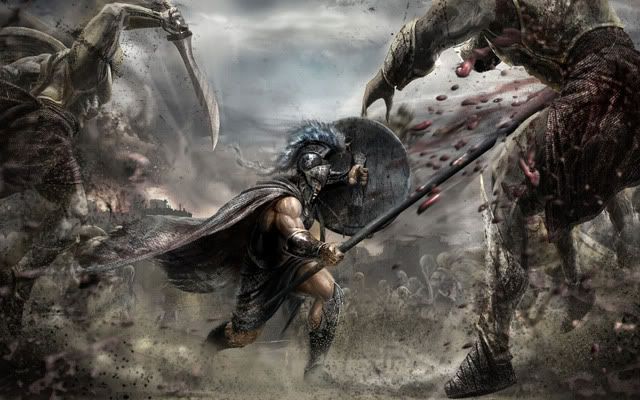
Host can you make this one look better?
Image
                              Image
                      "The greatest trick the Devil ever pulled was convincing the world he didn't exist. And like that, poof. He's gone."
                                      |Achilles990|7x| Hybird Int S/s|Heavens*MyrTitan|
                                      |Neoptolemus|39|Warrior/Harp|Myrmidons*MyrKnight|

Post Reply

Return to “Sig Requests”