[Release]DDJ/DDS converter
Posted: Thu May 15, 2008 2:56 pm
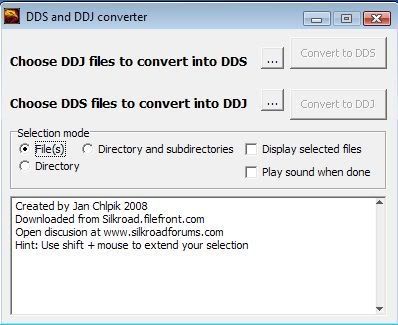
DDS and DDJ converter
Description of program
Program to convert DDJ from Silkroad files and DDS back to DDJ.
How it works
converting DDJ>DDS
Program rewrite the file without first 20bytes and rename it as DDS.
converting DDS>DDJ
Program will calculate the header and add original file to it and rename it as DDJ.
Known problems:
Virustotal.com 1 of 32 antivirus reports it as suspicious(possibly due to adding header part)
Cannot open more then 2600 file at once with file select option (Try to convert minimap directory from media.pk2).
Download link
http://files.filefront.com/DDS+DDJzip/;10216780;/fileinfo.html
Alternative link
http://www.mediafire.com/?zwb5fbwyyzk
Recomended programs and plugins:
DDS plugin for adobe photoshop(http://developer.nvidia.com/object/photoshop_dds_plugins.html) or irfanview(http://www.irfanview.com with all plugins or MS DXtool(Need to download whole DX SDK possibly did not find particular download)
Gimp with dds plugin to edit alpha area.
Other programs for texture editing
http://bakhter.com/html/3d/texture_generators.html(not my page, but nice selection of programs and adobe plugins).
Converting DDJ to DDS and back manualy with hex editor XVI
Download
XVI hex editorhttp://www.chmaas.handshake.de/delphi/freeware/xvi32/xvi32.htm
You can use script(XVI) to convert DDJ to DDS write(in script window)
Code: Select all
DEL 20To convert it back use
Code: Select all
INSERT 4A 4D 58 56 44 44 4A 20 31 30 30 30 XX XX XX XX 03 00 00 00How to get XX bytes. When DDS is at begining clicking edit>insert, enter 123456789(in text area), now go to end of file and click at last value in hex field. Read adr. Hex in bottom left corner. Note the adr somewhere and delete the 123456789 numbers from beggining
Examples for Getting XX values from adr. Hex
Adr.: 18A XX: 8A 01 00 00
Adr.:123AB589 XX: 89 B5 3A 12
Adr. 188FA XX: FA 88 01 00
As you see if the number is odd you need to add imaginary zero at beginning.
Saving DDS
Recomended formats:
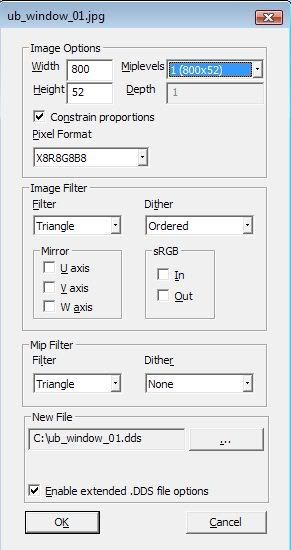
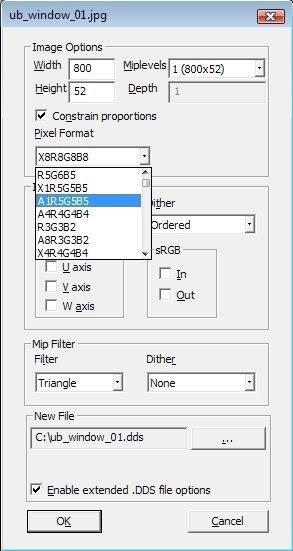
Picture without transparency: R5G6B5
Picture with one invisible area A1R5G5B5
Fully transparent picture A8R8G8B8
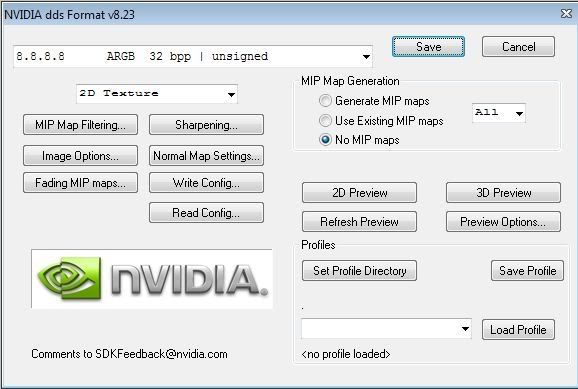
If you use adobe photoshop you should save without mipmap and same for right click converter(works for jpg images if you have installed nvidia dds tools)
Credits:
This program was written in Turbo Delphi.


