[GUIDE] How to Modify a .DDJ ( PICS INCLUDED )
Posted: Tue Jan 01, 2008 4:18 am
Lesson 1 : .DDJ Modification's
First of all , The files needed to do this kind of Modifications wont be posted unless the Mod's/Staff tell's me I can do so.
Step 1 :
Download PK2 Extractor if you havent so.
http://www.2shared.com/file/2665179/e5e ... orrar.html
Step 2 : Open it up , click on (FILE) and look for your Media.pk2 , once you found it open it , and it should look like this at the end.
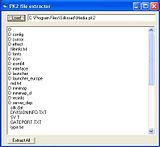
Step 3 : Lets look for a .DDJ file , go to Interface/underbar/ub_window_01.ddj ( Extract it to somewhere )
Step 4 : Lets use a DDJ Viewer to view what's hidden inside this .DDJ. With this DDJ Viewer once you view the .DDJ a Data folder will automatically be generated with a .DDS and .BMP of the picture.
Download DDJ VIEWER: ( Once staff/mod approves of me adding the download link I will put it on here )
Step 5 : Next go to the Data folder and get the bmp , open it up and you will get something like this.

^--- its small but you must click it to see it good
Step 6 : You may edit that BMP as many way as you want.
!!!IMPORTANT NEWS!!!!
/ Do not change the size of the BMP , try to keep it as the same size as possible to make this more successfull
Step 7 : After you are done , save the modify BMP to the same BMP inside the data folder , which the name is ub_window_01.bmp
Step 8 : We need to transfer this BMP to a DDS. What I use to do this is Paint.NET.
Download Paint.NET : ( Once staff/mod approves of me adding the download link I will put it on here )
Step 9 : Open up the BMP with Paint.NET , and than go to files / save as /
/ Do this simple step's to get a good .DDS
File Name : ub_window_01
Save as Type : DriectDraw Surface (DDS) (*.dds)
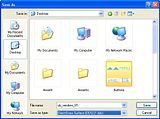
Step 10 : Once you save it will be a ub_windows_01.dds
Step 11 : Now its time to put it inside the Media.PK2
Step 12 : Now lets open up the original .DDJ you extracted from the Media.PK2 which is ub_window_01.ddj , with an HexEditor ( I will use WinHex )
Step 13 : Copy some hex values from the .DDJ
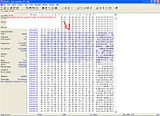
Step : 14 : Now open up the Media.PK2 with an Hex Editor. ( Search for the Hex Values you Copied )
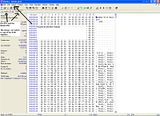
Step 15 : Now once you find the ddj inside the Media.PK2 , now scroll a bit under and you will find a DDS <--- thats where we will inser the ub_window_01.dds you created by the modified BMP.
( You dont really need to convert back to a DDJ , It is not needed as it is only a header of Joymax )
Step 16 : Now open the ub_window_01.dds you created by the modified DDJ , and paste the whole entire file in the DDS you found in the Media.PK2 by searching for the DDJ.
Step 17 : Save and Close ( Restart the game )
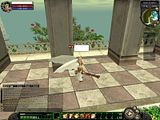
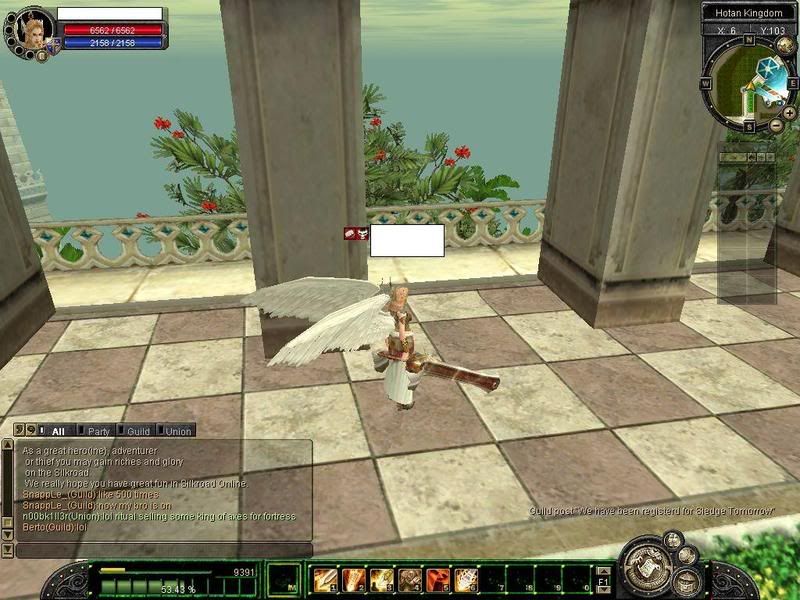
Preview of Bellow of my Modification's
Programs Needed That It works Best for me:
-Pk2 Extractor
-Paint.NET ( It holds the right codes and extensions to make a successfull DDS)
-Hex Editor ( I Use WinHex :: It is not a free ware )
 ::::::: All Download Links will be posted correctly once i get permission to do so , by the Staff/Mod ::::::::::::
To get WinHex you must PM me , I wont post it here for public.
If you need more Previews of Pic , ask i will put them
First of all , The files needed to do this kind of Modifications wont be posted unless the Mod's/Staff tell's me I can do so.
Step 1 :
Download PK2 Extractor if you havent so.
http://www.2shared.com/file/2665179/e5e ... orrar.html
Step 2 : Open it up , click on (FILE) and look for your Media.pk2 , once you found it open it , and it should look like this at the end.
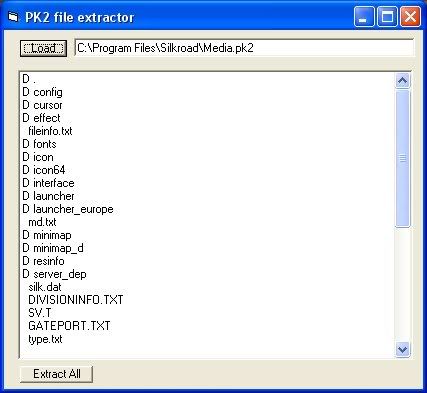
Step 3 : Lets look for a .DDJ file , go to Interface/underbar/ub_window_01.ddj ( Extract it to somewhere )
Step 4 : Lets use a DDJ Viewer to view what's hidden inside this .DDJ. With this DDJ Viewer once you view the .DDJ a Data folder will automatically be generated with a .DDS and .BMP of the picture.
Download DDJ VIEWER: ( Once staff/mod approves of me adding the download link I will put it on here )
Step 5 : Next go to the Data folder and get the bmp , open it up and you will get something like this.

^--- its small but you must click it to see it good
Step 6 : You may edit that BMP as many way as you want.
!!!IMPORTANT NEWS!!!!
/ Do not change the size of the BMP , try to keep it as the same size as possible to make this more successfull
Step 7 : After you are done , save the modify BMP to the same BMP inside the data folder , which the name is ub_window_01.bmp
Step 8 : We need to transfer this BMP to a DDS. What I use to do this is Paint.NET.
Download Paint.NET : ( Once staff/mod approves of me adding the download link I will put it on here )
Step 9 : Open up the BMP with Paint.NET , and than go to files / save as /
/ Do this simple step's to get a good .DDS
File Name : ub_window_01
Save as Type : DriectDraw Surface (DDS) (*.dds)
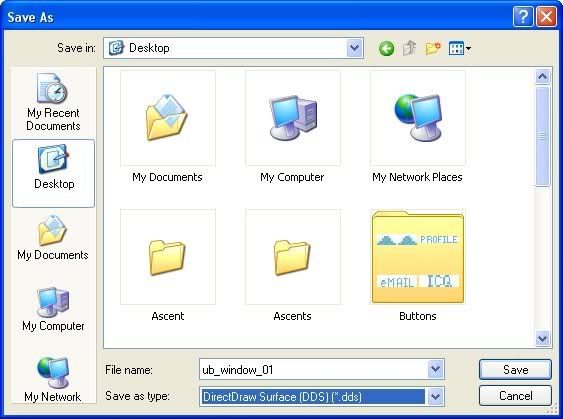
Step 10 : Once you save it will be a ub_windows_01.dds
Step 11 : Now its time to put it inside the Media.PK2
Step 12 : Now lets open up the original .DDJ you extracted from the Media.PK2 which is ub_window_01.ddj , with an HexEditor ( I will use WinHex )
Step 13 : Copy some hex values from the .DDJ
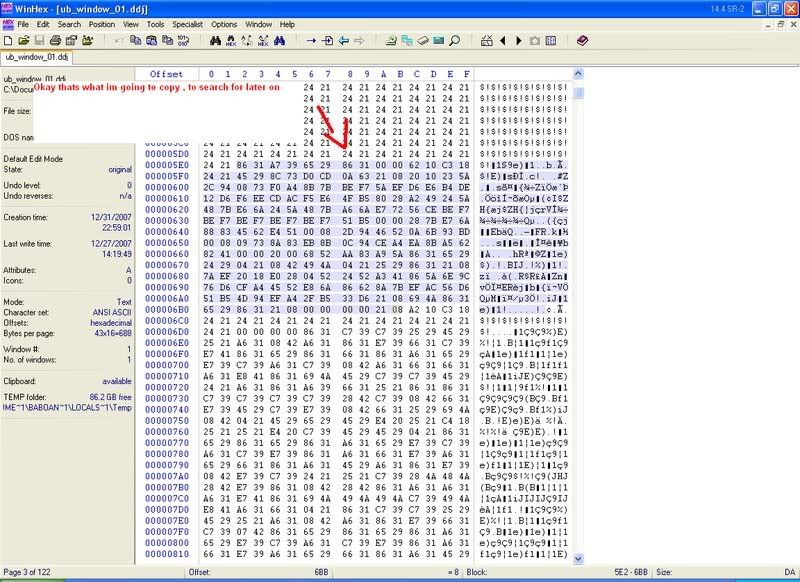
Step : 14 : Now open up the Media.PK2 with an Hex Editor. ( Search for the Hex Values you Copied )
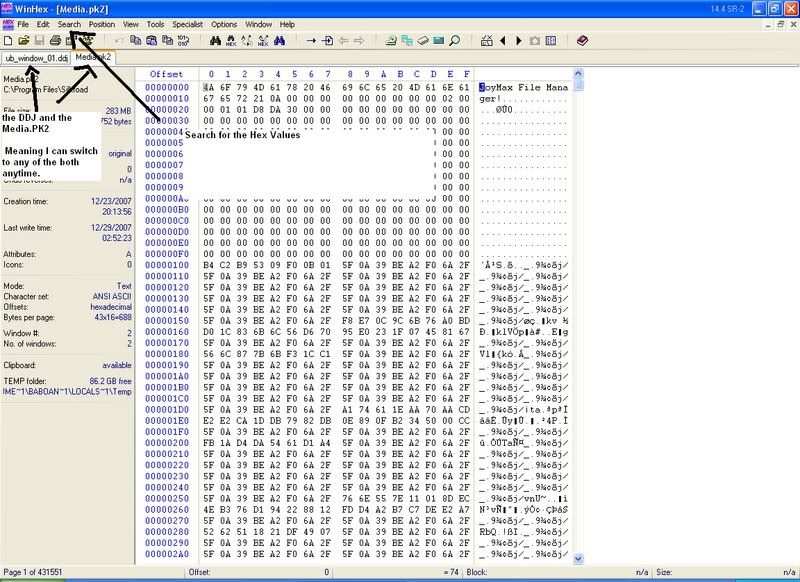
Step 15 : Now once you find the ddj inside the Media.PK2 , now scroll a bit under and you will find a DDS <--- thats where we will inser the ub_window_01.dds you created by the modified BMP.
( You dont really need to convert back to a DDJ , It is not needed as it is only a header of Joymax )
Step 16 : Now open the ub_window_01.dds you created by the modified DDJ , and paste the whole entire file in the DDS you found in the Media.PK2 by searching for the DDJ.
Step 17 : Save and Close ( Restart the game )
Preview of Bellow of my Modification's
Programs Needed That It works Best for me:
-Pk2 Extractor
-Paint.NET ( It holds the right codes and extensions to make a successfull DDS)
-Hex Editor ( I Use WinHex :: It is not a free ware )
::::::: All Download Links will be posted correctly once i get permission to do so , by the Staff/Mod ::::::::::::
To get WinHex you must PM me , I wont post it here for public.
If you need more Previews of Pic , ask i will put them





