Page 1 of 1
Getting onto Silkroad...
Posted: Thu Jan 05, 2006 7:58 am
by RaveN
So i'm level 32 atm, and my gf is level 22... and most recently we've been experiencing massive problems trying to get the game to run. And i dont mean the login screen dc'ing me, i mean i cant even get to the first part... where you click "Start". Just keeps coming up with that dreaded Error msg -
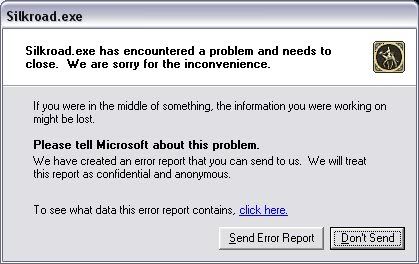
Any ideas as to why this comes up for most of the day????
Posted: Thu Jan 05, 2006 8:31 am
by Deus
How fast is your net?
Generaly I'm got this message when the webpage is don't accessible or when the server is encumbered or when I'm downloading while I'm will play...
In my opinion turn off all downloading (if It run).
My cousin get this message too, but when he try start the game at 7 time, he succes run it.
Posted: Thu Jan 05, 2006 8:22 pm
by RaveN
I always turn off everything in the background coz i dont like programs chewing my precious bandwidth... We've got a 1.5Mb/s connection that seems to get disconnected from the SRO server everytime we play, sometimes after 30mins, and sometimes after 8hrs... but it always gets dc'd.
Is it an IP restriction during certain hours to let a vast majority on at particular times? or do i just have the shittiest of luck?
Posted: Thu Jan 05, 2006 8:29 pm
by Demarthl
I've had this error come up before, its always been a screw up on their side, just gotta wait for a fix, which usually comes about an hour or two later.
they break more htings then they fix i swear
Posted: Thu Jan 05, 2006 8:55 pm
by RaveN
or 8hrs in my case

Posted: Mon Jan 09, 2006 2:50 pm
by Pro
It's a temporary fix, which you have to undo when they patch weekly.
just follow the directions each time you get the error with SILKROAD.EXE error..
1) Open up Notepad Start > All Programs > Acessories > Notepad
2) Go to File > Open
3) Select the following file to open C:\WINDOWS\system32\drivers\etc\hosts
4) Add the following into your host file
222.111.150.111 gwgt1.joymax.com
5) Save the file and run Silkroad Online =)
Posted: Fri Jan 13, 2006 12:50 pm
by Guest
thx

Posted: Fri Jan 13, 2006 1:22 pm
by [SD]Master_Wong
Deus wrote:How fast is your net?
Generaly I'm got this message when the webpage is don't accessible or when the server is encumbered or when I'm downloading while I'm will play...
In my opinion turn off all downloading (if It run).
My cousin get this message too, but when he try start the game at 7 time, he succes run it.
If Pro's suggestions does not work.........
Its not your net it is one of a few things:-
1) Was not closed properly and files were damaged
2) A setting on your computer has changed and is affecting the overall running of the program
3) Most unlikely Windows is encountering problems and this will affect a lot a of programs
4) Spyware
You may need to
1) Run a spyware check
2) Defrag
3) Uninstall it, remove all file assitiated with it of old files that are still there and reinstall it
(Only do if its windows is messed up)
4)Roll back latest updates
5)Format the hard disc and reinstall everything been carefull how you do it
Posted: Fri Jan 13, 2006 2:24 pm
by [SD]bizzle
this as never happenned to me, although u might try reinstalling the game. i think best option.
Posted: Fri Jan 13, 2006 2:25 pm
by [SD]Master_Wong
lol make sure you get rid on all trace files