Can someone help me with my problem.
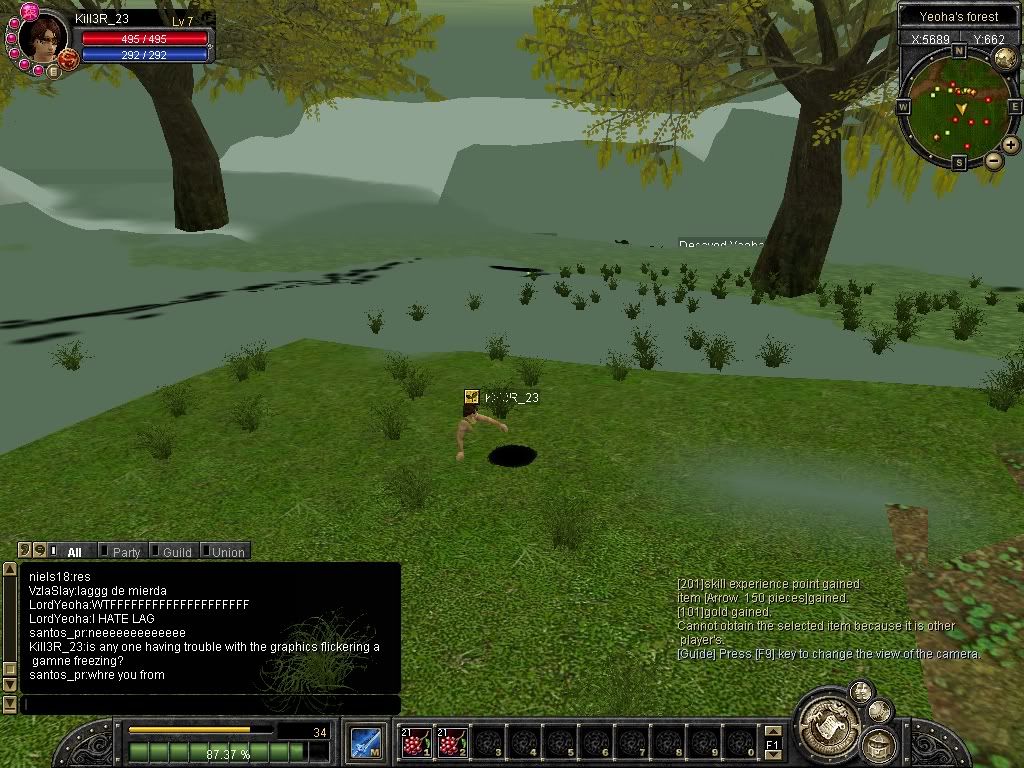
The game laggs and then it starts freezing, after that the graphics start to flicker kinda like lightening is hitting.
I reinstalled the game, updated and reinstalled my display drivers, updated Direct X, Installed Direct X SDK, Did everything possible to try to fix the problem.
So please if someone can help me it will be greatly Appreciated.
Thank You.
I cant go 2 min without it starting.
So i started a new account thinking it may help but no... this is what happens...
http://i7.photobucket.com/albums/y274/a ... acter7.jpg
Freeze/lagg/graphic Flickering...
-
hitender_s

- Common Member
- Posts: 194
- Joined: Sun Dec 24, 2006 9:19 pm
- Quick Reply: Yes
- Location: Tibet
-
hitender_s
- Common Member
- Posts: 194
- Joined: Sun Dec 24, 2006 9:19 pm
- Quick Reply: Yes
- Location: Tibet
You could try system restoring your computer if you knew the xact date when this problem started happening.
Also I have a slight feeling that your coling system for ur CPU is messed up therefore it can't take much load on itself. Maybe ur VGA cooling fan is messed up or your casing fan is messed up.
That being said, do you have this problem with other games as well?
If you do, then its your hardware (your cooling to be more precise).
And if all other games work fine, then its sum software thats at fault.
Hope this helps.
Also I have a slight feeling that your coling system for ur CPU is messed up therefore it can't take much load on itself. Maybe ur VGA cooling fan is messed up or your casing fan is messed up.
That being said, do you have this problem with other games as well?
If you do, then its your hardware (your cooling to be more precise).
And if all other games work fine, then its sum software thats at fault.
Hope this helps.

Well i opened my PC box up to see wtf was wrong with it...
So i found out that the CPU fan was clogged up with hair and dust and what not... The fan was moving slowly and the cool air was not doing the job because all the thick dust was blocking it.
Anyway i still haven't played the game because i deleted some stuff from my registry cleanup scan, and now is giving me a Runtime error...
I got SRO to work now... Thanks for all the help.
So i found out that the CPU fan was clogged up with hair and dust and what not... The fan was moving slowly and the cool air was not doing the job because all the thick dust was blocking it.
Anyway i still haven't played the game because i deleted some stuff from my registry cleanup scan, and now is giving me a Runtime error...
I got SRO to work now... Thanks for all the help.