Page 1 of 1

Help

Posted: Wed Jan 30, 2013 4:50 pm
by arctic197
2 hours of download of SRO-R and this is what i come to. Anybody know how to fix?
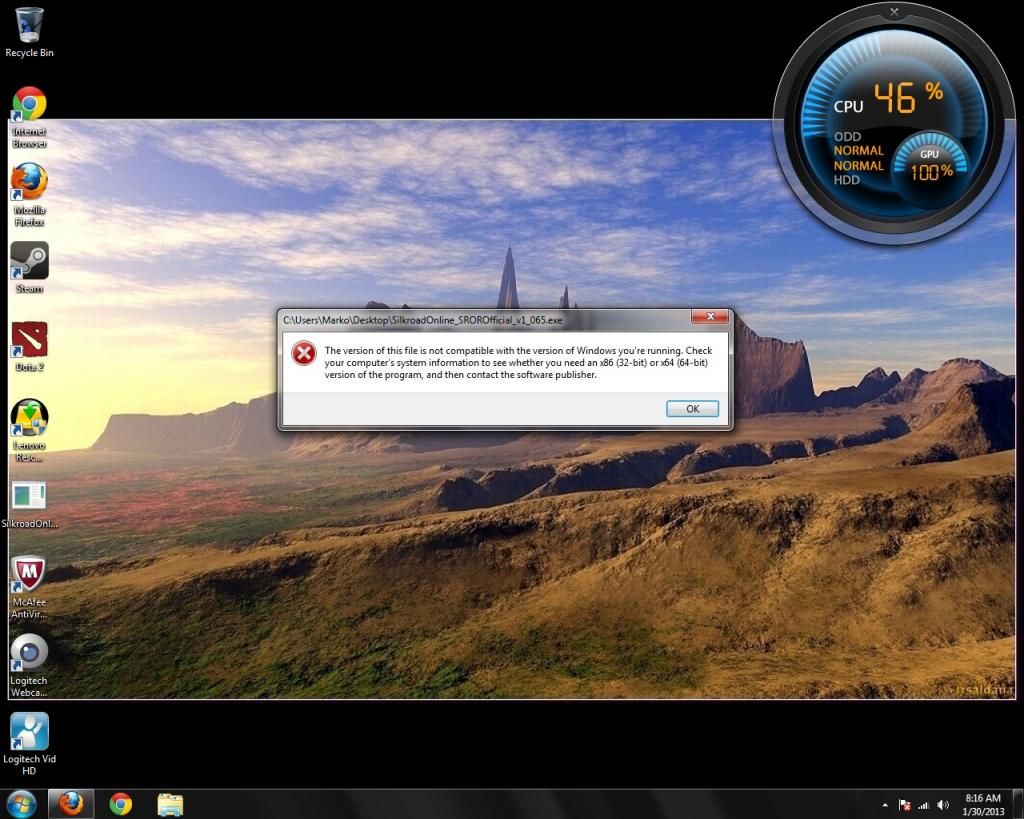
Image

Re: Help

Posted: Wed Jan 30, 2013 5:42 pm
by omier
It's been a while since I last saw a 4:3 screenshot.
Anyways, maybe try running it in different compatibility modes.

Re: Help

Posted: Wed Jan 30, 2013 5:51 pm
by arctic197
Sanktum wrote:It's been a while since I last saw a 4:3 screenshot.
Anyways, maybe try running it in different compatibility modes.


Sorry for my dumbness, but what does 4:3 screenshot and running it in different compatibility modes mean?

Re: Help

Posted: Wed Jan 30, 2013 6:01 pm
by omier
Just ignore the first sentence. :D Right click the install file, then choose properties, then compatibility. Check 'Run this program in compatibility mode for:' and choose a mode below, then click OK. Retry with different modes. Windows XP ones usually make things work, but it may not work here.

Re: Help

Posted: Wed Jan 30, 2013 6:26 pm
by arctic197
Sanktum wrote:Just ignore the first sentence. :D Right click the install file, then choose properties, then compatibility. Check 'Run this program in compatibility mode for:' and choose a mode below, then click OK. Retry with different modes. Windows XP ones usually make things work, but it may not work here.


None of 'em work and it keeps giving the same message. I'm starting to think that I don't deserve such a good computer lol

Any plan B?

Re: Help

Posted: Wed Jan 30, 2013 6:28 pm
by omier
Don't know of anything else. Tried googling it?

Re: Help

Posted: Wed Jan 30, 2013 6:40 pm
by arctic197
ah alright thanx very much sir