Page 1 of 2
New side of SRO - through another graphics card
Posted: Tue Nov 07, 2006 9:05 am
by HuyFong
Posted: Tue Nov 07, 2006 9:08 am
by c0kane
Damn.. What's your card and the refresh rate on your moniter?
Posted: Tue Nov 07, 2006 9:13 am
by SuicideGrl
huy, are those the standard silkroad "print screen" SS, or are those "print screen" + cpoy/paste into photoshop etc.?
Posted: Tue Nov 07, 2006 9:15 am
by HuyFong
SuicideGrl wrote:huy, are those the standard silkroad "print screen" SS, or are those "print screen" + cpoy/paste into photoshop etc.?
Just standard Print screens, I didnt have the time to go in and ptr scrren + photoshop save hehe. I was lazy. I do know the ss from sro is worse in quality so maybe I'll go back and take some new ones and update this post with it =)
Posted: Tue Nov 07, 2006 9:18 am
by c0kane
Did you use 3rd party programs on your settings (eg. 3danalyser) to enhance the graphic?
EDIT: Oh no shit, I use the same card but SRO doesn't look half as good.
Posted: Tue Nov 07, 2006 9:26 am
by c0kane
Cmon answer... I want to pimp out my SRO.
Posted: Tue Nov 07, 2006 9:28 am
by HuyFong
c0kane wrote:Cmon answer... I want to pimp out my SRO.
wahhh...how could you use the same card and not have the graphics as good

Nah man Im those programs are way too harcore for sro

Posted: Tue Nov 07, 2006 9:28 am
by Drachenklaue
You should tweak your graphic card's driver settings.
My desktop is a little more powerfull than yours.
Posted: Tue Nov 07, 2006 9:31 am
by c0kane
Hmm, I've basically enable every possible option using 3danalyser (real-time shadow rendering, soft texture, etc) but the screen is the quality is nowhere near yours. I'll try turning resetting the options and try to run it normally next time.
Posted: Tue Nov 07, 2006 9:32 am
by HuyFong
Drachenklaue wrote:You should tweak your graphic card's driver settings.
My desktop is a little more powerfull than yours.
What graphics card are you using?
Posted: Tue Nov 07, 2006 9:36 am
by c0kane
HuyFong wrote:Drachenklaue wrote:You should tweak your graphic card's driver settings.
My desktop is a little more powerfull than yours.
What graphics card are you using?
If he says nVidia I will be sad. ATI FTW!
Posted: Tue Nov 07, 2006 9:37 am
by DeaDSwarM
Damn, Them SRO SS are smoother than smooth...
Mine are shocking...
512mb ram
2.4gb CPU
Nvidea Geforce 4 MX 4000
Still there is always something missing when i upgrade
my computer -.-"
Well aslong as i get smooth gaming speed then i'm all
good

.
Posted: Tue Nov 07, 2006 9:38 am
by Zypher
DeaDSwarM wrote:Damn, Them SRO SS are smoother than smooth...
Mine are shocking...
512mb ram
2.4gb CPU
Nvidea Geforce 4 MX 4000
Still there is always something missing when i upgrade
my computer -.-"
Well aslong as i get smooth gaming speed then i'm all
good
.
i have factory stuffXD
btw, i love you man.
kekek
Posted: Tue Nov 07, 2006 9:39 am
by c0kane
Right on cue. Hahahaha
Posted: Tue Nov 07, 2006 9:42 am
by Zypher
c0kane wrote:Right on cue. Hahahaha
sure is.
Posted: Tue Nov 07, 2006 9:44 am
by nightbloom
OMG Zypher, you got your first SRF stalker! You are really one of the popular kids now.... Awwwww... THis is such a special moment.
~gives you your 'veteran SRF stalkee badge'~
Posted: Tue Nov 07, 2006 9:45 am
by Zypher
when can i get all the girls wanting my sro peen now?
i wanna be like DJ
Posted: Tue Nov 07, 2006 9:47 am
by c0kane
Zypher wrote:c0kane wrote:Right on cue. Hahahaha
sure is.
Actually that in reference to DeaDSwarM's post. Don't flatter yourself.
Posted: Tue Nov 07, 2006 9:48 am
by Zypher
c0kane wrote:Zypher wrote:c0kane wrote:Right on cue. Hahahaha
sure is.
Actually that in reference to DeaDSwarM's post. Don't flatter yourself.
never said it was
you should leave it be.
Posted: Tue Nov 07, 2006 9:51 am
by nightbloom
I think coKane wants some Zypher peen....
~whispers~ She's following you! RUN!
Posted: Tue Nov 07, 2006 9:52 am
by c0kane
nightbloom wrote:I think coKane wants some Zypher peen....
~whispers~ She's following you! RUN!
Oh hells no.
@Zypher: If you want me to leave it be, it's courtesy to not add your own say.
Posted: Tue Nov 07, 2006 9:52 am
by DeaDSwarM
**Looks at screen with confusion**

**
Posted: Tue Nov 07, 2006 9:59 am
by Nyahgis
Athena, if you wish to enjoy it even more, see if your graphics card allows you to turn on HDR or mod the FF and AA for the game. With a 7800 the game looks even better then what you show ^^
[I'm building a new pc myself this coming summer. Budget is 3000 USD, Planning on SLI-ing whatever the newest NVIDEA card will be, getting the newest dual core AMD, 4gigs of ram, water cooling and another 17" 2sec refreshrate screen to go with my current one.]
Current Rig:
AMD 64 3500+ Processor
7800GT NVIDEA
1 GIG of DDR3 RAM
Posted: Tue Nov 07, 2006 10:04 am
by c0kane
Mod the card?
Can you point in the direction of a good tut?
Posted: Tue Nov 07, 2006 10:41 am
by Jay
I don't wanna have a new computer I just wanna upgrade my old one, it's very old and the proccessors quite bad. If I could upgrade the mother board/proccessor and maybe meory i'll be happy.
Those are some dam nice ss's btw I raised up the highest quality on my sro one time just to see it, was amazing just wish I could have it like that all the time but my video card messes up when I do, lol.
Posted: Tue Nov 07, 2006 10:41 am
by IgsTer
Nyahgis the newest card will be the direct x 10 8800gtx or 8900gtx which will cost around 750 euro alone each so to have two of them it will cost about 1500 euro..but they should go down a bit by the summer but not by much probably to 600..
also dual core amds are crap now compared to intels core 2 duo processors there 3rd best procesor that costs only 300 euro easyliy beats amd's top of the range fx series processor which costs about 800 euro..there is also no need for 4 gigs of ram because there is no game on earth that will use 4 gigs of ram and wont be for quite some time, 2 gigs is plenty..also water cooling is a waste of time these days as air can to alot better once you put your money into it and will turn out cheaper than water cooling and safer..
and also drr3 ram isnt out yet..
Posted: Tue Nov 07, 2006 10:49 am
by Kitt
HuyFong wrote:SuicideGrl wrote:huy, are those the standard silkroad "print screen" SS, or are those "print screen" + cpoy/paste into photoshop etc.?
Just standard Print screens, I didnt have the time to go in and ptr scrren + photoshop save hehe. I was lazy. I do know the ss from sro is worse in quality so maybe I'll go back and take some new ones and update this post with it =)
The graphics card is an ATI Radeon X1900GT

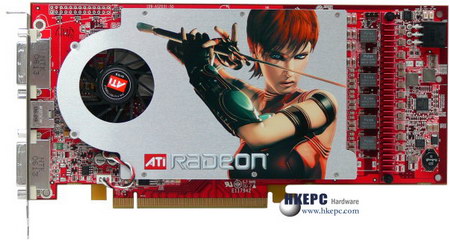
WOW... I should have gotten one of those instead i got a X1300 Pro ~_~
Posted: Tue Nov 07, 2006 11:28 am
by Uber_Wang
IgsTer wrote:Nyahgis the newest card will be the direct x 10 8800gtx or 8900gtx which will cost around 750 euro alone each so to have two of them it will cost about 1500 euro..but they should go down a bit by the summer but not by much probably to 600..
also dual core amds are crap now compared to intels core 2 duo processors there 3rd best procesor that costs only 300 euro easyliy beats amd's top of the range fx series processor which costs about 800 euro..there is also no need for 4 gigs of ram because there is no game on earth that will use 4 gigs of ram and wont be for quite some time, 2 gigs is plenty..also water cooling is a waste of time these days as air can to alot better once you put your money into it and will turn out cheaper than water cooling and safer..
and also drr3 ram isnt out yet..
Some solid advice there, listen to it guys

In my experience people use "improved performance" as a justification to buying a watercooling rig, where the truth is that a decent aircooling (like Thermaltake Big Typhoon) solution will give you the same results.
The reason for water is 1337ness
It looks so darned cool.
I did spend big around a year ago myself and built from the best components (mostly because I was involved in high-end pc hardware marketing) but also cos it's fun.
A few pics -
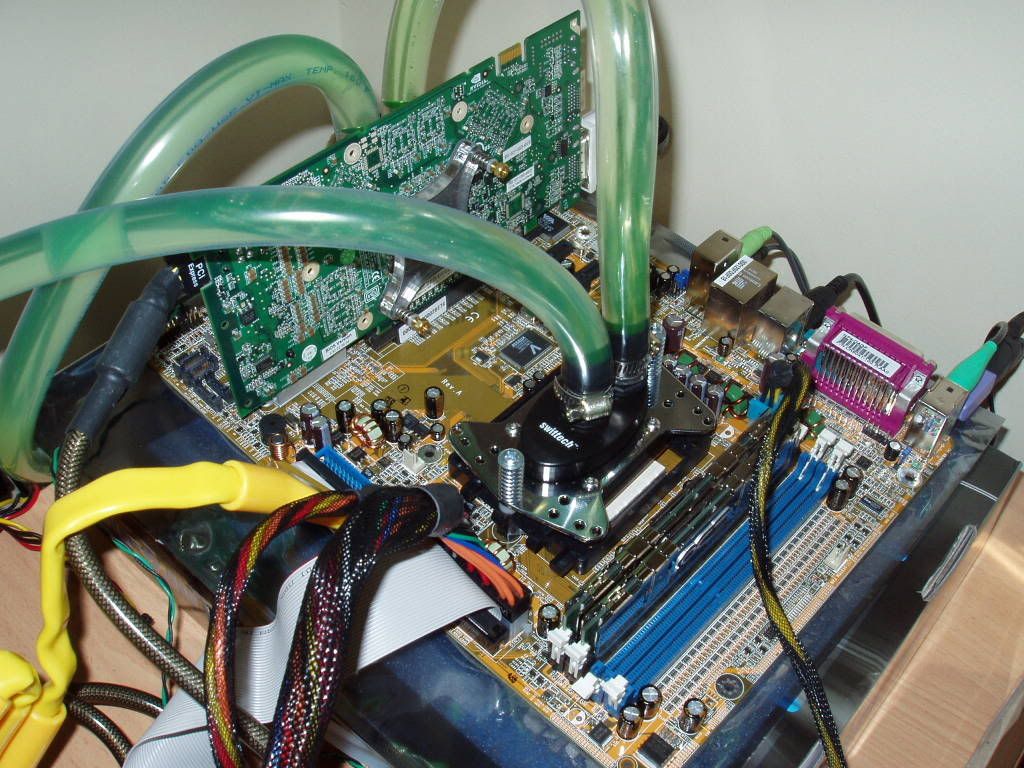

But I'm over that now.
OK, as to tweaking gfx card, as long as your case has adequate cooling I would recommend the totally simple
coolbits2 tool.
It gives you a very simple and safe method to overclock your gfx card.
I keep it simple and use the "Detect Optimal Settings" feature and then test stability and temps with something like 3dMark05.
Note - it won't work for older cards.
Posted: Tue Nov 07, 2006 12:34 pm
by IgsTer
Uber_Wang wrote:Some solid advice there, listen to it guys
thank you..
nice rig by tha way
Posted: Tue Nov 07, 2006 12:46 pm
by Jeronimo
IgsTer wrote:Uber_Wang wrote:Some solid advice there, listen to it guys
thank you..
nice rig by tha way
I agree to both comments
@IgsTer
that's more information u said there than I could get
Now I think I'm abit up to date
@Uber_Wang
That looks d@mn cool man and so clean !!!! How did u do that ? My computer is really dusted and everything is so cramed in the tower

Horrible 4 my cooling...
ontopic:
Those screen look kewl ! I have to cope with a MEDION RADEON 9800 (OEM). Really horrible.


