Page 1 of 1
Umm..Little Help?
Posted: Sat Sep 12, 2009 7:55 am
by TheKnight
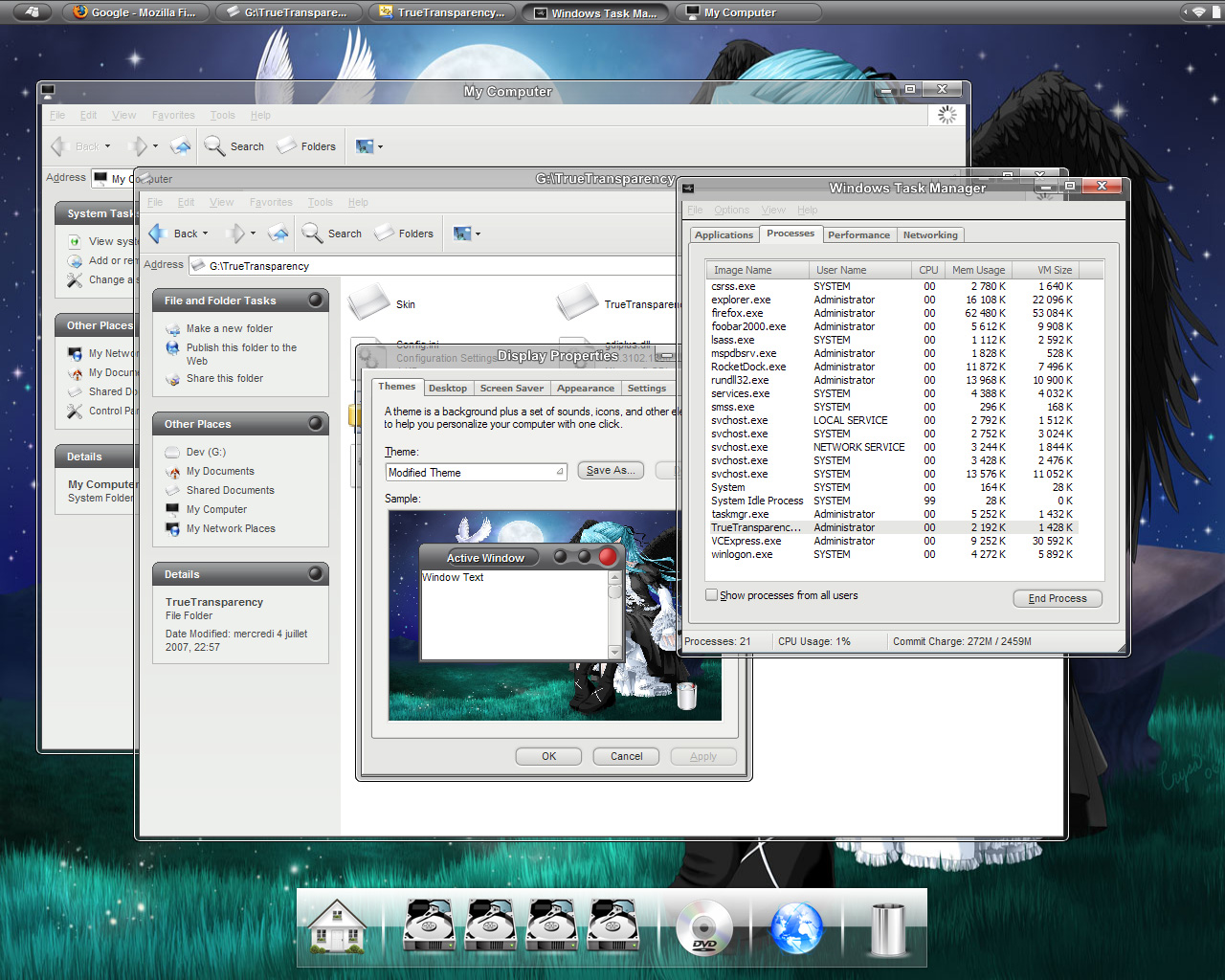
Ok, whats going on with my char?

All Items and Skills look like that =(
Re: Umm..Little Help?
Posted: Sat Sep 12, 2009 8:15 am
by Own3age
idk try re logging or send message to sro or something
Re: Umm..Little Help?
Posted: Sat Sep 12, 2009 8:30 am
by Dutch_leon
Whoa dude, never seen that before :S Sorry I can't help

Re: Umm..Little Help?
Posted: Sat Sep 12, 2009 8:54 am
by S3by
You have
true transparency ingame very cool

Re: Umm..Little Help?
Posted: Sat Sep 12, 2009 8:55 am
by TheKnight
How to remove

Re: Umm..Little Help?
Posted: Sat Sep 12, 2009 8:56 am
by XesoS
stop smoking bad stuff and everything will be fine
Re: Umm..Little Help?
Posted: Sat Sep 12, 2009 8:56 am
by TheKnight
XesoS wrote:stop smoking bad stuff and everything will be fine
-.-"
Re: Umm..Little Help?
Posted: Sat Sep 12, 2009 8:59 am
by TheKnight
Now when i thought, When I was stalling, I Moved some photos from camera to compurter, could that have anything to do with it?
(Spamming on my own topic -.-)
Re: Umm..Little Help?
Posted: Sat Sep 12, 2009 9:41 am
by eestivend
happens when you try to minimize sro
Re: Umm..Little Help?
Posted: Sat Sep 12, 2009 9:44 am
by TheKnight
Does it go away when i restart? (trying to log in all the time)
Re: Umm..Little Help?
Posted: Sat Sep 12, 2009 10:08 am
by penfold1992
dont double post -.-
this isnt specific help but these are what you should try before assuming u have a REAL problem
1. restart sro
2. restart PC
3. Check gfx card drivers for updates
4. check your pc is not too hot
5. uninstall and reinstall sro (if u still have installation file and BACK UP YOUR SS's)
they arent reli sro related theyre just things i try when i hav problems before doing the usual virus scan popup scan etc..
Re: Umm..Little Help?
Posted: Sat Sep 12, 2009 10:09 am
by TheSpy
Had same bug, just reboot your PC.
Re: Umm..Little Help?
Posted: Sat Sep 12, 2009 10:17 am
by TheKnight
TheSpy wrote:Had same bug, just reboot your PC.
reboot? -.-
Re: Umm..Little Help?
Posted: Sat Sep 12, 2009 10:23 am
by Swindler
TheKnight wrote:TheSpy wrote:Had same bug, just reboot your PC.
reboot? -.-
restart.
Re: Umm..Little Help?
Posted: Sat Sep 12, 2009 10:27 am
by eestivend
just don't overload your gfx card and it wont happen
Re: Umm..Little Help?
Posted: Sat Sep 12, 2009 11:07 am
by TheKnight
ok, restarting Sro itself helped.
Thanks everyone