Page 1 of 1
Possible virus
Posted: Mon Apr 06, 2009 8:19 pm
by takolin
Hi there SRF.
Yes it's another help me, I'm a pc noob thread. If you have an issue with that, you can go back.
If you want to offer some genuine help, please read on.
Basically I think I have a virus, but I'm not sure.
My firefox shuts down on random moments.
I can't update my virus scanner, while it says that the connection to the update server failed.
Today I ran a virus check in safe mode and it says a few files were locked and thus can't be checked. This made me even more unsure, though the scan itself came out clean.
And if it's probably a virus, will the only option be formatting my hard drives or is there something else I can try first?
Pic of the log below
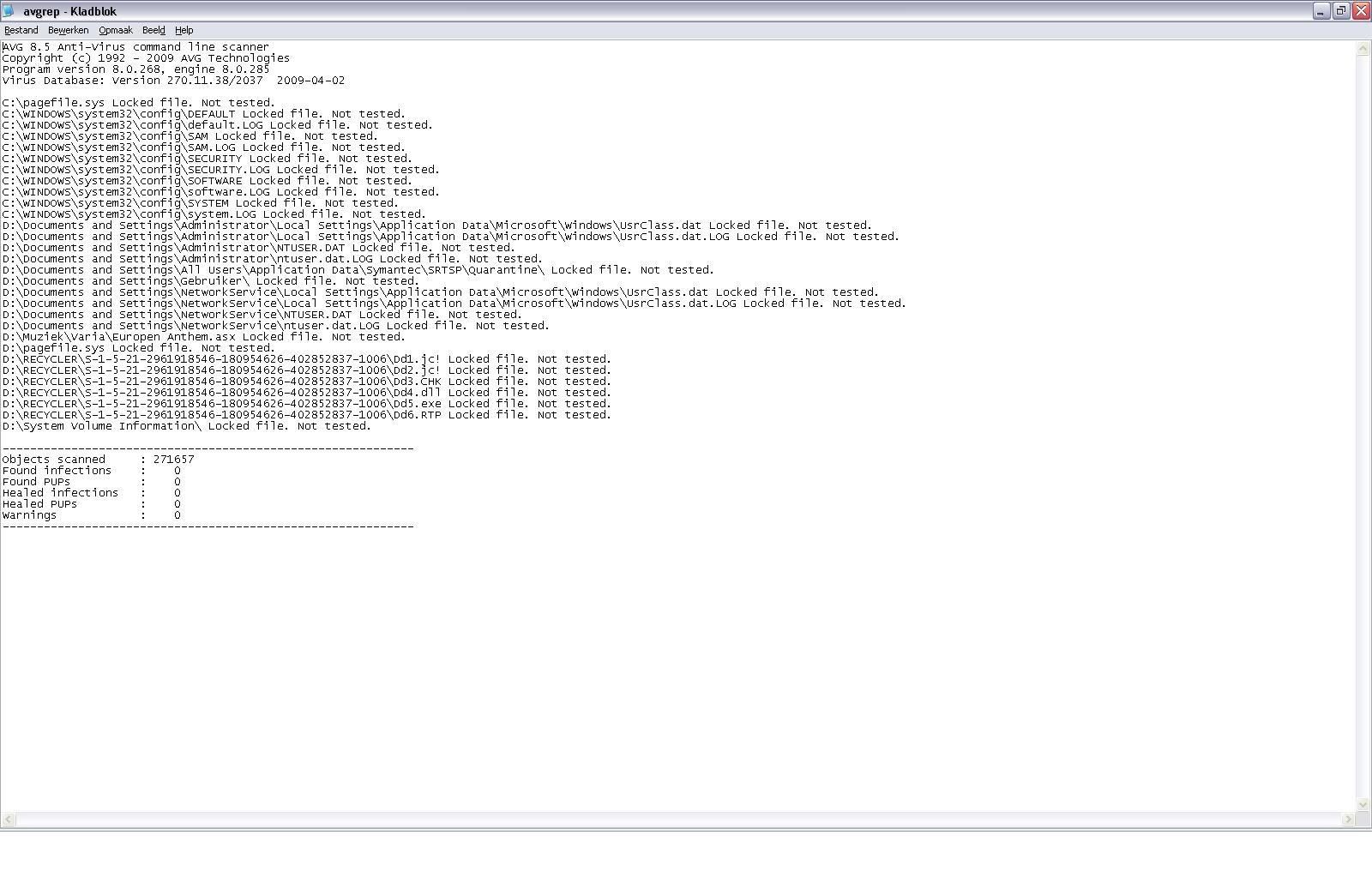
Thanks for the reading and possible help.
Re: Possible virus
Posted: Mon Apr 06, 2009 8:26 pm
by DistortedMind
doenst look like any harm just looks like locked files
appart from that it looks fine
Re: Possible virus
Posted: Mon Apr 06, 2009 8:28 pm
by Jstar1
is your internet and computer in general a lot slower than usual? I'm not sure if its a virus, but I would start copying important stuff to an external disk in case your files start getting deleted, better safe than sorry
Re: Possible virus
Posted: Mon Apr 06, 2009 8:30 pm
by DistortedMind
Jstar1 wrote:is your internet and computer in general a lot slower than usual? I'm not sure if its a virus, but I would start copying important stuff to an external disk in case your files start getting deleted, better safe than sorry
yeah and that
and also another thing dont turn your computer of by holding the button turn it of by going into start clickign turn of lol holding down the switch can damage your files and make your computer run slower trust me
Re: Possible virus
Posted: Mon Apr 06, 2009 8:48 pm
by takolin
Jstar1 wrote:is your internet and computer in general a lot slower than usual? I'm not sure if its a virus, but I would start copying important stuff to an external disk in case your files start getting deleted, better safe than sorry
Not noticeable slower.
I was worried though because my AVG can't update anymore.
I redownloaded and installed it and still it won't auto update. I'm forced to manual update the thing.
Re: Possible virus
Posted: Mon Apr 06, 2009 9:41 pm
by JoyFax
I don't think AVG is a good choice...
Get avast, kaspersky or norton. I used the 3 of them (and AVG as well

) and they are pretty eficient
Re: Possible virus
Posted: Mon Apr 06, 2009 9:50 pm
by Azilius
Easiest thing to do is google the name of some of the locked files and look around. If it's a virus google will usually have a bunch of pages showing it. You can do that with all the processes running as well (though some are masked as others) just to be extra safe.
Re: Possible virus
Posted: Mon Apr 06, 2009 10:12 pm
by strangelove
Try it the scan in Safe Mode. It isn't really rare that AV programs display some files as locked or inaccessible. It's especially common if you were using the files at the time of the scan. So try rebooting your computer in safe mode and retry the scan. As for your AV software not updating, you could try searching for a solution at the software maker's website. They usually have public forums where you can search for a solution.
Re: Possible virus
Posted: Mon Apr 06, 2009 10:16 pm
by PileOfMush
You SHOULD be worried if your computer is acting that way.
Try going to places like
http://microsoft.com,
http://housecall.trendmicro.com,
http://symantec.com and see if you are allowed to go there or not. If you can't get to some of those sites, you might be infected (because many infections block access to the sites you would need to go visit to fix the problem).
If you can, go find HijackThis:
http://download.cnet.com/Trend-Micro-Hi ... 27353.html (if you can't open this link, google it and look for a site you CAN get to that hosts it.)
Running HijackThis allows you to make a better report with a lot more detail that can allow other people to help you determine if they see anything unusual (like the locked dd#.xxx files in your Recycle Bin).
Good luck. Hope you're not infected.
@FD he DID run it in Safe Mode! That's why it's kinda FugDup. haha
Re: Possible virus
Posted: Mon Apr 06, 2009 10:31 pm
by Amarisa
try comodo i love the thing found it in the useful programs list here on srf
Re: Possible virus
Posted: Mon Apr 06, 2009 10:53 pm
by NuclearSilo
avira antivirus
Re: Possible virus
Posted: Mon Apr 06, 2009 10:55 pm
by strangelove
PileOfMush wrote:@FD he DID run it in Safe Mode! That's why it's kinda FugDup. haha
Oh wow. I completely skipped over that sentence lol. =(
Follow PileOfMush's advice, takolin. 
Re: Possible virus
Posted: Tue Apr 07, 2009 10:53 am
by takolin
PileOfMush wrote:You SHOULD be worried if your computer is acting that way.
Try going to places like
http://microsoft.com,
http://housecall.trendmicro.com,
http://symantec.com and see if you are allowed to go there or not. If you can't get to some of those sites, you might be infected (because many infections block access to the sites you would need to go visit to fix the problem).
If you can, go find HijackThis:
http://download.cnet.com/Trend-Micro-Hi ... 27353.html (if you can't open this link, google it and look for a site you CAN get to that hosts it.)
Running HijackThis allows you to make a better report with a lot more detail that can allow other people to help you determine if they see anything unusual (like the locked dd#.xxx files in your Recycle Bin).
Good luck. Hope you're not infected.
@FD he DID run it in Safe Mode! That's why it's kinda FugDup. haha
I can go to the above sites.
I'll add the log from hijackthis.
[EDIT]Anyone knows how to add the log. SRF won't let me upload it[/edit]
Re: Possible virus
Posted: Wed Apr 08, 2009 2:14 pm
by PileOfMush
The log is a text file, so just open it, copy all the text to the clipboard and paste it all into a spoiler tag like this:
The fact that you CAN go to those sites is good. Try running a scan from
http://housecall.trendmicro.com and try downloading the latest Malicious Software Removal Tool from Microsoft and running it
http://www.microsoft.com/downloads/deta ... laylang=enMost of the time if those successfully run but can't find anything wrong you are OK. It would still leave you with the question as to why your computer is acting the way it does, but it might make you feel better knowing you probably aren't infected. If this is the case, the next thing to look at is updating all your drivers and other software to see if it makes anything better.
Re: Possible virus
Posted: Wed Apr 08, 2009 4:51 pm
by takolin
Couldn't be arsed.
Formatted my comp.
Thx for the help though.