Page 1 of 1
C'n'C - Fate
Posted: Sat Feb 23, 2008 5:17 am
by fena
So I haven't made anything in a while. :]
 Edit:
Edit:Updated: v2

v3

Came to a standstill and I don't know what else to add. How can I make it better?
I tried to do HOLLA's font thing - you know, different colors and all like he told me last time. I think it came out decent.
Anyway, C'n'C, please. :] And thank you!
& does anybody know how to make a rounded border?
Re: C'n'C - Fate
Posted: Sat Feb 23, 2008 5:27 am
by Faiien
nice and simple
which version of photoshop do you have? later versions should have a rounded rectangle tool
if not
http://www.tutorio.com/tutorial/photoshop-round-corners
Re: C'n'C - Fate
Posted: Sat Feb 23, 2008 5:37 am
by fena
I'm running on PS CS3:E. Thanks for the link. I'll check it out. :]
Re: C'n'C - Fate
Posted: Sat Feb 23, 2008 5:40 am
by HOLLAstir
Yeah, I was going to suggest the rounded marquee tool. Anyways, I like the concept. Text could be closer to the couple, and the light behind the girl could be toned down a bit. But it's a cute concept, I like it.
Re: C'n'C - Fate
Posted: Sat Feb 23, 2008 5:48 am
by fena
Grrr. I don't get how to do this...

I got the rounded rectangle tool out but nothing's happening. I drag it over and it just makes a rounded rectangle. How do I actually make my tag have rounded edges?
(n I'll adjust the font after I get this worked out. Thnx, HOLlA!)
Re: C'n'C - Fate
Posted: Sat Feb 23, 2008 5:52 am
by Hostage
Ummmm, select inverse> via cut. I'm guessing I'm not sure because I've never tried it myself.
Re: C'n'C - Fate
Posted: Sat Feb 23, 2008 6:07 am
by fena
Grrr.
I got this:
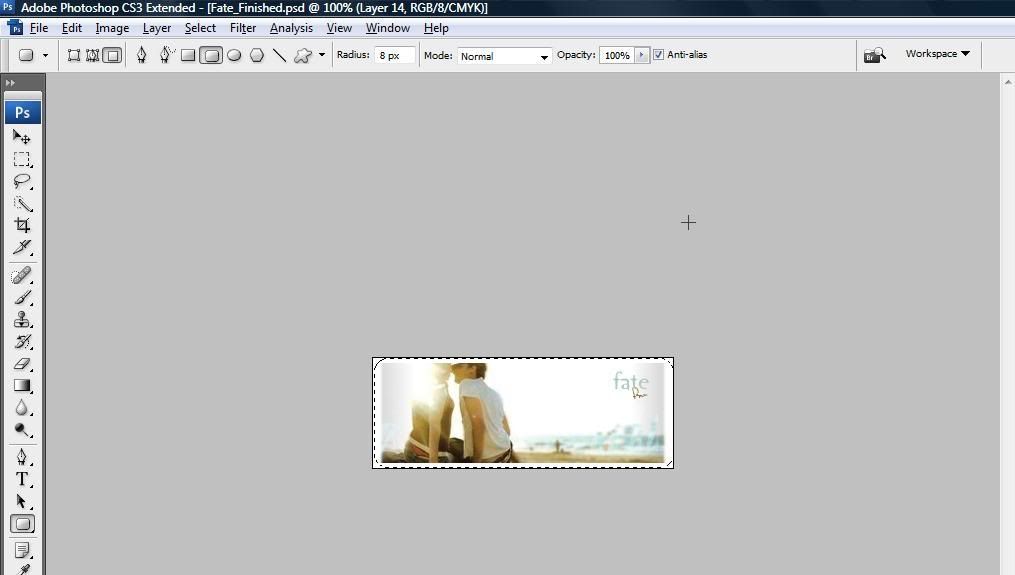
As you can see, the corners are rounded. Now how do I actually round the
tag?
Re: C'n'C - Fate
Posted: Sat Feb 23, 2008 6:36 am
by Hostage
Ok, I just tried it myself after you get that far switch over to the lasso tool right click and select " select inverse". Then just select "layer via cut" and delete that layer all together and if your background is set on transparent it should work.
Re: C'n'C - Fate
Posted: Sat Feb 23, 2008 6:38 am
by Millenium
Its cute!! I would tone down the light source like HOLLA said though. Good work!!
Re: C'n'C - Fate
Posted: Sat Feb 23, 2008 6:56 am
by fena
Doesn't work, Hostage. My background's set to transparent too.
Thanks for the help, though!
& thnx, Milly. :] Yuh, I would totally fix it. I agree that it's a little too bright, but that's how the original stock was. Guh. How's v3? I think I like the font/text the most!
Re: C'n'C - Fate
Posted: Sat Feb 23, 2008 7:07 am
by Hostage

There, not sure why it didn't work for you.
Re: C'n'C - Fate
Posted: Sat Feb 23, 2008 7:08 am
by Millenium
^ I personally prefer it with a square border. Just me though <3
Re: C'n'C - Fate
Posted: Sat Feb 23, 2008 7:08 am
by Hostage
I do too but it's what he asked for.
Re: C'n'C - Fate
Posted: Sat Feb 23, 2008 7:13 am
by fena
Ooh. I see now. I forgot to delete the extra layer that was created. I get it now.
Thanks so much for explaining it, Hostage. :]
Re: C'n'C - Fate
Posted: Sat Feb 23, 2008 7:14 am
by Hostage
No prob always happy to help in any way. ^^
Re: C'n'C - Fate
Posted: Sat Feb 23, 2008 4:32 pm
by fena
Hm. I keep on looking at this and wondering how I could make it better. But my mind keeps coming out blank. Any advice, guys?
Also, what direction would the flow in this tag be in?
Re: C'n'C - Fate
Posted: Sat Feb 23, 2008 8:58 pm
by HOLLAstir
I don't really see a flow. So you'll probably have to just create your own. I'd maybe do some stuff around the couple, make them stand out a little more, make them the attention grabber. I think it looks fine right now though, with those simple ones you don't want to over do it.
Re: C'n'C - Fate
Posted: Sat Feb 23, 2008 9:03 pm
by fena
Yuh, that's what I was thinking to.
What do you think about the text on v3, HOLLA?
:]
Re: C'n'C - Fate
Posted: Sat Feb 23, 2008 9:14 pm
by HOLLAstir
It looks fine. It's hard to position it when you have that many words. But it looks fine.