Digital art design, renderings, signatures and anything art related. Upload pictures of your newest work or ask for feedback. Post graphics requests or discuss art in general.
YangKang
Active Member
Posts: 838 Joined: Wed Dec 13, 2006 4:26 pmQuick Reply: YesLocation: Uranus
Post
by YangKang Mon Dec 24, 2007 11:37 pm
I made a Kitty picture Luoma style =D rate it please
I made it for my gf.. the Text is in german and says something like "Marie, only your eyes are prettier"
Oh and big thanks to Luoma without his help I wouldnt have made it
<3
Luoma
Veteran Member
Posts: 3895 Joined: Thu Sep 14, 2006 8:23 amQuick Reply: YesLocation: Artists Corner & Aege
Post
by Luoma Mon Dec 24, 2007 11:38 pm
Lul i love it and you made it with no problem
Give it to your girlfriend now
<<banned from SRF for proof of botting. -SG>>
TwelveEleven
Veteran Member
Posts: 3806 Joined: Sat Mar 17, 2007 1:11 amQuick Reply: YesLocation: Heaven
Contact:
Post
by TwelveEleven Tue Dec 25, 2007 12:06 am
would pic a lighter shade of eye colour though
Like this:
or another cool effect (imho)
eyes + water:
eyes + water + nails:
You can do a lot of cool effects like this
<<banned from SRF for proof of botting. -SG>>
YangKang
Active Member
Posts: 838 Joined: Wed Dec 13, 2006 4:26 pmQuick Reply: YesLocation: Uranus
Post
by YangKang Tue Dec 25, 2007 7:13 pm
Hm I prefer the blue I used but in the end its user preference ( sp ) and about your german XDDD If I would habe wrote that she probaly would break up with me xD
Faiien
Active Member
Posts: 889 Joined: Sun Oct 28, 2007 5:10 pmQuick Reply: YesLocation: Artist Corner
Post
by Faiien Tue Dec 25, 2007 7:42 pm
stop making cute pictures
TwelveEleven
Veteran Member
Posts: 3806 Joined: Sat Mar 17, 2007 1:11 amQuick Reply: YesLocation: Heaven
Contact:
Post
by TwelveEleven Tue Dec 25, 2007 7:43 pm
mine is a little green-ish on second thoughts xD
<<banned from SRF for proof of botting. -SG>>
YangKang
Active Member
Posts: 838 Joined: Wed Dec 13, 2006 4:26 pmQuick Reply: YesLocation: Uranus
Post
by YangKang Tue Dec 25, 2007 7:50 pm
Same in the end
PPP
Well the thread is actually over so why dont you guys rate my sigs xD
Swindler
Forum God
Posts: 11256 Joined: Tue Apr 10, 2007 7:49 amQuick Reply: YesLocation: Pimpas Paradise.
Post
by Swindler Thu Dec 27, 2007 11:02 pm
the problem is.. the pic doenst work
YangKang
Active Member
Posts: 838 Joined: Wed Dec 13, 2006 4:26 pmQuick Reply: YesLocation: Uranus
Post
by YangKang Thu Dec 27, 2007 11:14 pm
I deleted it already frm photobucket.. it wasnt supposed to be for the public
CrimsonNuker
Dom's Slut
Posts: 13791 Joined: Sun Aug 06, 2006 3:31 amQuick Reply: YesLocation: guildwars2
Post
by CrimsonNuker Fri Dec 28, 2007 7:13 am
I need a tut on this.
cin
Post
by cin Fri Dec 28, 2007 11:20 am
CrimsonNuker wrote: I need a tut on this.
methinks is like
open file
CTRL+SHIFT+U (<- that means desaturate <_>)
then select parts u want colored
mode -> adjustments -> selective color
pick the Neutrals
adjust colors till u gots it blue/red/green/whatever u wants
but i can be wrong :]
deep.in
Advanced Member
Posts: 2133 Joined: Mon Mar 19, 2007 11:55 amQuick Reply: YesLocation: .........
Contact:
Post
by deep.in Fri Dec 28, 2007 11:59 am
cin wrote: CrimsonNuker wrote: I need a tut on this.
methinks is like
open file
CTRL+SHIFT+U (<- that means desaturate <_>)
then select parts u want colored
mode -> adjustments -> selective color
pick the Neutrals
adjust colors till u gots it blue/red/green/whatever u wants
but i can be wrong :]
There is many ways
I'm doing following:
Desaturate
Selecting pats for coloring
Makin new layer
Fill with any color you want
Then set to Overlay
Play with brightnes, contrast and opacity
<<banned from SRF for bot admission. -SG>>
TwelveEleven
Veteran Member
Posts: 3806 Joined: Sat Mar 17, 2007 1:11 amQuick Reply: YesLocation: Heaven
Contact:
Post
by TwelveEleven Fri Dec 28, 2007 3:41 pm
I'll make a tut in a week, when I get back from vacation <3
<<banned from SRF for proof of botting. -SG>>
Dashboard
Common Member
Posts: 106 Joined: Tue Dec 25, 2007 10:55 pmQuick Reply: YesLocation: Pluto
Post
by Dashboard Fri Dec 28, 2007 6:44 pm
two tuts were just made in this thread, lol.
Luoma
Veteran Member
Posts: 3895 Joined: Thu Sep 14, 2006 8:23 amQuick Reply: YesLocation: Artists Corner & Aege
Post
by Luoma Sat Dec 29, 2007 1:50 pm
I made a full tut that YangKang followed to make this, but i think it might be one of the harder ways
<<banned from SRF for proof of botting. -SG>>

 <3
<3
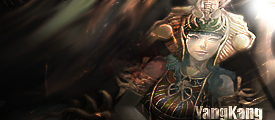



 PPP
PPP