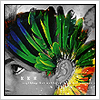
New Sig, need a bit of help :D

Digital art design, renderings, signatures and anything art related. Upload pictures of your newest work or ask for feedback. Post graphics requests or discuss art in general.
Post Reply
User avatar
Karius
Hi, I'm New Here
Posts: 9
Joined: Sat Jul 28, 2007 4:12 am

New Sig, need a bit of help :D

Post by Karius »

Hey guys, I've been lurkin around the forums ever since I've started playing sro. I havn't really been able to play too much, but I have found some fun doodling around in the offtopic and AC. I recently reinstalled photoshop (yesterday) after a year or two without and started messing around with it again. Here's my first... er.. work of art, I suppose you could call it xD My skills are still a bit rusty, but I thought I'd need a sig sooner or later...

Image

So this might be a stupid question, but I've never been able to figure out how to get rid of the white around the render sticking out. I thought I had solved the problem by just erasing all of it on photoshop, but apparently that doesnt work when you upload it @_@ I was wondering if anyone could help me with that :?

Thanks :D
Image

New Project:
[Mars]- lv 13 Str Fire Blader

Luoma
Veteran Member
Posts: 3895
Joined: Thu Sep 14, 2006 8:23 am
Quick Reply: Yes
Location: Artists Corner & Aege

Post by Luoma »

First of all wlcome to srf ;)

Second, nice sig but to get rid of the white stuff save as .png :)
<<banned from SRF for proof of botting. -SG>>

User avatar
Rizla
Ex-Staff
Posts: 1197
Joined: Sun Jun 11, 2006 4:17 am
Quick Reply: Yes
Location: Artist's Corner

Post by Rizla »

yeah welcome, and bring your Bard over to Hercules and play with us SRF'ers so Im not the only one :P

Group your name and the SRForums text together, AWAY FROM THE EDGE!
Image

User avatar
Elikapeka
Active Member
Posts: 566
Joined: Sun Jun 24, 2007 4:18 am
Quick Reply: Yes
Location: Azteca

Post by Elikapeka »

Assuming the white is the background layer, right click and "add alpha channel to layer" or something to that effect. Not sure how it works in PS/PSP. Then go about erasing and whatnot like you had before. Save as .gif or .png

Hope that helps.

User avatar
Karius
Hi, I'm New Here
Posts: 9
Joined: Sat Jul 28, 2007 4:12 am

Post by Karius »

Thanks for all the help and welcomes guys :D Yeah, saving it as .png worked fine.

@rizla- I'll try to keep the text away from the edge next time xD I wish you could just move characters between servers... thatd save loads of trouble.
Image

New Project:
[Mars]- lv 13 Str Fire Blader

User avatar
dom
Global Moderator
Global Moderator
Posts: 9962
Joined: Wed Mar 08, 2006 10:46 pm
Quick Reply: Yes
Location: västkustskt

Post by dom »

I r like gif bettar
Image

Post Reply

Return to “Artists Corner”