Digital art design, renderings, signatures and anything art related. Upload pictures of your newest work or ask for feedback. Post graphics requests or discuss art in general.
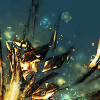
OK, so I went off and played with photofiltre a little more (I know it sucks, but I'm at work and it was already on here). Let me know what you think. The first sig I tried was total garbage, but I think I improved a bit...I know the flow needs work, so any suggestions there would be awesome...
lighting is accurate *but* washed out, thereby killing the right side of your focal point.
your effects are killing any sense of depth the original had, if you cover up a stock's depth you need to replace it with your own, on top of/incorporating your effects.
Ok, should I have included more of the cat's body/original image to create more depth? Or would you suggest maybe having another image behind it? That was the main critique on my last sig... I want to understand, I'll go see if I can find some depth tuts
lavapockets wrote:Ok, should I have included more of the cat's body/original image to create more depth? Or would you suggest maybe having another image behind it? That was the main critique on my last sig... I want to understand, I'll go see if I can find some depth tuts
Have some more effects overlapping, try shading, blurring. Where a lightsource is should also be a shadow. A lot of people tend to forget that. Try to create 2 'sides'. Light, dark. The can be left->right, or top->bottom, or vice versa, diagonal. Any way you'd prefer.
Right now the lightsource(to me at least) is in the bottom right, you can also see this very well on the cat. But in the top-left you keep on going with the same colours instead of shading them down a notch, or some other effect.
Ok, so more contrast between the light point and the shadow area, fix the glow on the kitty to not wash it out so much. This is so exciting, I will have something to do at work on Monday
lavapockets wrote:Ok, so more contrast between the light point and the shadow area, fix the glow on the kitty to not wash it out so much. This is so exciting, I will have something to do at work on Monday
Use graduation and shades of color and light more. Your picture hits a line and then it looks like you found out what luminosity is and decided to max it for fun, it cancels out all the effects you use in the picture, background, and render. The little light at the left side has a better idea, where it goes bright to dark slowly. Even if you want max contrast there is always shades because it looks much smoother and blends better with matching colors. If you want a sharp picture to stand out, then instead of similar colors you should go for colors on the other side of the color wheel and then you can just blast the contrast and still have it look good. The background on the left looks okay but again to the right above the exposed film area I'm not sure why you went for a blurry/smudged affect. The left matches with the color of your cat and with the fuzziness of the fur, however the right looks blotchy. I think I know what you're going for however you may want to mix the light and dark oranges and yellows more rather than limit each shade to one area. Even if it is one pixel of dark orange in a blanket of yellow it brings out its surrounding, likewise for putting a drop of yellow in orange.
Charles Caleb Colton wrote:We hate some persons because we do not know them; and will not know them because we hate them.
Rizla wrote:dugu never leave, your critiques are ultra thorough and I love you.
lol.
^Thanks 0l3n! Gone. Never really gone, but never really here. "If Pac-Man had affected us as kids, we’d all be running around in dark rooms, munching pills and listening to repetitive electronic music"
Rizla wrote:dugu never leave, your critiques are ultra thorough
+1 awesome feedback
except, I'm so noob that some of that went waaaay over my head I will work on that contrast def, I see what you mean about the right side looking pretty bleh... emm, is luminosity the thing I did with the light in the bottom right?
Ok, I darkened it up a bit, and added some more effects on the right side...but I think I am going to start again and see if I can come up something better.






 I will work on that contrast def, I see what you mean about the right side looking pretty bleh... emm, is luminosity the thing I did with the light in the bottom right?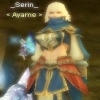


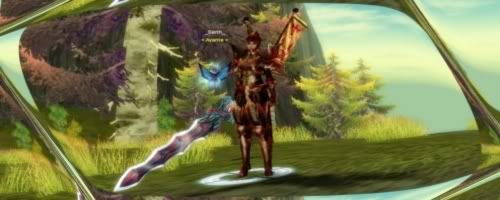
 my hubby, he's got gimp on a flash drive and never told me...now I can try with a much better program
