Digital art design, renderings, signatures and anything art related. Upload pictures of your newest work or ask for feedback. Post graphics requests or discuss art in general.
dRaXxXus
Hi, I'm New Here
Posts: 22 Joined: Fri Jun 15, 2007 10:20 pm
Post
by dRaXxXus Mon Jul 02, 2007 8:07 pm
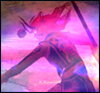
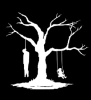
I'm wondering how people can cut out their silkroad character.. I'm currently using Adobe Photoshop CS. I want to cut out my characters out of these 2 images.
and
Draquish
Elite Member
Posts: 6423 Joined: Wed Mar 15, 2006 10:25 pmQuick Reply: YesLocation: ____
Post
by Draquish Mon Jul 02, 2007 8:47 pm
Fusion2k
Common Member
Posts: 106 Joined: Tue Jun 26, 2007 7:19 pmQuick Reply: YesLocation: Zeus
Contact:
Post
by Fusion2k Mon Jul 02, 2007 9:52 pm
or for quickzies just use magnetic lasoo by holding down click on regular lasoo.
Fusion2k
Farming
Grim
Valued Member
Posts: 402 Joined: Thu Apr 05, 2007 9:38 pmQuick Reply: YesLocation: Red Sea
Post
by Grim Mon Jul 02, 2007 10:12 pm
I would attempt to do it, If you took out your buffs and imbue.
You have no idea how hard it is to cut out any flames, your talismans, and while laughing cause your second picture has no foot.
TwelveEleven
Veteran Member
Posts: 3806 Joined: Sat Mar 17, 2007 1:11 amQuick Reply: YesLocation: Heaven
Contact:
Post
by TwelveEleven Mon Jul 02, 2007 10:31 pm
here, don't feel like doing the other one though..
<<banned from SRF for proof of botting. -SG>>
pherball
Valued Member
Posts: 398 Joined: Wed Jul 19, 2006 6:16 amQuick Reply: YesLocation: Xian
Post
by pherball Mon Jul 02, 2007 11:56 pm
lol no foot.
TwelveEleven
Veteran Member
Posts: 3806 Joined: Sat Mar 17, 2007 1:11 amQuick Reply: YesLocation: Heaven
Contact:
Post
by TwelveEleven Tue Jul 03, 2007 12:19 am
pherball wrote: lol no foot.
I know.. It doesn't have a foot in the orig either..
<<banned from SRF for proof of botting. -SG>>
dRaXxXus
Hi, I'm New Here
Posts: 22 Joined: Fri Jun 15, 2007 10:20 pm
Post
by dRaXxXus Tue Jul 03, 2007 1:36 am
haha thats awesome thanks TwelveEleven. and draquish for the guide o.o
I was rushed so I picked some crappy text to show my friends what banners i'm practicing. Look
Dystopia
Advanced Member
Posts: 2317 Joined: Thu Jan 04, 2007 8:37 pmQuick Reply: YesLocation: Off Topic
Post
by Dystopia Tue Jul 03, 2007 3:49 am
take out the white parts make it transparent..
Rizla
Ex-Staff
Posts: 1197 Joined: Sun Jun 11, 2006 4:17 amQuick Reply: YesLocation: Artist's Corner
Post
by Rizla Tue Jul 03, 2007 7:22 am
That 'banner' looks like some hyperactive kid sprayed purple silly string all over some oddly plain camouflage pattern. It is really odd.
dRaXxXus
Hi, I'm New Here
Posts: 22 Joined: Fri Jun 15, 2007 10:20 pm
Post
by dRaXxXus Tue Jul 03, 2007 9:46 pm
haha thanks Rizla your comment means a lot.. o.o I dunno how to make the white part transparent. I use Photoshop and I took out the white, but whenever I save it as a .jpg it auto puts the transparent area as white.
Grim
Valued Member
Posts: 402 Joined: Thu Apr 05, 2007 9:38 pmQuick Reply: YesLocation: Red Sea
Post
by Grim Tue Jul 03, 2007 10:00 pm
.jpg cant hold transparency.
 and
and




 here, don't feel like doing the other one though..





