Digital art design, renderings, signatures and anything art related. Upload pictures of your newest work or ask for feedback. Post graphics requests or discuss art in general.
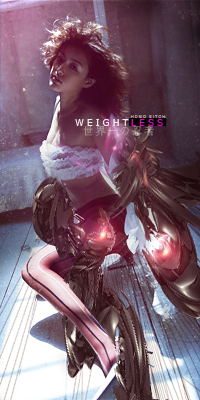
------- Followed a Guide on GFXResources (Thanks Noob for link) ---- Used for the first time "Adjustment Layer",man are they fun. --- v1,v2 or v3 -- I follow the guide @ 92%, some steps just didn't make sens to me.(Didnt know what he meant)
What is this Topaz Filter he's talking about,I'v looked for it everywhere.
v1
v2
v3
As usual, I have huge problems with making C4D look good. I don't know what Im doing wrong,I just can't find the right C4D to flow with the signature(Btw I used the Liquify technique on the C4D)
Hmmm, your renders are always so big in your sigs, do resize them more. Also, try using less blur, you want your effects to be sharp and defined, not blurry. Keep it up in either way, if I was you, I'd go for more tuts. Just until you get a hold of basics and everything else you need to know to start your original works.
Melez wrote:Hmmm, your renders are always so big in your sigs, do resize them more. Also, try using less blur, you want your effects to be sharp and defined, not blurry. Keep it up in either way, if I was you, I'd go for more tuts. Just until you get a hold of basics and everything else you need to know to start your original works.
Thanks for the tips,what about the Blue (Blurred) C4D under the gun?Keep or Remove?
---- New Signature // Different Style // B&W + Color Blending Option --- V1 or V2 --- At the start I had something really epic going on,but then I got all mixed up with the Background & the Lightning. I insist,please tell me what should I add/remove, I plan on opening this PSD again and work on it to improve it.
It's better than your previous but; Make render smaller next time (it's too large and going into all the sig), Make background more "alive", In every sig use light source and lightining effects. Text should be closer focal point. Less red color and bigger depht. I liked the red effects but I think you overdid them a little. I'd give 5/10 for effort!
Noobs_Slayer wrote:It's better than your previous but; Make render smaller next time (it's too large and going into all the sig), Make background more "alive", In every sig use light source and lightining effects. Text should be closer focal point. Less red color and bigger depht. I liked the red effects but I think you overdid them a little. I'd give 5/10 for effort!
Thanks,( v1 or v2?) Wow a lot of you guys keep telling me I have big renders,gotta seriously work on that
As for the background,what do you use for Depth?Only thing that comes to mind is Burn/Dodge & Radial Blur(Zoom). Anyways,decided I'm just gonna make another sig instead
You need to work on depth details. Yes those tools are right, however you should use radial blur in every sig, i suggest you to use Filter - Render - Lightining Effects - Soft Omni and look on the render where the light is comming from so you could place light source right. Then play a bit with burn/dodge/sharpen/blur tools with low opacity (10 -15%) and thats how you creating a depht. One more thing try to make your backgrounds more alive and less "Fade to black". Keep it up.



 (Btw I used the Liquify technique on the C4D)