Digital art design, renderings, signatures and anything art related. Upload pictures of your newest work or ask for feedback. Post graphics requests or discuss art in general.
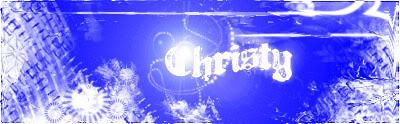
first of all, think you should put a gradient map over the entire sig (from black to white gradient) to darken the whole thing up a bit, play around with the settings of the gradient layer.
maybe change the options of the lensflare, set brightness lower think that would give it a better look, also add a copy of the lensflare and change that layer effect to oerlay lower the opacitie till it looks nice and use your eraser to remoove some stuff you don't like.
i would also add some extra blue color, but make it like really dark blue,
maybe add a few stock images of rock formations or something and use filter > brush strokes > angle stroke (leave settings) , set those layers inbetween some other layers, but keep the stock layers together, so you get a nice background effect. and again play around witht he opacity and stuff of the layer, darken/soft light and stuff like that.
thinkk it could look better if you try it like that. not sure tho, but thats some stuff i've been using in my sigs nowadays
hope i helped there :p let us see what you changed
lvl 6x [Warrior/Cleric] lvl 5x [Rogue/Warlock] lvl 4x [Str/Bow] Red Sea still going strong