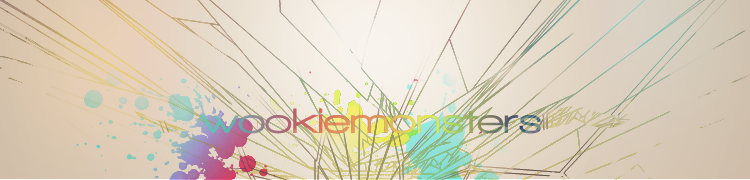
What is it with Wookie's and bright colours?

Digital art design, renderings, signatures and anything art related. Upload pictures of your newest work or ask for feedback. Post graphics requests or discuss art in general.
Post Reply
Snudge
Senior Member
Posts: 4200
Joined: Sun Jun 11, 2006 8:20 pm
Quick Reply: Yes
Location: Artist Corner
Contact:

What is it with Wookie's and bright colours?

Post by Snudge »

V1
Image
V2
Image
V3
Image

I started, and somehow managed to slightly copy reK's entry, and PsP BG along the process. XD Me likes though, me likes.
Last edited by Snudge on Thu Sep 27, 2007 7:50 pm, edited 1 time in total.
<<banned from SRF for proof of botting. -SG>>

User avatar
Dead_Soul
Valued Member
Posts: 425
Joined: Sat Mar 31, 2007 7:25 pm
Quick Reply: Yes
Location: Nigi's pants
Contact:

Post by Dead_Soul »

this looks so cool *_*
you've just been punk'd aaaaah crazy...

User avatar
Panu
Veteran Member
Posts: 3536
Joined: Mon Aug 27, 2007 8:43 pm
Quick Reply: Yes
Location: Around

Post by Panu »

how do u do the wire frames :?
Image

Snudge
Senior Member
Posts: 4200
Joined: Sun Jun 11, 2006 8:20 pm
Quick Reply: Yes
Location: Artist Corner
Contact:

Post by Snudge »

_Panu_ wrote:how do u do the wire frames :?

If you're extremely bored, pentool/line-tool. But you can also use Wireframe C4D's/Brushes. :)
<<banned from SRF for proof of botting. -SG>>

User avatar
Panu
Veteran Member
Posts: 3536
Joined: Mon Aug 27, 2007 8:43 pm
Quick Reply: Yes
Location: Around

Post by Panu »

how did u make them colors on it?
Image

Snudge
Senior Member
Posts: 4200
Joined: Sun Jun 11, 2006 8:20 pm
Quick Reply: Yes
Location: Artist Corner
Contact:

Post by Snudge »

_Panu_ wrote:how did u make them colors on it?


Secrets of the trade.... :P

Ill give a small hint;

Take a black line(Multiple preferably, makes the effect easier to see), take a bright coloured brush(Soft Brush, size smaller then the line's length). Brush on a layer on top of the line, and play around with the layer styles of the brushing. :)
<<banned from SRF for proof of botting. -SG>>

User avatar
dom
Global Moderator
Global Moderator
Posts: 9962
Joined: Wed Mar 08, 2006 10:46 pm
Quick Reply: Yes
Location: västkustskt

Post by dom »

Less wireframe :oops:

reK killed any wireframe appeal that may have existed; for me anyways.
Image

Shadowman20818
Loyal Member
Posts: 1506
Joined: Wed Jul 18, 2007 12:19 am

Post by Shadowman20818 »

Snudge wrote:
_Panu_ wrote:how did u make them colors on it?


Secrets of the trade.... :P

Ill give a small hint;

Take a black line(Multiple preferably, makes the effect easier to see), take a bright coloured brush(Soft Brush, size smaller then the line's length). Brush on a layer on top of the line, and play around with the layer styles of the brushing. :)

Rek's clipping mask guide.
-Back in '08-

User avatar
Rizla
Ex-Staff
Posts: 1197
Joined: Sun Jun 11, 2006 4:17 am
Quick Reply: Yes
Location: Artist's Corner

Post by Rizla »

dom wrote:Less wireframe :oops:

reK killed any wireframe appeal that may have existed; for me anyways.


++
Image

User avatar
CrimsonNuker
Dom's Slut
Posts: 13791
Joined: Sun Aug 06, 2006 3:31 am
Quick Reply: Yes
Location: guildwars2

Post by CrimsonNuker »

Rizla wrote:
dom wrote:Less wireframe :oops:

reK killed any wireframe appeal that may have existed; for me anyways.


++


++

MULTICOLOUR!

Pass gradients pl0x.
ImageImageImage

User avatar
rek
Ex-Staff
Posts: 5607
Joined: Sun Dec 31, 2006 10:46 am
Quick Reply: Yes
Location: darkroot garden
Contact:

Post by rek »

Snudge wrote:
_Panu_ wrote:how did u make them colors on it?


Secrets of the trade.... :P

Ill give a small hint;

Take a black line(Multiple preferably, makes the effect easier to see), take a bright coloured brush(Soft Brush, size smaller then the line's length). Brush on a layer on top of the line, and play around with the layer styles of the brushing. :)


I make a new layer get a soft brush(not to big) like around 100 or sumfin. Set the layer to screen and brush over lines. But thats on a white bg :roll:
Image
<3
0len

User avatar
rek
Ex-Staff
Posts: 5607
Joined: Sun Dec 31, 2006 10:46 am
Quick Reply: Yes
Location: darkroot garden
Contact:

Post by rek »

reK wrote:
Snudge wrote:
_Panu_ wrote:how did u make them colors on it?


Secrets of the trade.... :P

Ill give a small hint;

Take a black line(Multiple preferably, makes the effect easier to see), take a bright coloured brush(Soft Brush, size smaller then the line's length). Brush on a layer on top of the line, and play around with the layer styles of the brushing. :)


I make a new layer get a soft brush(not to big) like around 100 or sumfin. Set the layer to screen and brush over lines. But thats on a white bg :roll:


Rizla wrote:
dom wrote:Less wireframe :oops:

reK killed any wireframe appeal that may have existed; for me anyways.


++


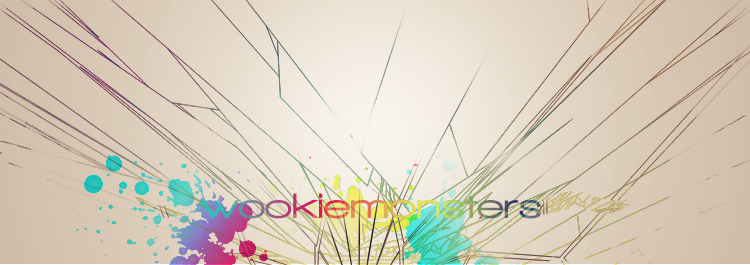
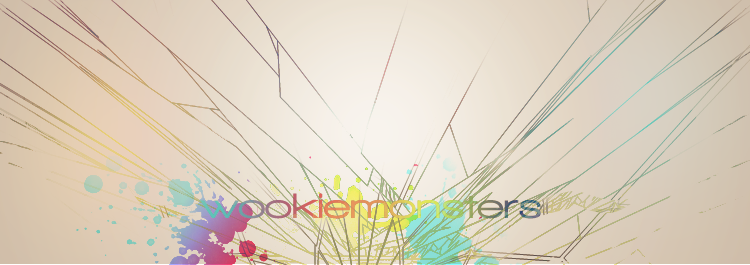
That userbar ur using.. i put a wireframe in it. ~-^
Image
<3
0len

User avatar
Rizla
Ex-Staff
Posts: 1197
Joined: Sun Jun 11, 2006 4:17 am
Quick Reply: Yes
Location: Artist's Corner

Post by Rizla »

reK wrote:
That userbar ur using.. i put a wireframe in it. ~-^

Congratulations :?
Image

Post Reply

Return to “Artists Corner”