Blending tutorial by Padawin

Digital art design, renderings, signatures and anything art related. Upload pictures of your newest work or ask for feedback. Post graphics requests or discuss art in general.
Post Reply
User avatar
Padawin
Regular Member
Posts: 321
Joined: Sun Jun 04, 2006 9:06 am
Quick Reply: Yes
Location: Babel

Blending tutorial by Padawin

Post by Padawin »

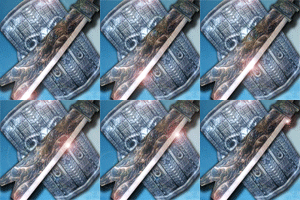
In this tutorial im explaining how to make 2 pictures fade one into the other (not just putting one on top of the other and changing opacity, duh), its something simple but that can provide great results, especially in artistic photo editing :P

please check it and give some feedback, i hope you enjoy it as much as i did making it :D

PS: source pictures included
Link: http://www.megaupload.com/?d=KXVA3ZNM

Image
Image

Luoma
Veteran Member
Posts: 3895
Joined: Thu Sep 14, 2006 8:23 am
Quick Reply: Yes
Location: Artists Corner & Aege

Post by Luoma »

That was Very well done, love the animation so that you can see exactly how to do it!

Thanks! :D
<<banned from SRF for proof of botting. -SG>>

User avatar
Padawin
Regular Member
Posts: 321
Joined: Sun Jun 04, 2006 9:06 am
Quick Reply: Yes
Location: Babel

Post by Padawin »

post your results if you try it with other pictures :P
Image
Image

Post Reply

Return to “Artists Corner”