
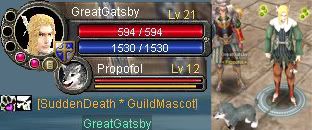
Nice ones
Silkroad Userbars For All Server Players And Weapon Users
- RevanBlade
- Hi, I'm New Here
- Posts: 1
- Joined: Wed Nov 15, 2006 6:17 pm
- Quick Reply: Yes
- Location: Alberta,Cana-Duh!
-
uNiq3AnGeL
- New Member
- Posts: 49
- Joined: Fri Oct 06, 2006 12:12 pm
-
uNiq3AnGeL
- New Member
- Posts: 49
- Joined: Fri Oct 06, 2006 12:12 pm
-
uNiq3AnGeL
- New Member
- Posts: 49
- Joined: Fri Oct 06, 2006 12:12 pm
-
uNiq3AnGeL
- New Member
- Posts: 49
- Joined: Fri Oct 06, 2006 12:12 pm
- [SD]MARKsman7328
- Valued Member
- Posts: 353
- Joined: Fri Jun 30, 2006 8:59 pm
- Quick Reply: Yes
- Location: Xian
- Contact:
gj. perhaps u could make tutorial on making stuff all crystal like that.

Phoenix - Mark
ex-Iris. Hybrid Bow - dydx
ex-Venus: BHA:SD Wizard GreatGatsby
ex-Xian character: MARKsman7328
- xMoDx
- Valued Member
- Posts: 456
- Joined: Tue May 30, 2006 6:50 am
- Quick Reply: Yes
- Location: Xian
- Contact:
Re: Silkroad Userbars For All Server Players And Weapon User
Brusi3k wrote:Yeah I made some userbars for every server and weapon =]
I hope any of you will like them =]
There is link to the site:
http://brusi3k.sitesled.com/userbars.htm
If u will use pls post here I want know how many ppl like my userbars
best work dude =)
PS: can you add force mastery?
eg: fire,light,ice,force
and job?
eg: thief,merchant,hunter
more power to your work
- secondchance
- Hi, I'm New Here
- Posts: 10
- Joined: Tue Dec 12, 2006 5:27 am
- Quick Reply: Yes
- Location: Aege
- Echobrain27
- New Member
- Posts: 44
- Joined: Sun Oct 01, 2006 11:57 am
- Quick Reply: Yes
- Location: Hercules
- sloweredmangyang
- Active Member
- Posts: 605
- Joined: Wed Jul 19, 2006 12:12 am
- Quick Reply: Yes
- Location: alps
right click on an userbar. select "copy image adress". go to your profile and in the sig section rightclick+paste. A long url should now be there. Now in the beggining of an url you put [img]and%20at%20the%20end%20of%20the%20url%20you%20put[/img].
Example. I rightclicked an userbar, now i paste it.
http://img204.imageshack.us/img204/9987 ... pywj8.jpgf
^thats your url.
Now you put [img] at the beggining of it.
[img]http://img204.imageshack.us/img204/9987/echorain2536copywj8.jpg
and at the end of it. When you do your post/sig should look like this:
If you don't quite understand, quote my post and see the code for yourself. Its
So to make it work you need to do this:
PM me if you are still having problems
Example. I rightclicked an userbar, now i paste it.
http://img204.imageshack.us/img204/9987 ... pywj8.jpgf
^thats your url.
Now you put [img] at the beggining of it.
[img]http://img204.imageshack.us/img204/9987/echorain2536copywj8.jpg
and at the end of it. When you do your post/sig should look like this:
If you don't quite understand, quote my post and see the code for yourself. Its
Code: Select all
[img]http://img204.imageshack.us/img204/9987/echorain2536copywj8.jpg[/img]So to make it work you need to do this:
Code: Select all
[img]The URL of the image you want to post/put in your signature[/img]PM me if you are still having problems
- naljamees51
- Frequent Member
- Posts: 1054
- Joined: Tue Mar 21, 2006 1:34 pm
- Quick Reply: Yes
- Location: Estonia
- micheal_safian
- Common Member
- Posts: 106
- Joined: Sun Dec 31, 2006 3:43 am
- Quick Reply: Yes
- Location: Athens
- pyungwonlee
- Hi, I'm New Here
- Posts: 9
- Joined: Wed Jan 17, 2007 8:00 am
- Quick Reply: Yes
- Location: Australia
- Generati0nX
- Hi, I'm New Here
- Posts: 1
- Joined: Fri Feb 16, 2007 7:59 pm
- Quick Reply: Yes
- Location: Trelleborg, Sweden
- Contact:
draquish wrote:right click on an userbar. select "copy image adress". go to your profile and in the sig section rightclick+paste. A long url should now be there. Now in the beggining of an url you put [img]and%20at%20the%20end%20of%20the%20url%20you%20put[/img].
Example. I rightclicked an userbar, now i paste it.
http://img204.imageshack.us/img204/9987 ... pywj8.jpgf
^thats your url.
Now you put [img] at the beggining of it.
[img]http://img204.imageshack.us/img204/9987/echorain2536copywj8.jpg
and at the end of it. When you do your post/sig should look like this:
If you don't quite understand, quote my post and see the code for yourself. ItsCode: Select all
[img]http://img204.imageshack.us/img204/9987/echorain2536copywj8.jpg[/img]
So to make it work you need to do this:Code: Select all
[img]The URL of the image you want to post/put in your signature[/img]
PM me if you are still having problems
i dont have the "copy image address" option...
IGN: Lormex | Level: 3X | Guild: GuardianZ | Build: Glaive Hybird | Wolf: 2X
~~~>>>Gone to the "Cool" side 2Moons<<<~~~