Digital art design, renderings, signatures and anything art related. Upload pictures of your newest work or ask for feedback. Post graphics requests or discuss art in general.
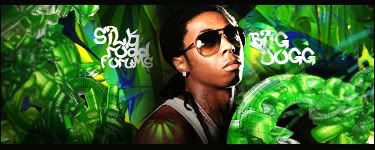
Background image is a bit pixleated. Doesn't seem like Raiden is actually there. Needs some blending or try to find a better stock image for the background.
O o /¯____________________________ ______________________________ ___/ | I'M A FIRIN MAH LAZOOR! BLAAAAAAAAAAARGHHH \_¯¯¯¯¯¯¯¯¯¯¯¯¯¯¯¯¯¯¯¯¯¯¯¯¯¯¯¯ ¯¯¯¯¯¯¯¯¯¯¯¯¯¯¯¯¯¯¯¯¯¯¯¯¯¯¯¯¯¯ ¯¯¯\
try putting one more layer on top of all the other layers with like a different color on overlay or softlight so the stock doesnt pop out that much :S and blend in a lil bit more :3
I simpathize with not remembering all the techniques... Remember the smudge tool, blends the stock with the BG... A new layer with gradient and lighting effects is always a good idea... make the colors work together.
Cut, Copy, Paste, Art Kung Fu ^_^ ^^Thanks a Bunch to Cin^^