NSR

Digital art design, renderings, signatures and anything art related. Upload pictures of your newest work or ask for feedback. Post graphics requests or discuss art in general.
Post Reply
User avatar
bakafish
Veteran Member
Posts: 3358
Joined: Tue Jan 23, 2007 5:47 pm
Quick Reply: Yes
Location: EU-Kor'gall

NSR

Post by bakafish »

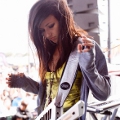
Hi, I just got PS3 yesterday and started messing around with some tutorials and got this done, not really satisfied considering I still have problems using some features such as Gaussian Blur. I know it's barely anything, help would be much appreciated.

Image

Spoiler for render:

Spoiler!
Image

User avatar
IceCrash
Forum Legend
Posts: 6816
Joined: Thu Nov 09, 2006 4:49 pm
Quick Reply: Yes
Location: Anything goes

Re: NSR

Post by IceCrash »

quite good for your first one mate :D
glad to see you startin' on this :P
don't really have anything to say about the sig, i'm too tired to think tho, anyways i like it, gd job
Image

User avatar
Kraq
Advanced Member
Posts: 2076
Joined: Sat Dec 15, 2007 3:44 am
Location: ☮☮☮

Re: NSR

Post by Kraq »

Looks great for a first one :]

If you don't know how to do Gaussian Blue its, Filter>Blur>Gaussian Blur :D if you meant you dont know how to use then nvm :]
Image

User avatar
iSinnnn
Frequent Member
Posts: 1172
Joined: Mon Aug 18, 2008 2:18 am
Quick Reply: Yes
Location: mavnation.

Re: NSR

Post by iSinnnn »

http://www.imagebam.com/image/1bedee11831778
http://www.mydamnsig.com/forum/showthread.php?t=7037
http://www.tech-gfx.net/forum/showthread.php?t=29284
http://fc03.deviantart.com/fs25/f/2008/ ... aux125.png

just wanted to throw some tuts out there that might help you out in the present/future. (i take no credit for these, none were made by me)

as far as the sig goes, not bad for a first. to the right of the render is a little too dark and it needs better colors imo. text is also eh but you'll learn as you go i'm sure :)

User avatar
bakafish
Veteran Member
Posts: 3358
Joined: Tue Jan 23, 2007 5:47 pm
Quick Reply: Yes
Location: EU-Kor'gall

Re: NSR

Post by bakafish »

@ Ice Thanks!

@ Kraq I know where to find that feature, just can't seem to use it right :/

@ iSinnnn Thanks for the tuts! Gonna try them out when I have the time. By the way, I did notice it was too dark on the right, when I look at it, I kept raising my head higher, thinking there might be a reflection or something.

Image

User avatar
Kraq
Advanced Member
Posts: 2076
Joined: Sat Dec 15, 2007 3:44 am
Location: ☮☮☮

Re: NSR

Post by Kraq »

bakafish wrote:@ Ice Thanks!

@ Kraq I know where to find that feature, just can't seem to use it right :/

@ iSinnnn Thanks for the tuts! Gonna try them out when I have the time. By the way, I did notice it was too dark on the right, when I look at it, I kept raising my head higher, thinking there might be a reflection or something.

What do you seem to have problems with?
Image

Post Reply

Return to “Artists Corner”