Official Post And Discuss Your Ui Topic

User avatar
[TS]=Hark=[TS]
Loyal Member
Posts: 1596
Joined: Thu Feb 01, 2007 9:16 pm
Quick Reply: Yes
Location: Black Desert Online

Re: Official Post And Discuss Your Ui Topic

Post by [TS]=Hark=[TS] »

my new ui :P

Spoiler!


tell me what you think please

i need a new place to put grid :( any ideas?
Image
^^ mAd propps to Verfo for the sig:P thankx man!

User avatar
Panu
Veteran Member
Posts: 3536
Joined: Mon Aug 27, 2007 8:43 pm
Quick Reply: Yes
Location: Around

Re: Official Post And Discuss Your Ui Topic

Post by Panu »

looks awesome. im not a fan of quartz myself but you make it look effective in battle.
Image

User avatar
cuchulainn
Advanced Member
Posts: 2168
Joined: Thu Apr 06, 2006 5:09 pm
Quick Reply: Yes
Location: Troy

Re: Official Post And Discuss Your Ui Topic

Post by cuchulainn »

[TS]=Hark=[TS] wrote:my new ui :P

Spoiler!


tell me what you think please

i need a new place to put grid :( any ideas?


Cast bar is huge.

Hide Fubar and have it show on mouseover.

Hide Recount when it's not needed

Hide bag bar and micro menu

You don't need a buff addon AND have buffs displayed on your player frame.

Map is huge.
I'm in your posts, stealing your quotes.
Image

User avatar
[TS]=Hark=[TS]
Loyal Member
Posts: 1596
Joined: Thu Feb 01, 2007 9:16 pm
Quick Reply: Yes
Location: Black Desert Online

Re: Official Post And Discuss Your Ui Topic

Post by [TS]=Hark=[TS] »

titan panal takes up a whole 1/4 inch... i like it how it is. and i need cast bars big so i can see them when not looking at them, if you understand what i mean.

how do i hide buffs on pitbull?
Image
^^ mAd propps to Verfo for the sig:P thankx man!

User avatar
Skullbasher62
Active Member
Posts: 898
Joined: Tue Mar 07, 2006 1:53 pm
Quick Reply: Yes
Location: tEH Intarwebz
Contact:

Re: Official Post And Discuss Your Ui Topic

Post by Skullbasher62 »

the auras module.
Image<--by Sae<3
Kasu/Gunza

DOTA2, Age of Conan

User avatar
FireFly
Common Member
Posts: 148
Joined: Mon Dec 04, 2006 8:02 am
Quick Reply: Yes
Location: In your account...sharding your purples.

Re: Official Post And Discuss Your Ui Topic

Post by FireFly »

Idle
Spoiler!


25m Onyxia
Spoiler!
cuchulainn wrote:You're right. Joymax needs to take over the game asap, Blizzard doesn't know what they're doing.

[//////////////////// ]
Attempting to give a damn: 99%
Error: Unable to give a damn.

User avatar
Tig3ress
Loyal Member
Posts: 1800
Joined: Wed Aug 30, 2006 1:28 am
Quick Reply: Yes
Location: Zion

Re: Official Post And Discuss Your Ui Topic

Post by Tig3ress »

Mkay, so ive been trying again to change my UI.

I saw this http://www.wowinterface.com/downloads/info13198.html and followed the instructions exactly on the page, and now when I open wow, only the font and res has changed. I tried the commands she added there "/quartz" etc but nothing happened (Unknown Command)

any ideas what I might have farked up this time?

User avatar
.curve
Elite Member
Posts: 5167
Joined: Sun Dec 28, 2008 9:59 am
Quick Reply: Yes
Location: Antelope Valley, CA

Re: Official Post And Discuss Your Ui Topic

Post by .curve »

FireFly wrote:Idle
Spoiler!


25m Onyxia
Spoiler!


That text is so distractingly ugly. It depresses me.
Speak the truth, even if your voice shakes.
Image

User avatar
FireFly
Common Member
Posts: 148
Joined: Mon Dec 04, 2006 8:02 am
Quick Reply: Yes
Location: In your account...sharding your purples.

Re: Official Post And Discuss Your Ui Topic

Post by FireFly »

I thought so...I'll make a change tonight. :P
cuchulainn wrote:You're right. Joymax needs to take over the game asap, Blizzard doesn't know what they're doing.

[//////////////////// ]
Attempting to give a damn: 99%
Error: Unable to give a damn.

User avatar
cuchulainn
Advanced Member
Posts: 2168
Joined: Thu Apr 06, 2006 5:09 pm
Quick Reply: Yes
Location: Troy

Re: Official Post And Discuss Your Ui Topic

Post by cuchulainn »

Tig3ress wrote:Mkay, so ive been trying again to change my UI.

I saw this http://www.wowinterface.com/downloads/info13198.html and followed the instructions exactly on the page, and now when I open wow, only the font and res has changed. I tried the commands she added there "/quartz" etc but nothing happened (Unknown Command)

any ideas what I might have farked up this time?
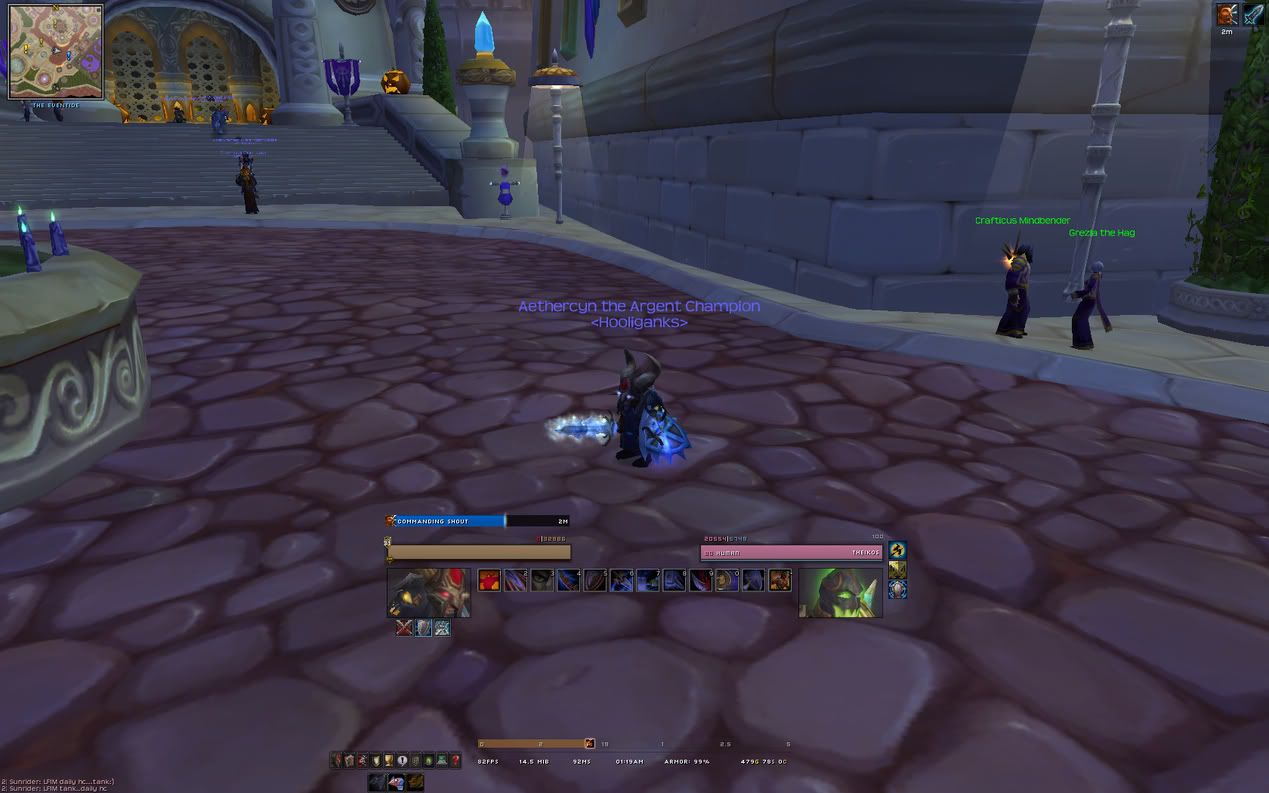

That compilation is from April, there has been at least one major patch since then. Make sure you have "Load Out of Date Addons" checked and then go through the addon list and update any addons that have been updated since that compilation was posted (don't worry though since the updating the addons in most cases wont mess with whatever settings there are for that addon).
I'm in your posts, stealing your quotes.
Image

User avatar
Tig3ress
Loyal Member
Posts: 1800
Joined: Wed Aug 30, 2006 1:28 am
Quick Reply: Yes
Location: Zion

Re: Official Post And Discuss Your Ui Topic

Post by Tig3ress »

Thanks for the help, It loads now.

Only 1 question left :3.

It says to select profiles "5:4" on the guide i was reading (and linked to earlier) but I cant seem to find them, they are not in the drop down select profile menu, are they somewhere else?

User avatar
Sovereign
Active Member
Posts: 749
Joined: Sat Apr 12, 2008 11:27 am
Quick Reply: Yes
Location: Guild Wars

Re: Official Post And Discuss Your Ui Topic

Post by Sovereign »

Finished with a new build for my UI.
Image


I'm still missing a few Addons, but almost there.
And i think tomorrow i will increase the overall scale of things, as its a bit too small right now, but almost there ^^

User avatar
piootr
Frequent Member
Posts: 1424
Joined: Sun Jul 08, 2007 3:18 pm
Quick Reply: Yes
Location: Off Topic

Re: Official Post And Discuss Your Ui Topic

Post by piootr »

^ I like that UI quite a bit. It's clean, small, and efficient.
Nice.
Image

User avatar
cuchulainn
Advanced Member
Posts: 2168
Joined: Thu Apr 06, 2006 5:09 pm
Quick Reply: Yes
Location: Troy

Re: Official Post And Discuss Your Ui Topic

Post by cuchulainn »

Hide the micromenu, no reason to show it.

Portraits add nothing to the UI and look stupid. This goes for any UI.

Put your cooldown bar somewhere where it's not far away from everything else.
I'm in your posts, stealing your quotes.
Image

User avatar
[TS]=Hark=[TS]
Loyal Member
Posts: 1596
Joined: Thu Feb 01, 2007 9:16 pm
Quick Reply: Yes
Location: Black Desert Online

Re: Official Post And Discuss Your Ui Topic

Post by [TS]=Hark=[TS] »

i want this!!

http://www.wowinterface.com/downloads/i ... creen.html

but it doesnt work with my resolution :(. how can i make it work?
Image
^^ mAd propps to Verfo for the sig:P thankx man!

User avatar
cuchulainn
Advanced Member
Posts: 2168
Joined: Thu Apr 06, 2006 5:09 pm
Quick Reply: Yes
Location: Troy

Re: Official Post And Discuss Your Ui Topic

Post by cuchulainn »

[TS]=Hark=[TS] wrote:i want this!!

http://www.wowinterface.com/downloads/i ... creen.html

but it doesnt work with my resolution :(. how can i make it work?


Eww.

You could, I dunno, move around the addons yourself?
I'm in your posts, stealing your quotes.
Image

User avatar
[TS]=Hark=[TS]
Loyal Member
Posts: 1596
Joined: Thu Feb 01, 2007 9:16 pm
Quick Reply: Yes
Location: Black Desert Online

Re: Official Post And Discuss Your Ui Topic

Post by [TS]=Hark=[TS] »

cuchulainn wrote:
[TS]=Hark=[TS] wrote:i want this!!

http://www.wowinterface.com/downloads/i ... creen.html

but it doesnt work with my resolution :(. how can i make it work?


Eww.

You could, I dunno, move around the addons yourself?


i found out what the prob was. when i did what he said and used /reflux switch ToodlesUi it was creating new profiles everytime. i manually had to change each addon to the correct profile.
Image
^^ mAd propps to Verfo for the sig:P thankx man!

User avatar
Sovereign
Active Member
Posts: 749
Joined: Sat Apr 12, 2008 11:27 am
Quick Reply: Yes
Location: Guild Wars

Re: Official Post And Discuss Your Ui Topic

Post by Sovereign »

cuchulainn wrote:Hide the micromenu, no reason to show it.

Portraits add nothing to the UI and look stupid. This goes for any UI.

Put your cooldown bar somewhere where it's not far away from everything else.


Are you kidding? Portraits are so nice, its nice to see something visual rather then just text and bars, especially when tanking.
I agree tho, im trying to find a good place for the micromenu, and perhaps a new place for my cooldowns, ill try and get a pic of it in a group or something soon.

User avatar
cuchulainn
Advanced Member
Posts: 2168
Joined: Thu Apr 06, 2006 5:09 pm
Quick Reply: Yes
Location: Troy

Re: Official Post And Discuss Your Ui Topic

Post by cuchulainn »

Sovereign wrote:
cuchulainn wrote:Hide the micromenu, no reason to show it.

Portraits add nothing to the UI and look stupid. This goes for any UI.

Put your cooldown bar somewhere where it's not far away from everything else.


Are you kidding? Portraits are so nice, its nice to see something visual rather then just text and bars, especially when tanking.
I agree tho, im trying to find a good place for the micromenu, and perhaps a new place for my cooldowns, ill try and get a pic of it in a group or something soon.


I see something visual, it's called the freaking player/monster I'm staring at on the screen. I repeat, there is no reason to have portraits, they're ugly, distracting and provide zero additional information about anything.

There is no good place for the micromenu, just hide it, there's nothing there you need to access more than once in a blue moon anyway. When I need to put in a ticket, I unhide the menu for 30 seconds, that's about it.

I'm in your posts, stealing your quotes.
Image

User avatar
[TS]=Hark=[TS]
Loyal Member
Posts: 1596
Joined: Thu Feb 01, 2007 9:16 pm
Quick Reply: Yes
Location: Black Desert Online

Re: Official Post And Discuss Your Ui Topic

Post by [TS]=Hark=[TS] »

cuchulainn wrote:
Sovereign wrote:
cuchulainn wrote:Hide the micromenu, no reason to show it.

Portraits add nothing to the UI and look stupid. This goes for any UI.

Put your cooldown bar somewhere where it's not far away from everything else.


Are you kidding? Portraits are so nice, its nice to see something visual rather then just text and bars, especially when tanking.
I agree tho, im trying to find a good place for the micromenu, and perhaps a new place for my cooldowns, ill try and get a pic of it in a group or something soon.


I see something visual, it's called the freaking player/monster I'm staring at on the screen. I repeat, there is no reason to have portraits, they're ugly, distracting and provide zero additional information about anything.

There is no good place for the micromenu, just hide it, there's nothing there you need to access more than once in a blue moon anyway. When I need to put in a ticket, I unhide the menu for 30 seconds, that's about it.


i still use mine to look in friends list, guild, LFG, raid screen, achievements, quests, my character attributes and gear, talents, and to log out ><... so yeah i use mine like every 5 seconds.
Image
^^ mAd propps to Verfo for the sig:P thankx man!

User avatar
MrJoey
Elite Member
Posts: 5570
Joined: Tue Apr 18, 2006 1:44 am
Quick Reply: Yes
Location: Being the forum ritalin

Re: Official Post And Discuss Your Ui Topic

Post by MrJoey »

Lrn2use hotkeys.
Quoted from BuDo
(Except I Am Vegeta cuz we all know he is a used tampon when it comes to his personality)
Image

User avatar
cuchulainn
Advanced Member
Posts: 2168
Joined: Thu Apr 06, 2006 5:09 pm
Quick Reply: Yes
Location: Troy

Re: Official Post And Discuss Your Ui Topic

Post by cuchulainn »

[TS]=Hark=[TS] wrote:
i still use mine to look in friends list (o), guild (o), LFG (i), raid screen (o), achievements (y), quests (L), my character attributes and gear (c), talents (n), and to log out (Esc) ><... so yeah i use mine like every 5 seconds.


Easy to remember hot keys. I did change my character pane to K so I could use C as a hotkey for spells though.
I'm in your posts, stealing your quotes.
Image

User avatar
[TS]=Hark=[TS]
Loyal Member
Posts: 1596
Joined: Thu Feb 01, 2007 9:16 pm
Quick Reply: Yes
Location: Black Desert Online

Re: Official Post And Discuss Your Ui Topic

Post by [TS]=Hark=[TS] »

cuchulainn wrote:
[TS]=Hark=[TS] wrote:
i still use mine to look in friends list (o), guild (o), LFG (i), raid screen (o), achievements (y), quests (L), my character attributes and gear (c), talents (n), and to log out (Esc) ><... so yeah i use mine like every 5 seconds.


Easy to remember hot keys. I did change my character pane to K so I could use C as a hotkey for spells though.


none of them make sence though >< i mean achievements is y? quests is L? i realize that the keys that would make sence are already bound to something else but thats why i dont use hotkeys because i get confused. for using skills i do use my keys though, i only click whats not bound (obviously) because i cba to use more then 1-5 and ` lol
Image
^^ mAd propps to Verfo for the sig:P thankx man!

User avatar
cuchulainn
Advanced Member
Posts: 2168
Joined: Thu Apr 06, 2006 5:09 pm
Quick Reply: Yes
Location: Troy

Re: Official Post And Discuss Your Ui Topic

Post by cuchulainn »

[TS]=Hark=[TS] wrote:
cuchulainn wrote:
[TS]=Hark=[TS] wrote:
i still use mine to look in friends list (o), guild (o), LFG (i), raid screen (o), achievements (y), quests (L), my character attributes and gear (c), talents (n), and to log out (Esc) ><... so yeah i use mine like every 5 seconds.


Easy to remember hot keys. I did change my character pane to K so I could use C as a hotkey for spells though.


none of them make sence though >< i mean achievements is y? quests is L? i realize that the keys that would make sence are already bound to something else but thats why i dont use hotkeys because i get confused. for using skills i do use my keys though, i only click whats not bound (obviously) because i cba to use more then 1-5 and ` lol


They don't have to make sense. Once you use them awhile, it becomes muscle memory when you wanna use one. Same thing with keybinds for all your skills and such.
I'm in your posts, stealing your quotes.
Image

User avatar
[TS]=Hark=[TS]
Loyal Member
Posts: 1596
Joined: Thu Feb 01, 2007 9:16 pm
Quick Reply: Yes
Location: Black Desert Online

Re: Official Post And Discuss Your Ui Topic

Post by [TS]=Hark=[TS] »

anyone know a of a good dk ui?
Image
^^ mAd propps to Verfo for the sig:P thankx man!

User avatar
cuchulainn
Advanced Member
Posts: 2168
Joined: Thu Apr 06, 2006 5:09 pm
Quick Reply: Yes
Location: Troy

Re: Official Post And Discuss Your Ui Topic

Post by cuchulainn »

[TS]=Hark=[TS] wrote:anyone know a of a good dk ui?


basically any other UI with a rune addon added to it?
I'm in your posts, stealing your quotes.
Image

User avatar
Bleed4Me
Valued Member
Posts: 428
Joined: Fri Oct 24, 2008 3:40 pm
Quick Reply: Yes
Location: Antwerp

Re: Official Post And Discuss Your Ui Topic

Post by Bleed4Me »

I got basic UI xD but i am gonne start changing it i tink i can see more of my screen then xD
Image

User avatar
[TS]=Hark=[TS]
Loyal Member
Posts: 1596
Joined: Thu Feb 01, 2007 9:16 pm
Quick Reply: Yes
Location: Black Desert Online

Re: Official Post And Discuss Your Ui Topic

Post by [TS]=Hark=[TS] »

cuchulainn wrote:
[TS]=Hark=[TS] wrote:anyone know a of a good dk ui?


basically any other UI with a rune addon added to it?


dks require waaaay less on the screen, less buttons, no cooldown timer, no self cast bar just enemy...
Image
^^ mAd propps to Verfo for the sig:P thankx man!

User avatar
cuchulainn
Advanced Member
Posts: 2168
Joined: Thu Apr 06, 2006 5:09 pm
Quick Reply: Yes
Location: Troy

Re: Official Post And Discuss Your Ui Topic

Post by cuchulainn »

[TS]=Hark=[TS] wrote:
cuchulainn wrote:
[TS]=Hark=[TS] wrote:anyone know a of a good dk ui?


basically any other UI with a rune addon added to it?


dks require waaaay less on the screen, less buttons, no cooldown timer, no self cast bar just enemy...


So disable what you dont need?

idk about less buttons though, my friend has 3-4 bars full of hotkeys for his dk
I'm in your posts, stealing your quotes.
Image

User avatar
Panu
Veteran Member
Posts: 3536
Joined: Mon Aug 27, 2007 8:43 pm
Quick Reply: Yes
Location: Around

Re: Official Post And Discuss Your Ui Topic

Post by Panu »

cuchulainn wrote:So disable what you dont need?

idk about less buttons though, my friend has 3-4 bars full of hotkeys for his dk


lol full of what? DK's have like 6 skills total (not really but w/e). i only used around 5 to beat my opponents
Image

Post Reply

Return to “World of Warcraft”