Welcome to SRF in Phpbb 3.0
Note:
Changing to 3.0 brings a new world of options, customizations and possibilities to SRF, however we have tried our hardest to keep SRF as user friendly as it is today so that when you first experience the transition it will be easy for you.
Things to Notice:
User Control Panel
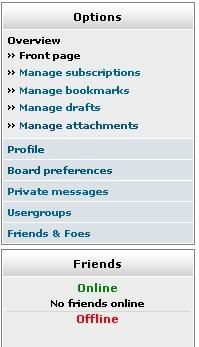
Manage Subscriptions
If you subscribe to a thread, it means that you will be emailed and informed anytime a reply is made
Manage Bookmarks
Have a favorite thread? Bookmark it, it allows you to keep track of Threads which you enjoy, or don’t want to loose.
Manage Drafts
Been working on a thread, have many links, pictures, BBcode and all? However, you’re not done, and you need to feed the goldfish before they die? Simple, save a draft. Then come back, edit it and perfect it anytime you want!
Manage Attachments
If you have uploaded and attached something to a post, this allows you to keep track of it, and delete it if need be.
Profile
Edit Profile

Same boxes as the old version of SRF. However, we have a new addition. Birthdays. Make sure you fill in your birthday, so that I can be displayed on the main page, on your birthday!
Edit Signature
Same as the old SRF, except that it has the BBCode buttons there, including the color platelet so that we don't have to write them manually.
Edit Avatar
Same as the old SRF.
Edit Account Settings
Same as our Registration Information Section in the old SRF.
Board Preferences
Edit Global Settings
Exactly the same as our top half of the Preferences section in our profiles including time and date. From the old SRF.
Edit Posting Defaults
Exactly the same as our bottom half of the Preferences section in our profiles. From the old SRF.
Edit Display Options
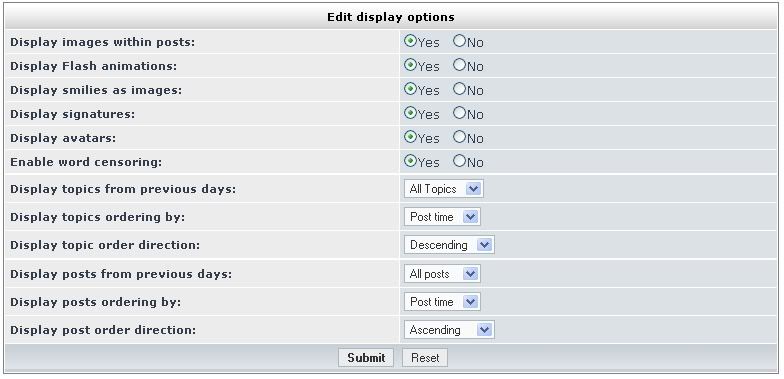
Allows you to edit the way in which you view the forum.
Private Messages
Compose/Inbox/Outbox/Sent Messages
Exactly the same as ours, no difference there, apart from the fact that when composting a message, you are allowed to upload an attachment.
Replying
Replying a PM is a little different this time. All the PM’s from you and the other person which have been replied to, are displayed below, like when you reply to a topic. You have the posts below for reference.
Manage PM Drafts
You can save a draft of a PM, and edit it later to send
Rules, folders & settings
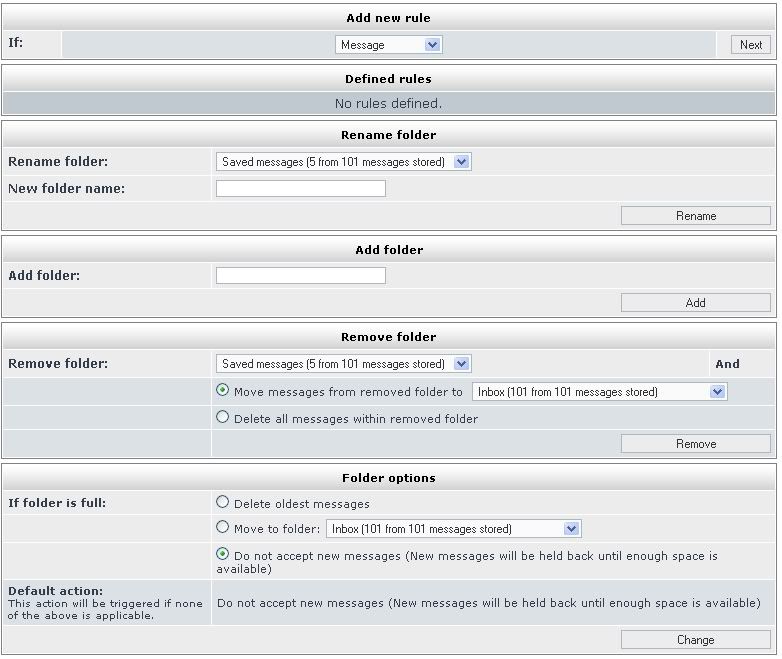
Allows you to set Macros for your PMs. Add new folders to your inbox, and sort your PMs.
Usergroups
Edit Membership
Just like ours, allows you to see what UserGroups you are a member of.
Manage Groups
Would show you options to moderate and manage a group if you are the leader of one.
Friends & Foes
Manage Friends
Allows you to add users to a "Friend List" which will make their posts highlighted when you view them, their PMs stand out, and you will be informed when they are online.
Manage Foes
Allows you to add users to a "Foe List" Foes are users which will be ignored by default. Posts by these users will not be fully visible.
Changes
- You will notice that the reply box is slightly different now, with new BBcode buttons and a color platelet on the side.
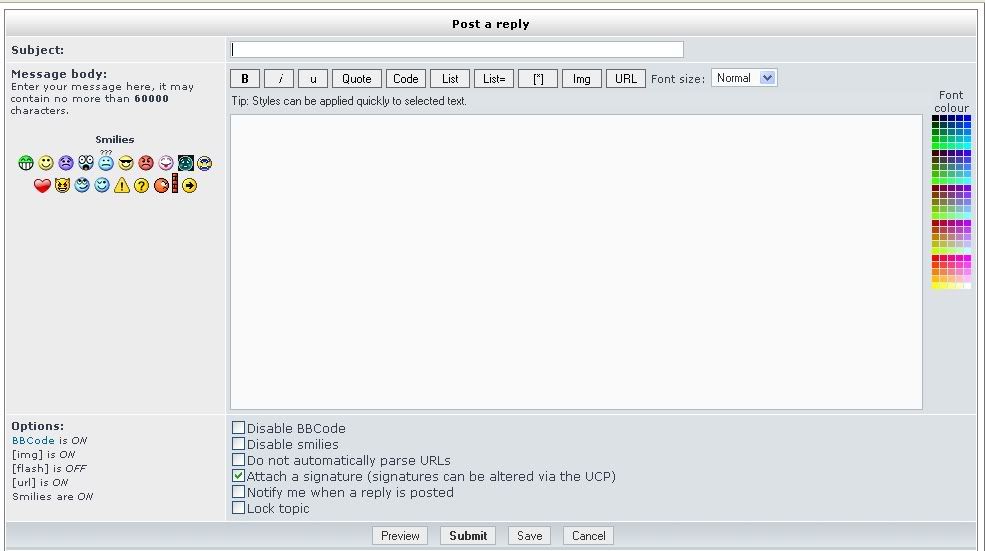
- If you’re on a Post, and you press the PM Button under someone’s name, when it redirects you to the PM site, then it will have quoted what that person's post was automatically.
- Anti Stretch. If a person in the thread posts an image which is wider than your screen, only his post will be stretched. All the surroundings replies will remain within screen width, removing the need for pestering scrolls.
- New arrangements of sub forums and additions of new sub forums to further improve the forum experience, and ease navigation.

- Post Reports.
 No longer will you need to PM a mod, to make your voice heard. You can simply press the Report button located on each post, and fill in the following form, then the report will be sent to a moderator to be handled.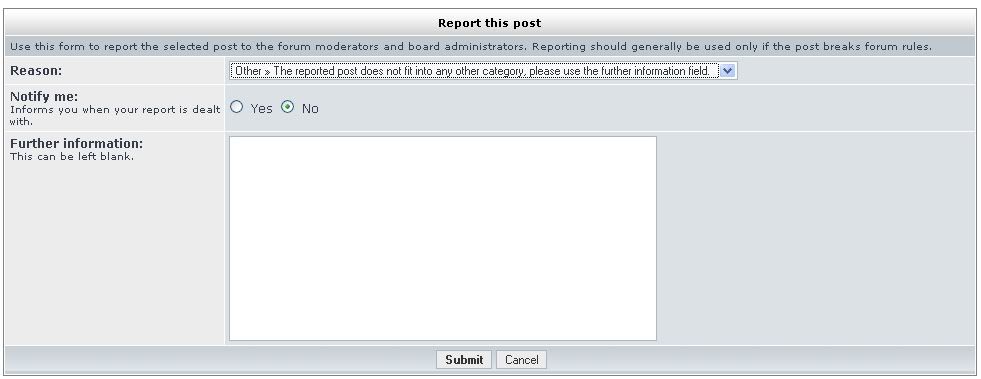
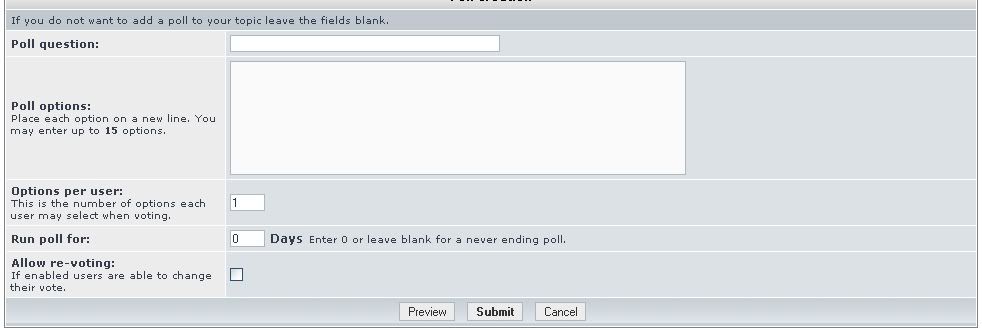
- Post Polls. No longer will you only have 1 choice, you can express your choices, with new options for people who create polls. Vote twice, choose more than one option maybe.
- Global Announcements. If an Admin, or a member of the Mod staff has something important to say, they will make sure you hear it with Global Announcements.

- Youtube Encoding. Now, with this new BBCode, you can directly Encode a youtube video to your post by placing the bold part of the url: http://www.youtube.com/watch?v=dMH0bHeiRNg in the following code:
Code: Select all
[youtube]dMH0bHeiRNg[/youtube]Thus, i present to you the most watched youtube video of all time:
Code: Select all
- Chat. SRF will be getting an official chat now, this will be on the forums, and secure. One will have to register their name to their chatting account, so you will know who you are talking to. Rules and Regulations still apply.
These are some of the main features of the new SRF, there is still plans for slight updates after the transition. Please, be aware that there might be the slight possibility that something has slipped through the cracks, and is not working as it is supposed to. If this is the case, PM the closest Staff member, and inform them of the problem.
We sincerely hope that you enjoy the new SRF.
Key-J
~SRF Mod Team.
P.s IF you find any bugs, please report them immediately to the Mod staff.